


















Employee Advance Summary
The Employee Advance Summary report lists employee advances with the amount requested, paid, claimed through expense claims, and returned, and shows what is still outstanding with each employee.
It is useful for following up on unsettled advances and for reviewing advance balances by employee, department or branch.
The report is not linked from a workspace. To access it, search for Employee Advance Summary in the awesome bar, or open:
/app/query-report/Employee Advance Summary
1. Prerequisites
Before viewing the report, the following must exist:
- Employee
- Employee Advance
Draft and submitted advances are included. Cancelled advances are not.
2. How to view the report
- Go to Employee Advance Summary.
- Select the Company. From Date defaults to the start of the current fiscal year and To Date to today.
- Optionally filter by Employee, Status, Department, Branch or Advance Account.
- Select a Group By option to see subtotals per employee, department or branch.
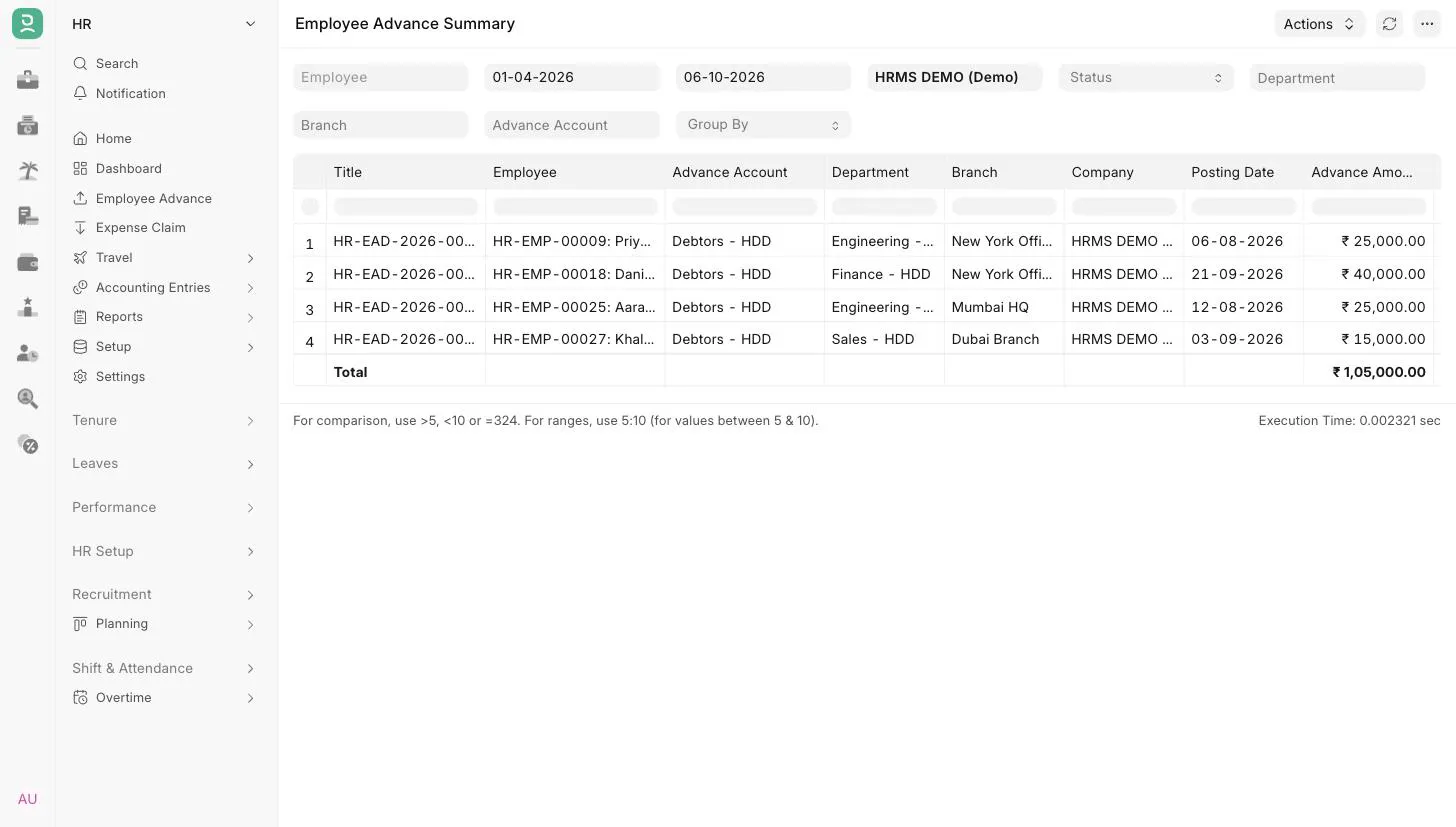 Employee Advance Summary
3. Filters
| Filter | Description |
|---|---|
| Employee | Show advances of one employee of the selected company. |
| From Date, To Date | Range for the advance Posting Date. |
| Company | Mandatory. Defaults to the user's default company. |
| Status | Draft, Paid, Partially Paid, Unpaid, Claimed or Cancelled. |
| Department | One or more departments. Matches the department on the advance, or the employee's department when the advance has none. |
| Branch | One or more branches, based on the employee's branch. |
| Advance Account | One or more receivable accounts of the selected company. |
| Group By | Employee, Department or Branch. Leave empty for a flat list. |
4. Report columns
| Column | Description |
|---|---|
| Title | The Employee Advance. In grouped view, the group header row shows the employee, department or branch instead. |
| Employee | Employee ID and name. |
| Advance Account | The account the advance is posted to. |
| Department | Department on the advance, or the employee's department if not set. |
| Branch | The employee's branch. |
| Company | Company of the advance. |
| Posting Date | Posting date of the advance. |
| Advance Amount | Amount requested. |
| Paid Amount | Amount paid to the employee. |
| Claimed Amount | Amount settled against expense claims. |
| Returned Amount | Amount returned by the employee. |
| Outstanding Amount | Paid Amount minus (Claimed Amount plus Returned Amount). |
| Status | Status of the advance. |
5. Grouping and totals
Without Group By, the report shows one row per advance with a total row at the bottom.
With Group By set, each group starts with a bold row that sums the amounts of the advances below it, and a bold Total row at the end sums all groups. Advances without a department or branch are grouped under Not Set.
6. Access
The report is available to users with the Employee or Expense Approver role. User permissions on Employee Advance apply, so employees see only the advances they have access to.