


















Professional Tax
Professional Tax
Professional Tax (PT) is a state-level tax levied on employment income in India. India Payroll automates PT deduction on every Salary Slip update based on the employee's Employment State and Gross Pay.
Statutory reference: Article 276 of the Constitution limits PT to ₹2,500 per person per year.
1. How to Enable
- Go to Payroll Settings → India Payroll tab.
- Check Enable Professional Tax Deduction.
- Save.
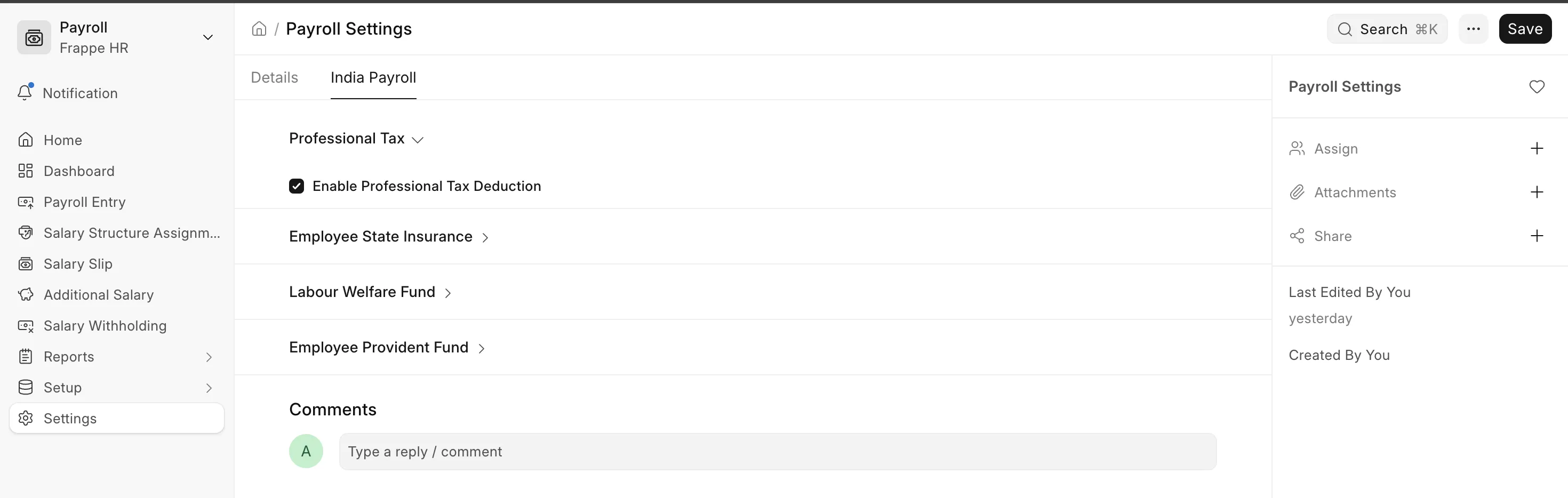 Enabling Professional Tax Deduction
Once enabled, the Professional Tax salary component is automatically injected into (or removed from) each Salary Slip's deductions table when the slip is saved.
2. How It Works
The apply_professional_tax method runs via apply_regional_deductions hook:
Salary Slip (before_save)
    │
    ├─ enable_professional_tax in Payroll Settings? → NO → skip
    ├─ salary_structure set? → NO → skip
    ├─ employment_state from SSA → not in PT states? → skip
    │
    ├─ frequency = monthly?
    │       └─ _compute_pt_monthly(gross_pay, state_config, month, gender)
    │
    └─ frequency = half-yearly?
            └─ _compute_pt_half_yearly(doc, state_config)
                  └─ cumulative gross across submitted slips in period
                     − already deducted PT = this month's PT
The computed amount replaces any existing Professional Tax row.
3. Employment State
PT is determined by the Employment State set on the Salary Structure Assignment (not the Employee master's state field). This allows an employee transferred mid-year to have the correct PT rule applied per assignment.
To set it:
- Open the Salary Structure Assignment for the employee.
- Set Employment State.
Validation: When PT is enabled, saving a Salary Structure Assignment without an Employment State throws an error, preventing silent mis-deduction.
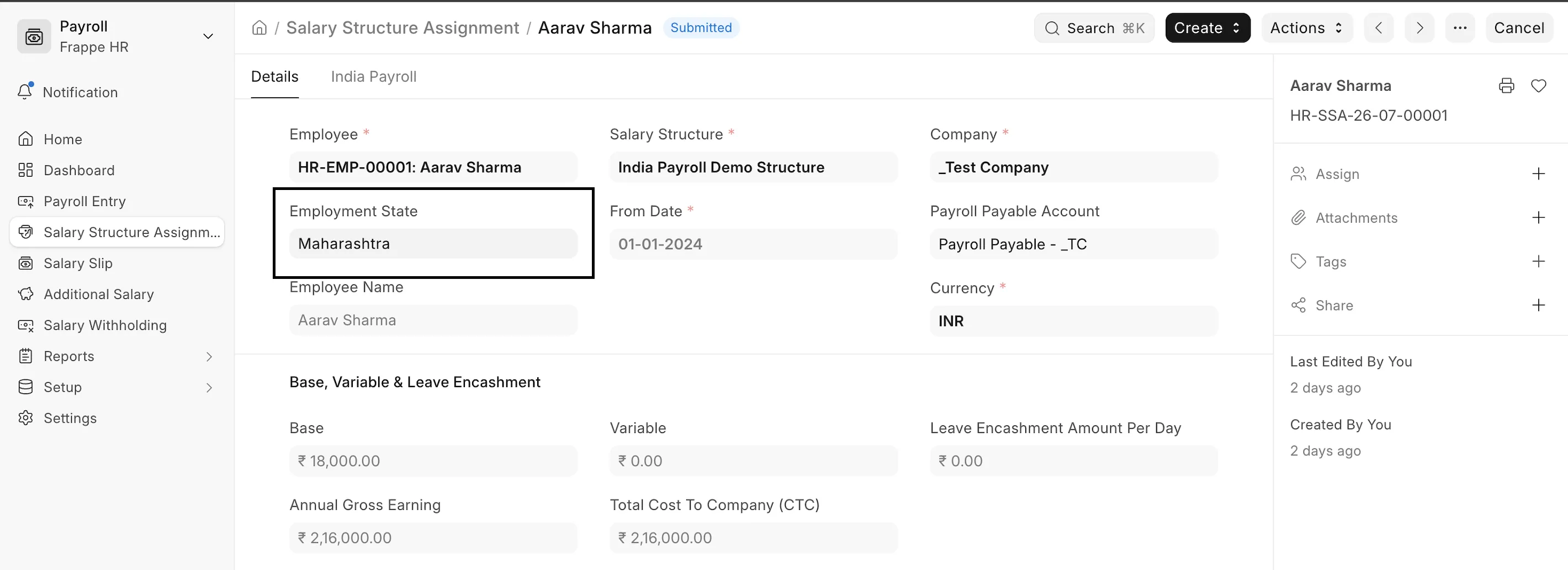 Employment State in Salary Structure Assignment
4. Supported States & Rate Tables
Monthly States
These states deduct PT every month based on gross pay slabs.
| State | Slab (Gross ≤) | PT Amount (₹/month) |
|---|---|---|
| Andhra Pradesh | 15,000 | 0 |
| 20,000 | 150 | |
| Above 20,000 | 200 | |
| Assam | 10,000 | 0 |
| 15,000 | 150 | |
| 25,000 | 180 | |
| Above 25,000 | 208 | |
| Bihar | 25,000 | 0 |
| Above 25,000 | 200 | |
| Gujarat | 5,999 | 0 |
| 8,999 | 80 | |
| 11,999 | 150 | |
| Above 11,999 | 200 | |
| Jharkhand | 25,000 | 0 |
| Above 25,000 | 100 | |
| Karnataka | 25,000 | 0 |
| 41,666 | 150 | |
| Above 41,666 | 200 | |
| Madhya Pradesh | 18,750 | 0 |
| 25,000 | 125 | |
| 33,333 | 167 | |
| Above 33,333 | 208 | |
| Maharashtra | 7,500 | 0 |
| 10,000 | 175 | |
| Above 10,000 | 200 (₹300 in February) | |
| Meghalaya | 4,166 | 0 |
| 6,250 | 16 | |
| … | … | |
| Above 37,500 | 208 | |
| Odisha | 13,304 | 0 |
| 25,000 | 125 | |
| 41,666 | 167 | |
| Above 41,666 | 208 | |
| Sikkim | 20,000 | 0 |
| 30,000 | 125 | |
| 40,000 | 150 | |
| Above 40,000 | 200 | |
| Telangana | 15,000 | 0 |
| 20,000 | 150 | |
| Above 20,000 | 200 | |
| Tripura | 7,500 | 0 |
| 15,000 | 150 | |
| Above 15,000 | 208 | |
| West Bengal | 8,500 | 0 |
| 10,000 | 90 | |
| 15,000 | 110 | |
| 25,000 | 130 | |
| 40,000 | 150 | |
| Above 40,000 | 200 |
Half-Yearly States
These states compute PT on a cumulative basis across each half-year period (Apr–Sep or Oct–Mar). The full slab amount is charged in the first month of the period, and nothing more until the next period.
| State | Period | Slab (Cumulative Gross ≤) | PT Amount (₹/half-year) |
|---|---|---|---|
| Tamil Nadu | Apr–Sep / Oct–Mar | 21,000 | 0 |
| 30,000 | 135 | ||
| 45,000 | 315 | ||
| 60,000 | 690 | ||
| 75,000 | 1,025 | ||
| Above 75,000 | 1,250 | ||
| Kerala | Apr–Sep / Oct–Mar | 11,999 | 0 |
| 17,999 | 120 | ||
| 29,999 | 180 | ||
| 44,999 | 480 | ||
| 59,999 | 720 | ||
| 74,999 | 1,080 | ||
| 99,999 | 1,440 | ||
| Above 99,999 | 1,560 |
5. Special Rules
Maharashtra — February Rule
Maharashtra employees earning above ₹10,000/month pay ₹300 in February instead of the usual ₹200. This ensures the annual total equals the constitutional cap of ₹2,500:
11 months × ₹200 + February × ₹300 = ₹2,500
This is handled automatically by the hook, no configuration required.
Maharashtra - Women Exemption
Women earning ≤ ₹10,000/month are fully exempt from Professional Tax in Maharashtra. The hook reads the gender field from the Employee master and sets PT to ₹0 automatically.
Half-Yearly Incremental Logic (Kerala, Tamil Nadu)
For half-yearly states, the hook:
- Sums gross_pay from all submitted salary slips in the current half-year period (excluding the current unsaved slip).
- Adds the current slip's gross pay → cumulative figure.
- Applies the state slab to the cumulative → total PT due for the period.
- Subtracts PT already deducted in prior slips of the same period.
- Charges the remainder (minimum ₹0) on the current slip.
Result: PT is front-loaded in the first month of the period, and zero in subsequent months once the slab amount is paid.