


















Employee State Insurance
Employee State Insurance (ESIC)
The Employees' State Insurance scheme (ESI) is a mandatory social security scheme under the ESI Act, 1948. India Payroll automates ESI contribution calculation and injection into Salary Slips.
1. How to Enable
- Go to Payroll Settings → India Payroll tab.
- Check Enable ESIC Deduction.
- Optionally enter your ESIC Registration Number (appears on the ESIC Register report).
- Save.
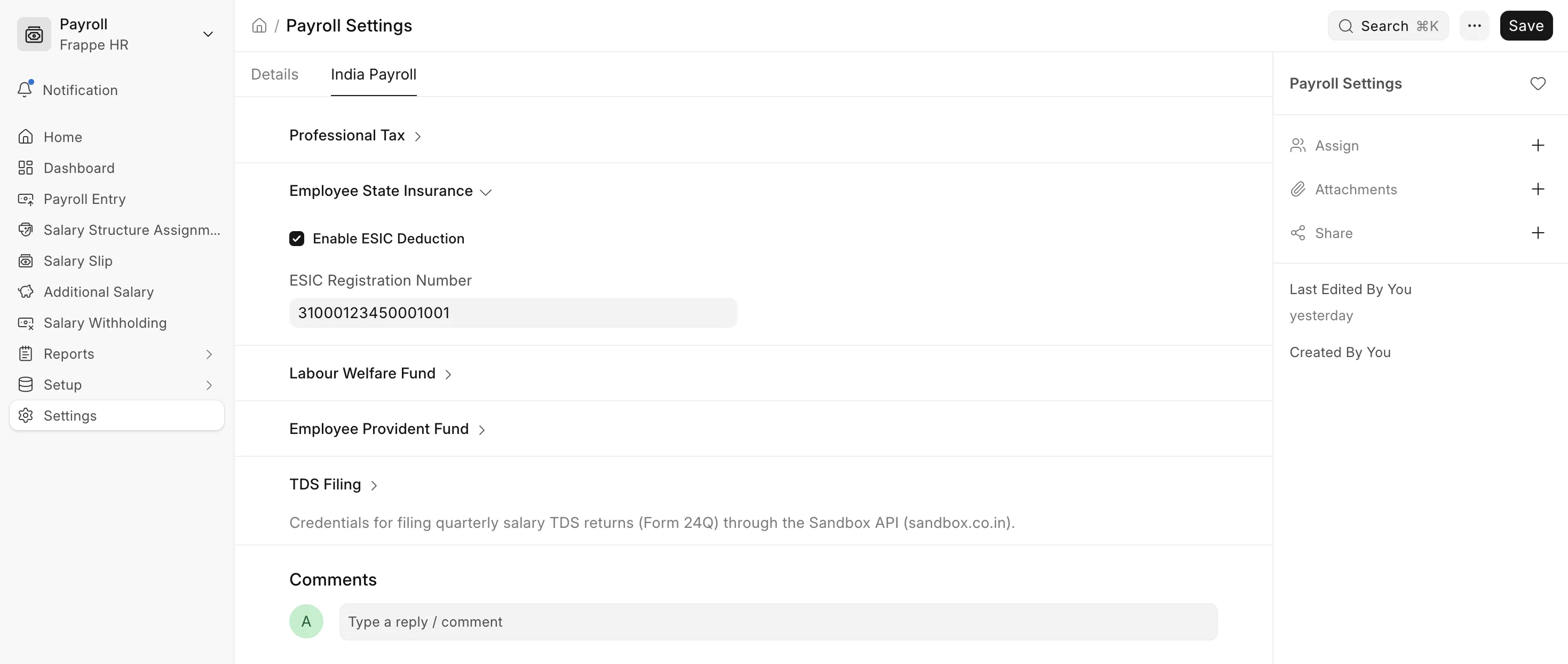 Enabling ESI deduction
2. ESI Wages
ESI is calculated on the employee's ESI wages, not on gross pay. ESI wages are the sum of the following earnings on the Salary Slip:
- Basic (for example Basic, Basic Salary, Basic Pay)
- Dearness Allowance (for example Dearness Allowance, DA, Basic + DA)
- Retaining Allowance (for example Retaining Allowance, RA)
Earnings are matched by their Salary Component name, the same way as for EPF. Every other earning, such as HRA, Conveyance, or Special Allowance, is left out. The following are also left out even when the name matches:
- Earnings added through Additional Salary (bonus, arrears and similar one-off payments)
- Statistical components and components marked Do Not Include in Total
Note: If a Salary Slip has no earning whose name reads as Basic, Dearness Allowance or Retaining Allowance, no ESI is deducted, and a warning is shown on the slip. Rename the component so it matches if it should count towards ESI.
3. Contribution Rates
| Share | Rate | Where it appears |
|---|---|---|
| Employee contribution | 0.75% of ESI wages | Employee State Insurance deduction |
| Employer contribution | 3.25% of ESI wages | Employer State Insurance employer contribution |
| Total | 4% of ESI wages |
Only the employee's 0.75% is deducted from the employee's pay. The employer's 3.25% is shown in the Employer Contributions table on the Salary Slip and is included in the employee's CTC on the Salary Structure Assignment. It does not change gross pay, total deductions, or net pay.
4. Wage Ceiling and Coverage
| Category | Monthly ESI Wage Ceiling |
|---|---|
| General employees | ₹21,000 |
| Persons with Disability (PwD) | ₹25,000 |
- Employees whose ESI wages are at or below the ceiling are covered, and ESI is deducted.
- Employees whose ESI wages are above the ceiling are not covered, and any existing ESI row is removed.
Coverage is decided on the ESI wages for the full pay period, before any Leave Without Pay (LWP). The contribution itself is calculated on the ESI wages actually paid, after LWP. This means unpaid leave reduces the contribution, but it cannot bring an employee who is otherwise above the ceiling into ESI.
Examples
Gross above the ceiling, ESI wages below it
| Earning | Amount |
|---|---|
| Basic | ₹12,000 |
| HRA | ₹6,000 |
| Special Allowance | ₹5,000 |
| Gross | ₹23,000 |
ESI wages are ₹12,000 (Basic only), which is within the ₹21,000 ceiling, so the employee is covered even though gross pay is ₹23,000.
- Employee contribution: 0.75% × ₹12,000 = ₹90
- Employer contribution: 3.25% × ₹12,000 = ₹390
Leave Without Pay
Basic is ₹20,000 for the full month, and the employee has 3 days of LWP in a 30-day month, so ₹18,000 Basic is paid.
- Coverage is checked at ₹20,000, which is within the ceiling.
- Employee contribution: 0.75% × ₹18,000 = ₹135
- Employer contribution: 3.25% × ₹18,000 = ₹585
5. Persons with Disability
To apply the higher ₹25,000 ceiling for a PwD employee:
- Open the appropriate Salary Structure Assignment document.
- Check Is Person with Disability.
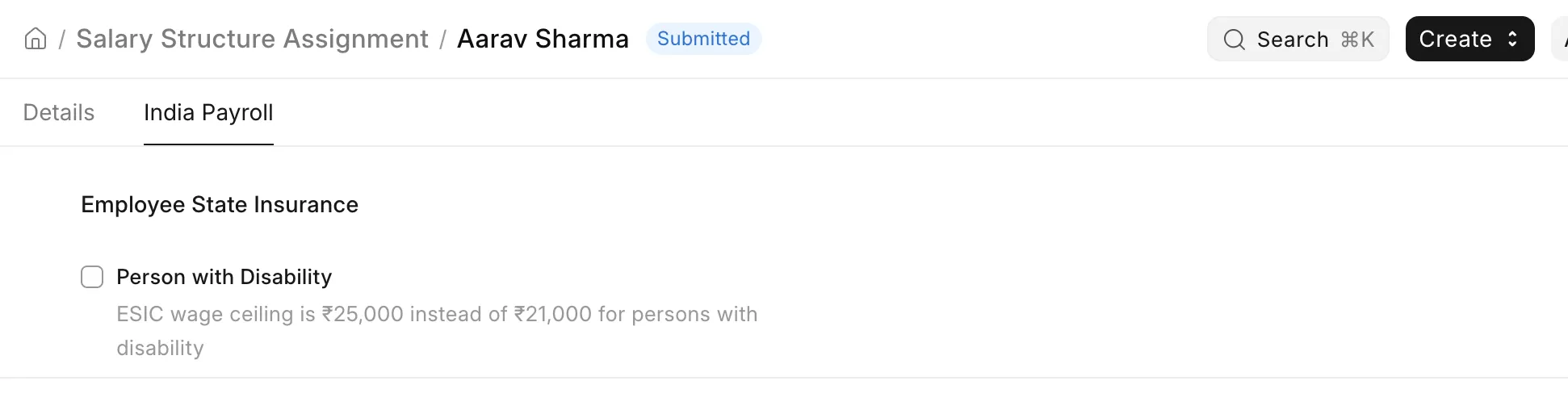
The hook reads this field on every slip save, so changing the flag mid-year takes effect on the next payroll run.
6. ESIC Card Number
The ESIC Card No (IP Number) field is a standard Frappe HR field on the Employee master. It is displayed in the ESIC Register report and should be filled for all covered employees for the report to be complete.