


















Syncing TDS Challans
Before a quarterly TDS return can be filed, every challan in it must show up on TRACES. If a bank hasn't reported a payment to the Income Tax Department yet, the CSI file comes back without it, and FVU generation fails. India Payroll can check your challans on TRACES ahead of time, so you can find a missing or mismatched challan while there's still time to take it up with the bank.
You can check a single challan from the TDS Challan form, or every challan of a quarter at once from the TDS Return. The return check also lists challans that are on TRACES but not recorded in India Payroll, and creates draft TDS Challans for the ones you select.
Before you start
- Sandbox credentials: the TRACES lookups go through Sandbox, the same service used for e-filing. Set up Sandbox in Payroll Settings if you haven't already. Sites on Frappe Cloud may already have it set up.
- TAN on the company: the company must have its TAN set in its TDS Deductor Details.
- TRACES password: Sandbox logs in to TRACES as the deductor, so it needs your TAN's TRACES password. You're asked for it the first time you run a check (see TRACES password).
- Permissions: you need write access to TDS Challan for the company. Creating draft challans from the return also needs create access.
Check a single challan
- Open a saved TDS Challan. Save any changes first, since the check uses the saved BSR code, serial number, and deposit date.
- Click Check on TRACES.
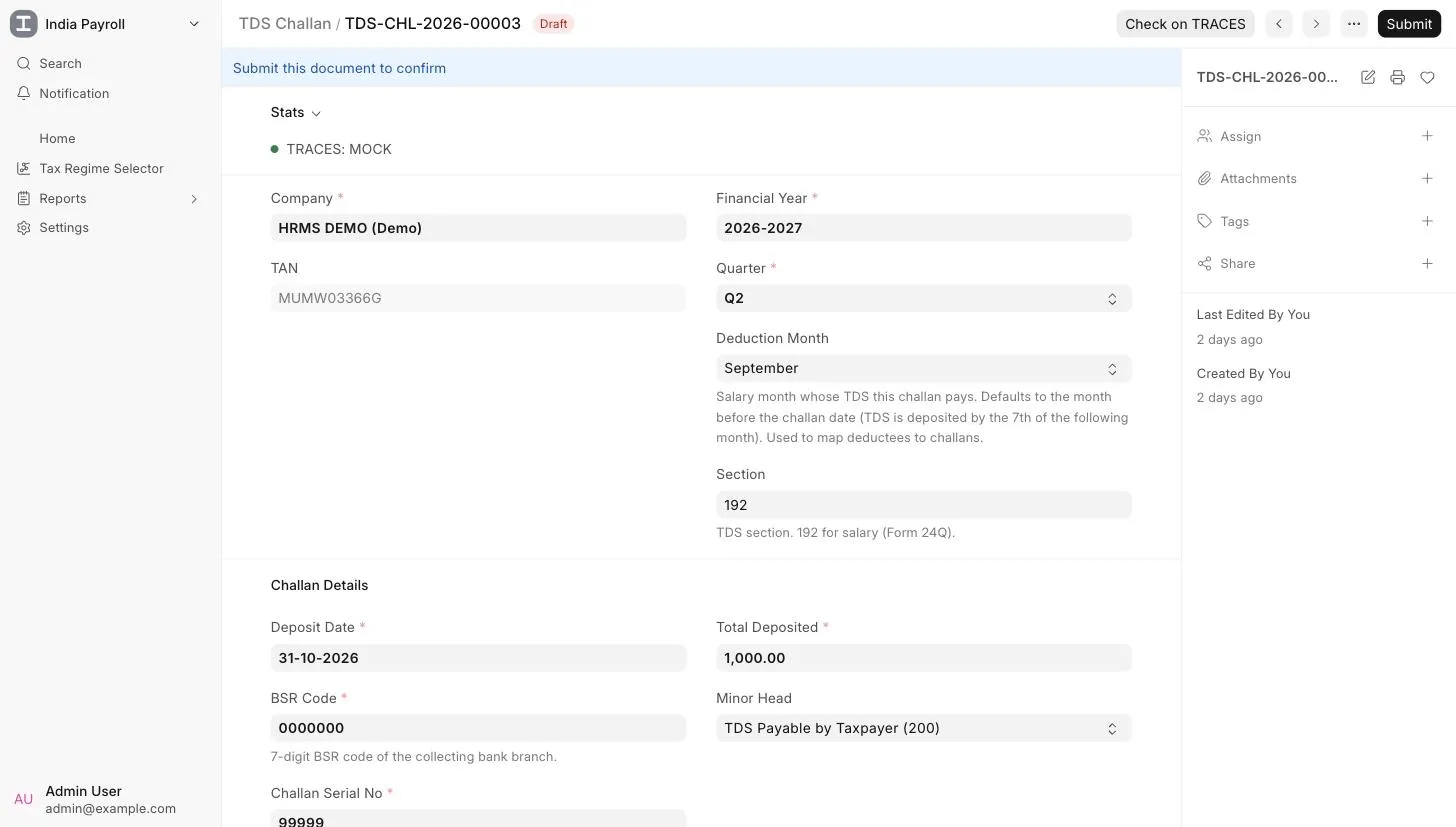
India Payroll looks up the challan on TRACES by its BSR code, challan serial number, and deposit date, and shows one of three results:
| Result | What it means | What to do |
|---|---|---|
| Green alert: Challan found on TRACES | TRACES has the challan and its amount matches Total Deposited. | Nothing. |
| Amount Differs | TRACES has the challan, but its amount doesn't match Total Deposited. | Compare the challan with the bank receipt and correct whichever is wrong. |
| Not on TRACES | TRACES has no challan with this BSR code, serial number, and deposit date. | Check these details against the bank receipt. If they match, the bank hasn't reported the payment yet. Follow up with the bank, because the FVU will fail until the payment is reported. |
The result is saved on the challan in the TRACES section:
| Field | Description |
|---|---|
| TRACES Status | The challan's status on TRACES, or Not Found. |
| CIN | The Challan Identification Number on TRACES. |
| Checked On | When the challan was last checked. |
| Amount on TRACES | The deposit amount TRACES has for the challan. |
| Claimed in Statements | How much of the challan has already been claimed in filed TDS statements. |
| Available Balance | How much of the challan is still unclaimed. |
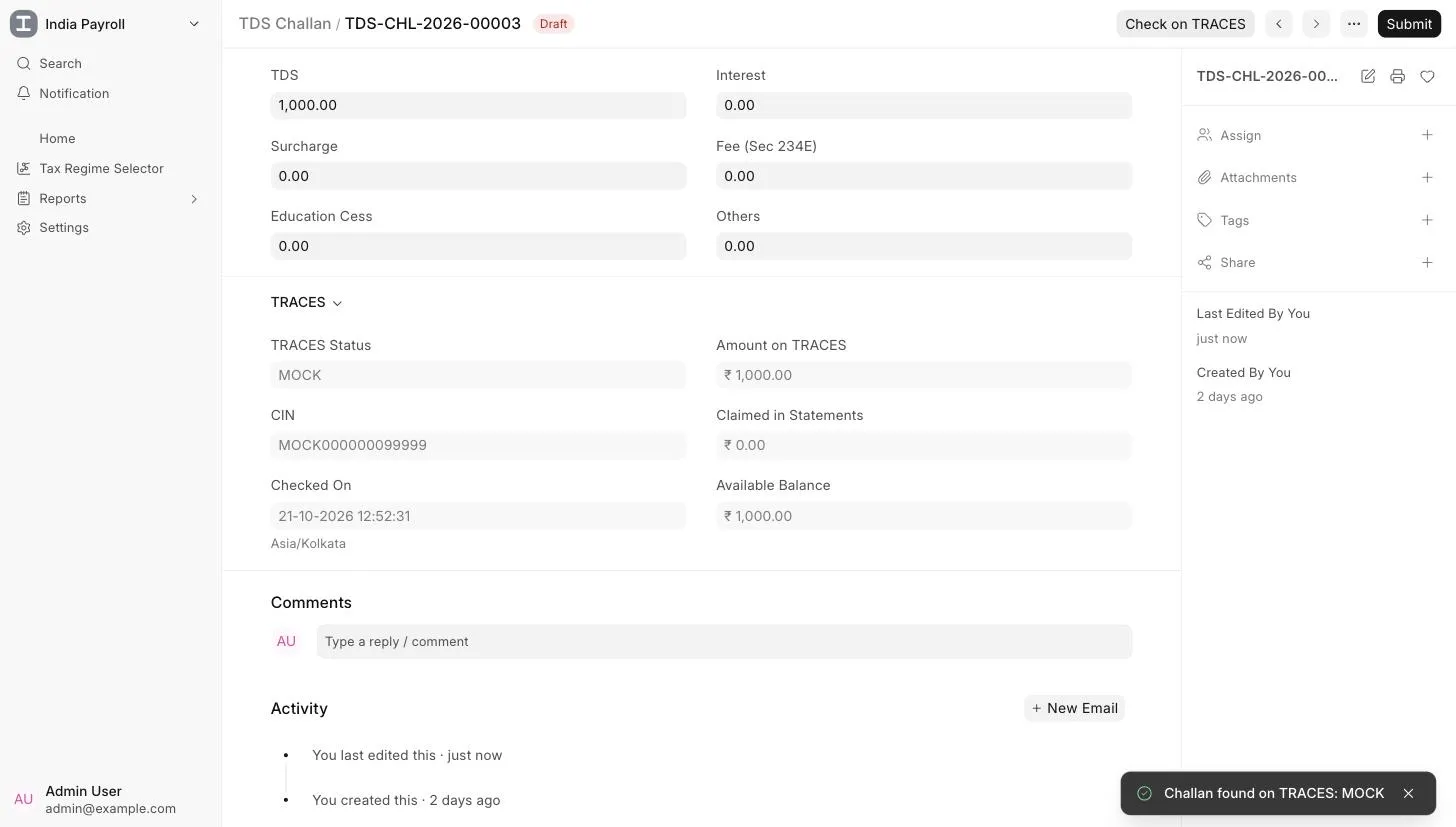
A colored indicator at the top of the form shows the latest result: green for a match, orange when the amount differs, and red when the challan isn't on TRACES.
Screenshot: TDS Challan with the TRACES indicator and the TRACES section.
Check all challans of a quarter
- Open the TDS Return for the quarter.
- Go to File Return > Check Challans on TRACES.
India Payroll searches TRACES for every challan deposited for the TAN in the quarter. The search runs up to the end of the month after the quarter, because the TDS for the quarter's last month is paid in that month. A dialog then shows two lists.
Challans recorded for this quarter
Each TDS Challan recorded for the quarter, with its deposit date, BSR code, serial number, and amount. The TRACES column shows whether the challan was found. If it was found with a different amount, the column shows the amount on TRACES instead. The TRACES section on each of these challans is updated as well.
On TRACES but not recorded here
Challans that are on TRACES for the TAN but aren't recorded as TDS Challans in India Payroll. Challans already recorded for the company in other quarters are left out. Challans for other forms, such as non-salary TDS, are listed too, so pick only the ones that belong to this return.
To record them:
- Select the challans that belong to this return.
- Click Create Draft Challans.
India Payroll creates a draft TDS Challan for each one, with the deposit date, BSR code, serial number, amounts, minor head, and TRACES details filled in. Review each draft, set the deduction month if needed, and submit it.
Screenshot: the Challans on TRACES dialog.
TRACES password
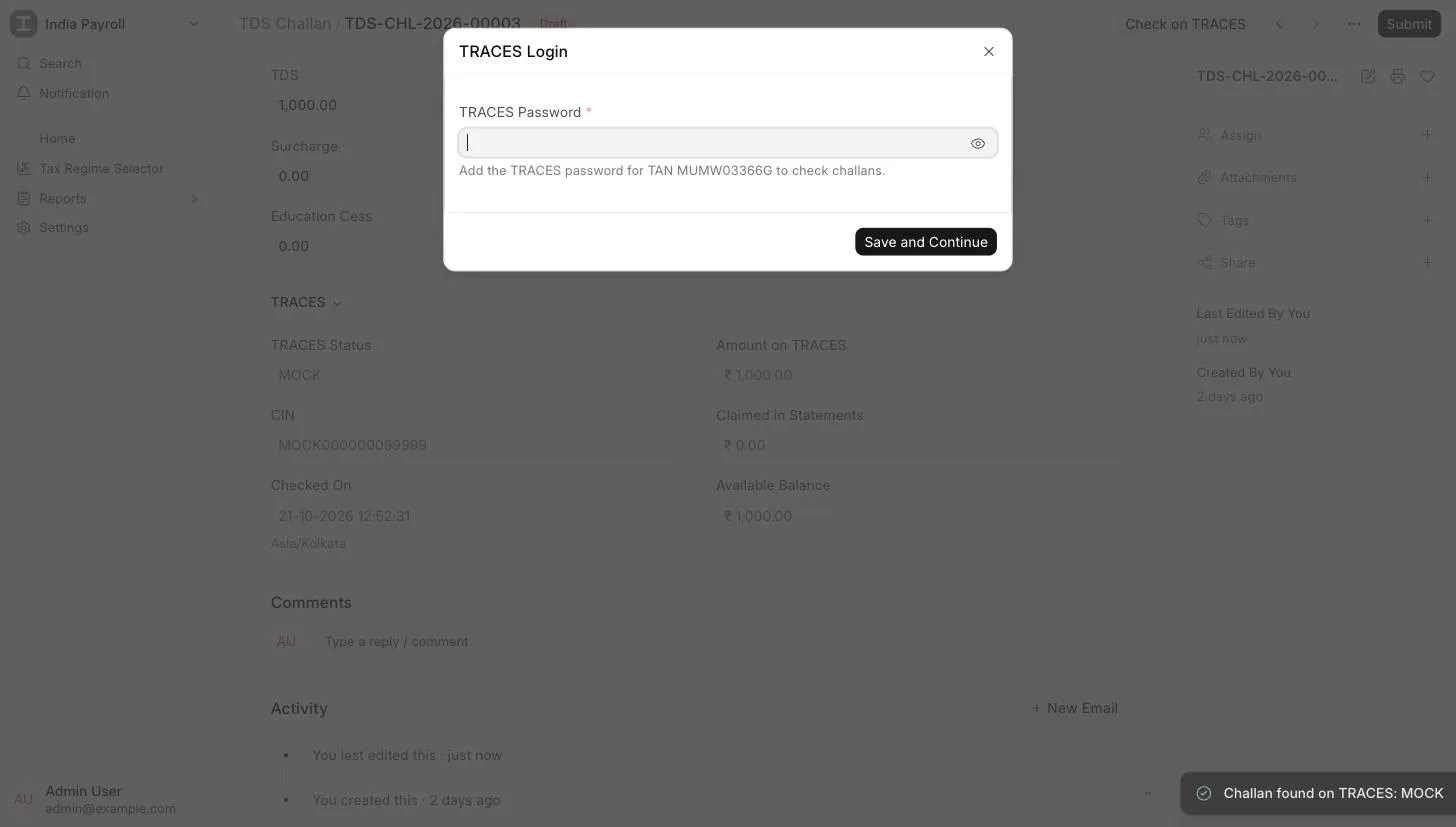
When Sandbox has no password for your TAN, or TRACES rejects the one it has (for example, after you change your TRACES password), a TRACES Login prompt appears:
- Enter the current TRACES password for the TAN.
- Click Save and Continue.
The password is passed on to Sandbox, and the check you started runs again. India Payroll never stores the password, and it's masked in the Integration Request logs. You're asked again only if TRACES rejects the saved password.
Good to know
- Run the check before generating the FVU. A challan that's missing on TRACES is the most common reason a CSI comes back without it, and FVU generation fails.
- A missing challan is usually a bank issue. Banks can take a few days to report a payment. If a challan still isn't on TRACES after that and its details match the bank receipt, contact the bank branch with the BSR code.
- Checks don't change challan details. Checking only updates the TRACES section. To fix a wrong BSR code, serial number, date, or amount, edit the challan (or cancel and amend a submitted one).