


















Overtime allows employees to be compensated or granted compensatory leave for working beyond their standard working hours. Overtime is calculated based on employee check-in and check-out times and processed through Attendance and Overtime Slip records
Create an Overtime Type
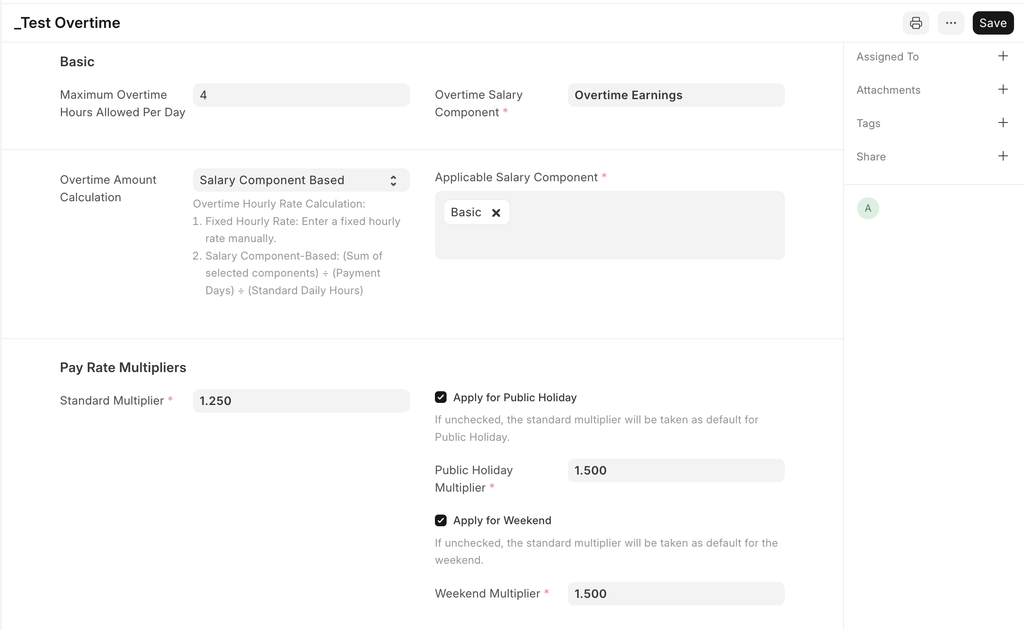
Navigate to the Overtime Type doctype to configure how overtime is handled:
- Maximum Overtime Hours Allowed Per Day: If set, overtime exceeding this limit won’t be considered for payment.
- Overtime Salary Component: The salary component through which overtime earnings are paid.
- Overtime Amount Calculation:
- Fixed Hourly Rate: A predefined per-hour rate multiplied by total overtime hours.
- Salary Component-Based: Select applicable salary components. The total amount is divided by the salary cycle's payment days and standard working hours to determine the hourly rate.
- Pay Rate Multipliers:
- Standard Multiplier: The hourly rate is multiplied by this value.
- Holiday/Weekend Multipliers: If enabled, separate multipliers can be set for public holidays and weekends; otherwise, the standard multiplier applies.
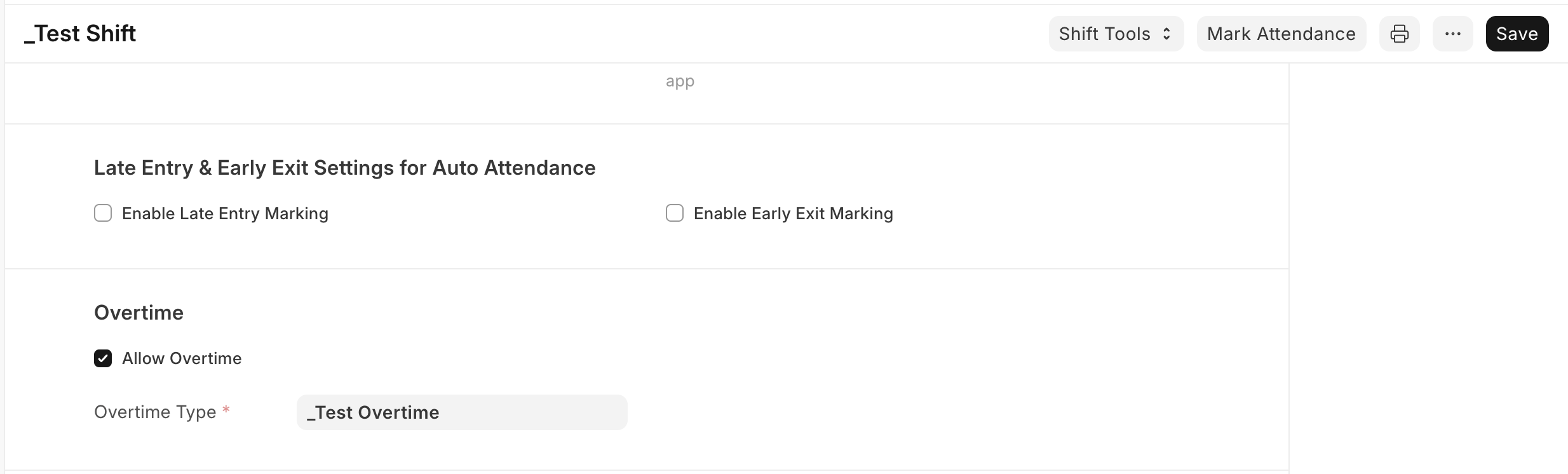
To allow overtime for a specific Shift Type:
- Navigate to the Shift Type doctype.
- Enable Allow Overtime.
- Set the applicable Overtime Type.
- Assign the shift to employee(s).
Record Employee Check-ins & Mark Attendance
- Employees' check-in and check-out times must be recorded.
- Attendance must be processed for the shift type as overtime details are fetched based on this.
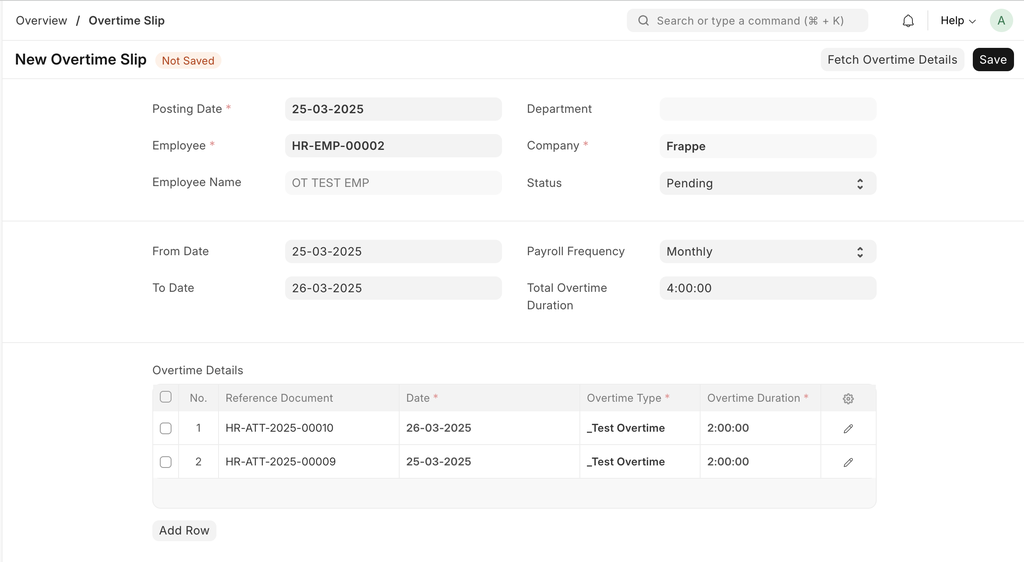
Generate & Approve Overtime Slip
- Create an Overtime Slip and select the employee and date range.
- Click Fetch Overtime Details to populate the Overtime Details table based on attendance records.
- HR can approve or reject the overtime slip.
- Upon approval, an Additional Salary record is created, ensuring payment is included in the salary cycle corresponding to the slip’s from date.
Last updated 9 months ago
Was this helpful?