


















Programming Exercises
In Frappe Learning, Programming Exercises allow you to test a student's coding skills in a live, auto-graded environment. These can be integrated into your courses to provide hands-on practice.
Creating a Programming Exercise
To manage your exercises, click on the Programming Exercises section in the sidebar to access the exercise list.
- Start Creation: Click the
+ Createbutton. - Basic Info: Enter a
Titlefor the exercise and clickSave.
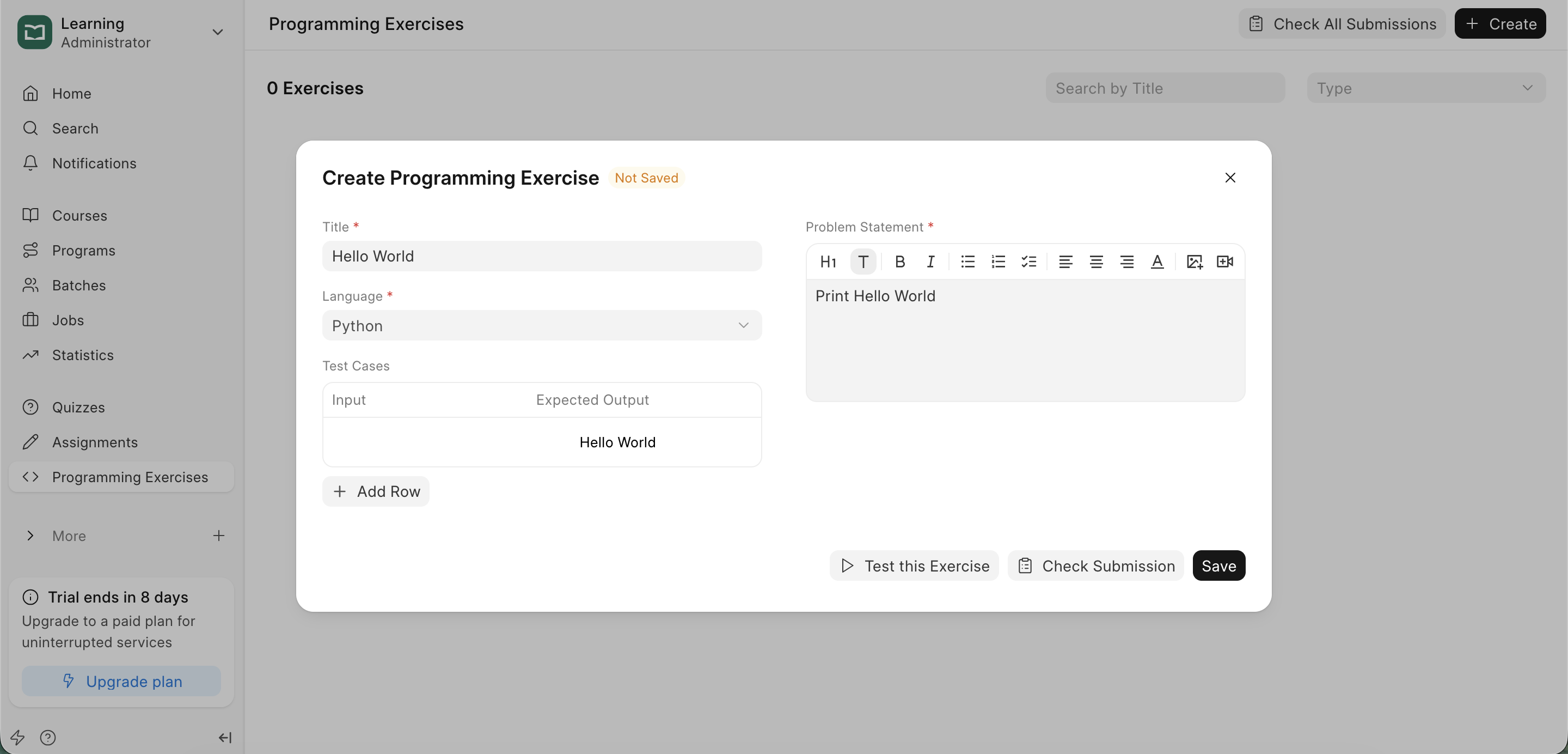
- Configuration: After saving, you can define the technical parameters:
- Language: Select the programming language (e.g., Python).
- Problem Statement: Use the text editor to provide the problem statement and requirements.
- Test Cases: Give Input and Expected Output for the tests to run.
The Student Environment
When a student opens a Programming Exercise, they are presented with an in-browser code editor.
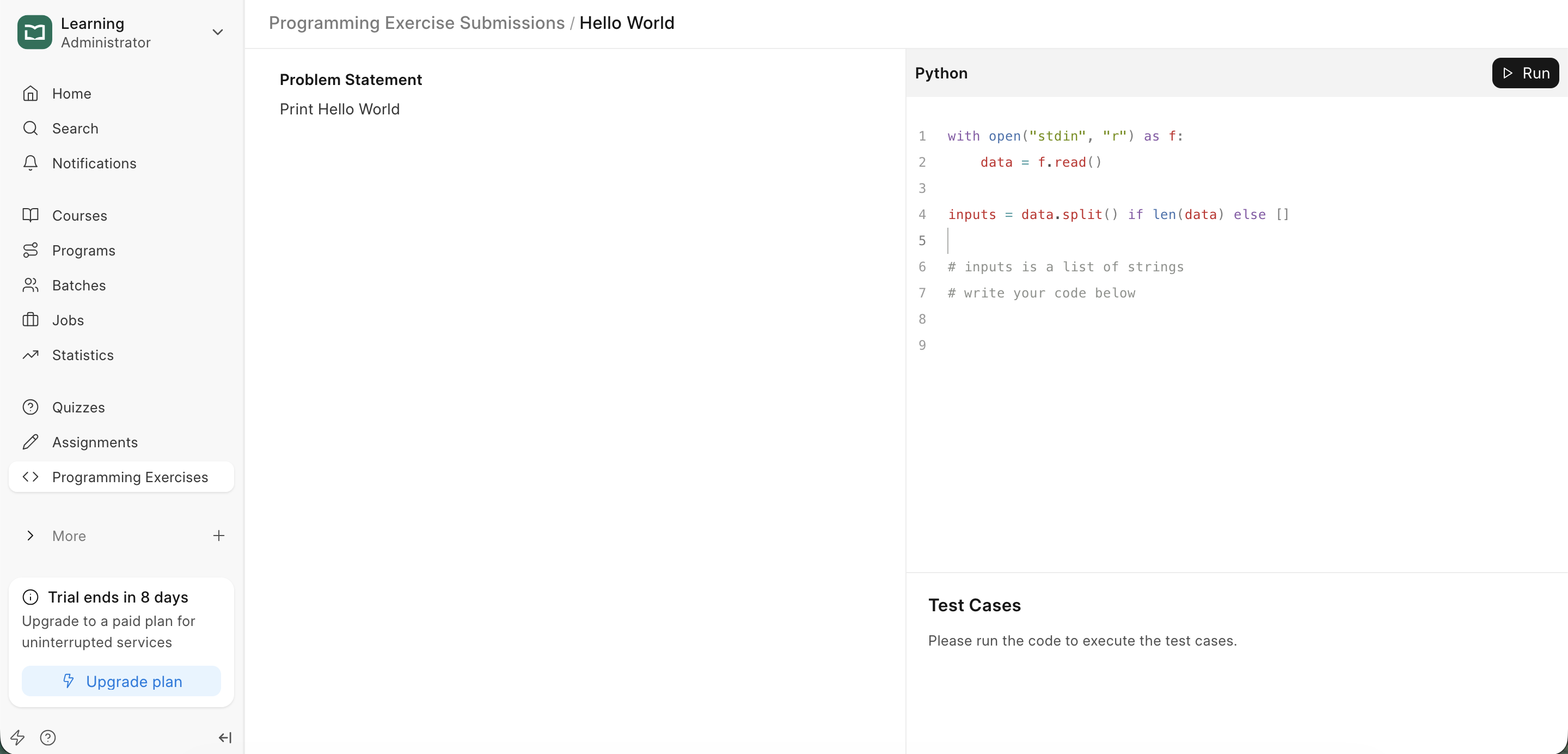
- Writing Code: Students write their solution directly in the portal.
- Running Tests: Students can click
Runto see how their code performs against the test cases.
Reviewing Submissions
Instructors can access the Submission List from the top of the Programming Exercise form.
Last updated 8 months ago
Was this helpful?