

















Interactive Content
Make your lessons more engaging by adding interactive assessments and development environments.
You can add the following interactive content in Frappe Learning:
- Quizzes
- Assignments
- Programming Exercises
- CodeSandBox
Quizzes
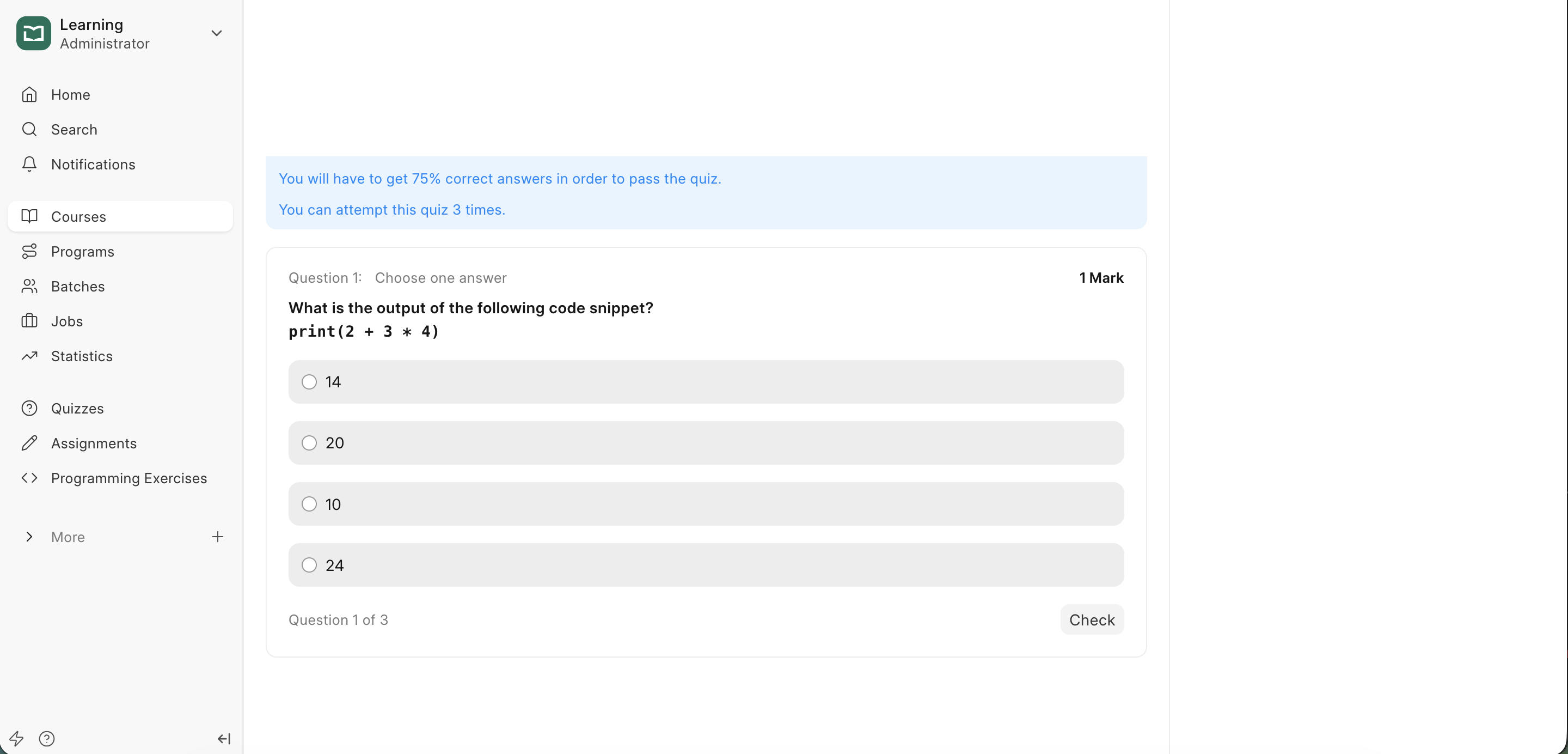
Quizzes serve as knowledge checks. You can add a quiz block to any lesson to ensure learners have understood the material before moving forward.
To add a Quiz:
- Hover over the lesson content
- Click the
+icon to open the block menu - Select the
Quizblock from the menu. - Search for and select a quiz you have already created in Learning.
Assignments
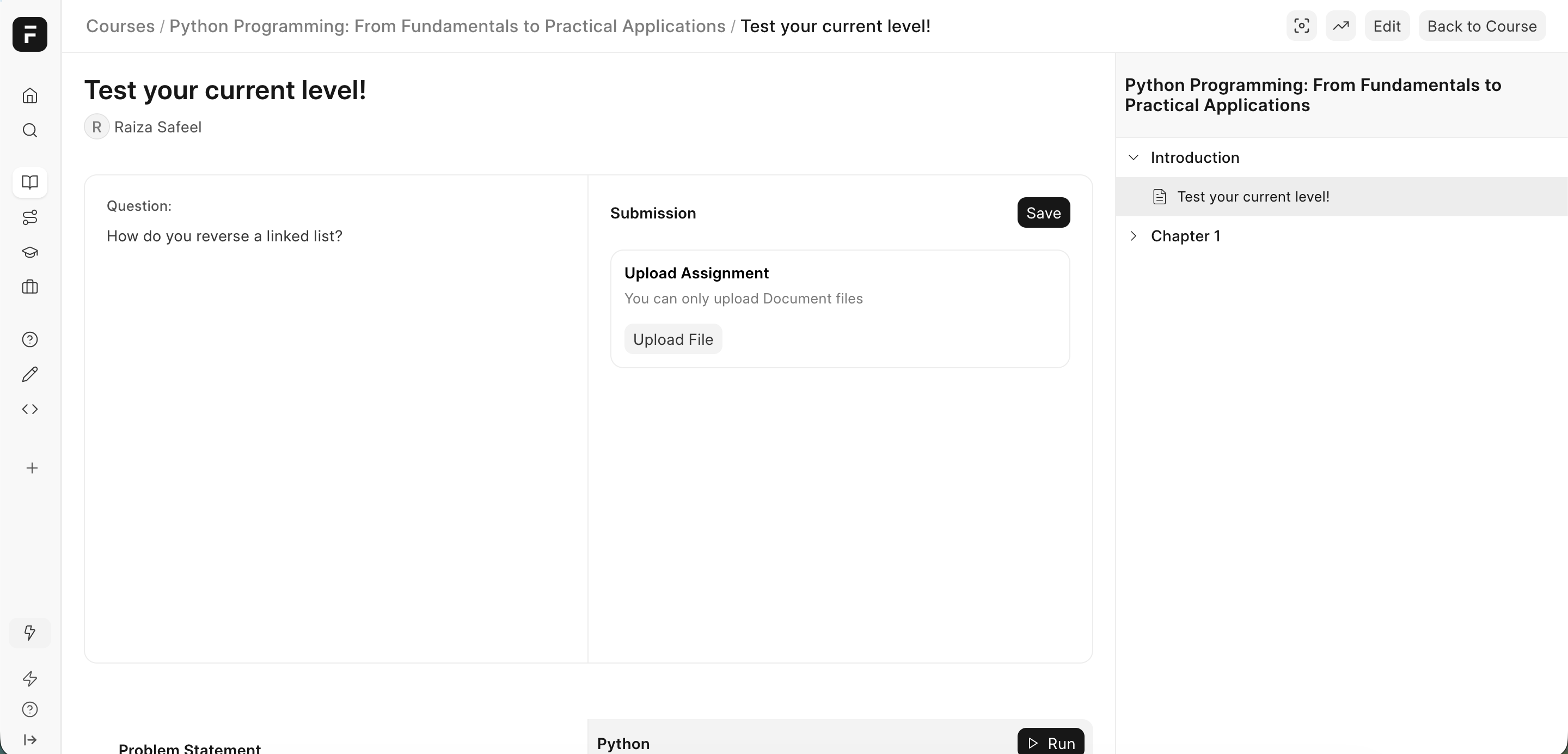
Assignments are used to evaluate learners through longer-form tasks such as essays, projects, or file submissions.
To add an Assignment:
- Hover over the lesson content
- Click the
+icon to open the block menu - Select the
Assignmentblock - Search for and choose an assignment you have already created in Learning
Programming Exercises
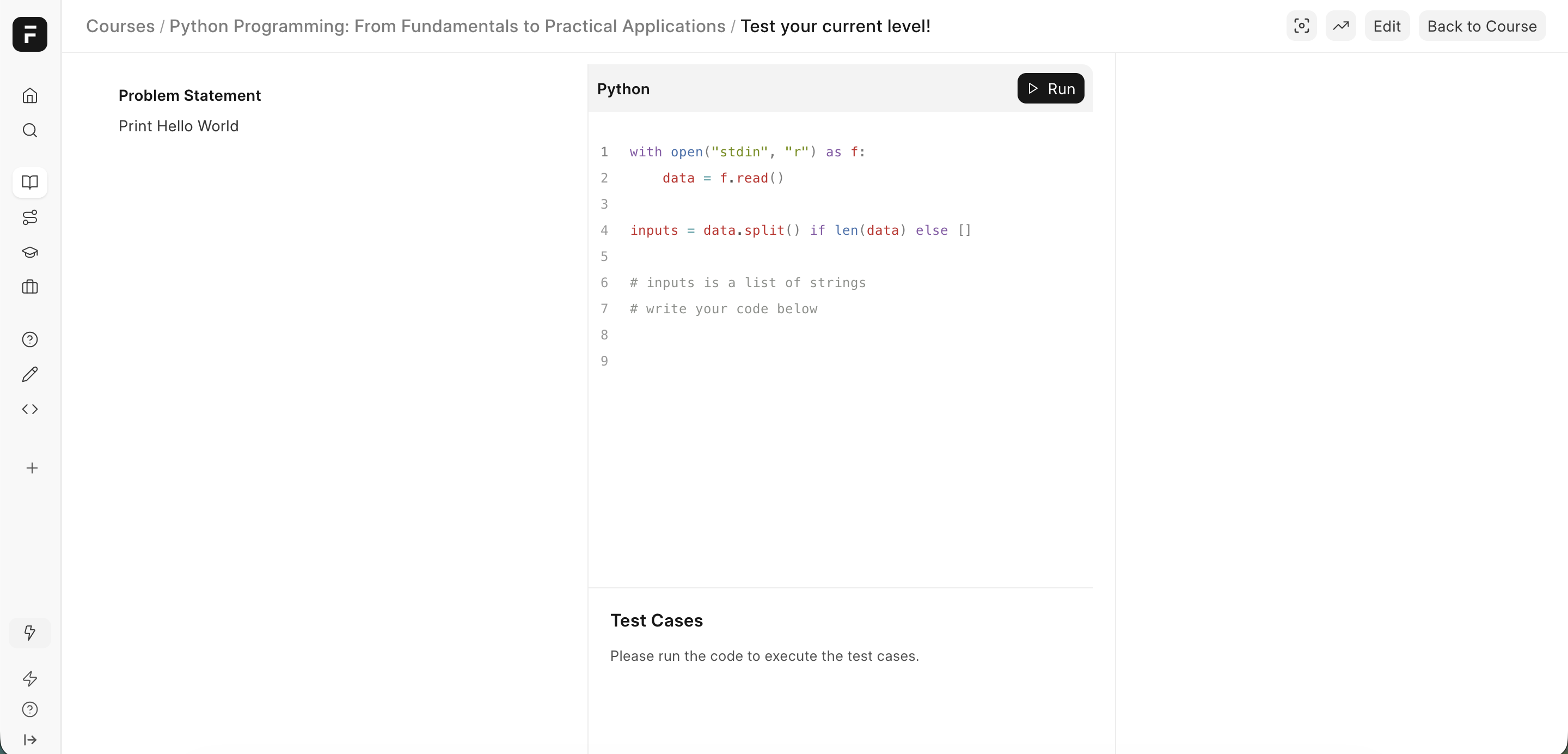
Programming Exercises allow learners to practice coding concepts directly within a lesson.
To add a Programming Exercise:
- Hover over the lesson content
- Click the
+icon to open the block menu - Select the
Programming Exerciseblock - Search for and select a programming exercise you have already created in Learning
CodeSandBox
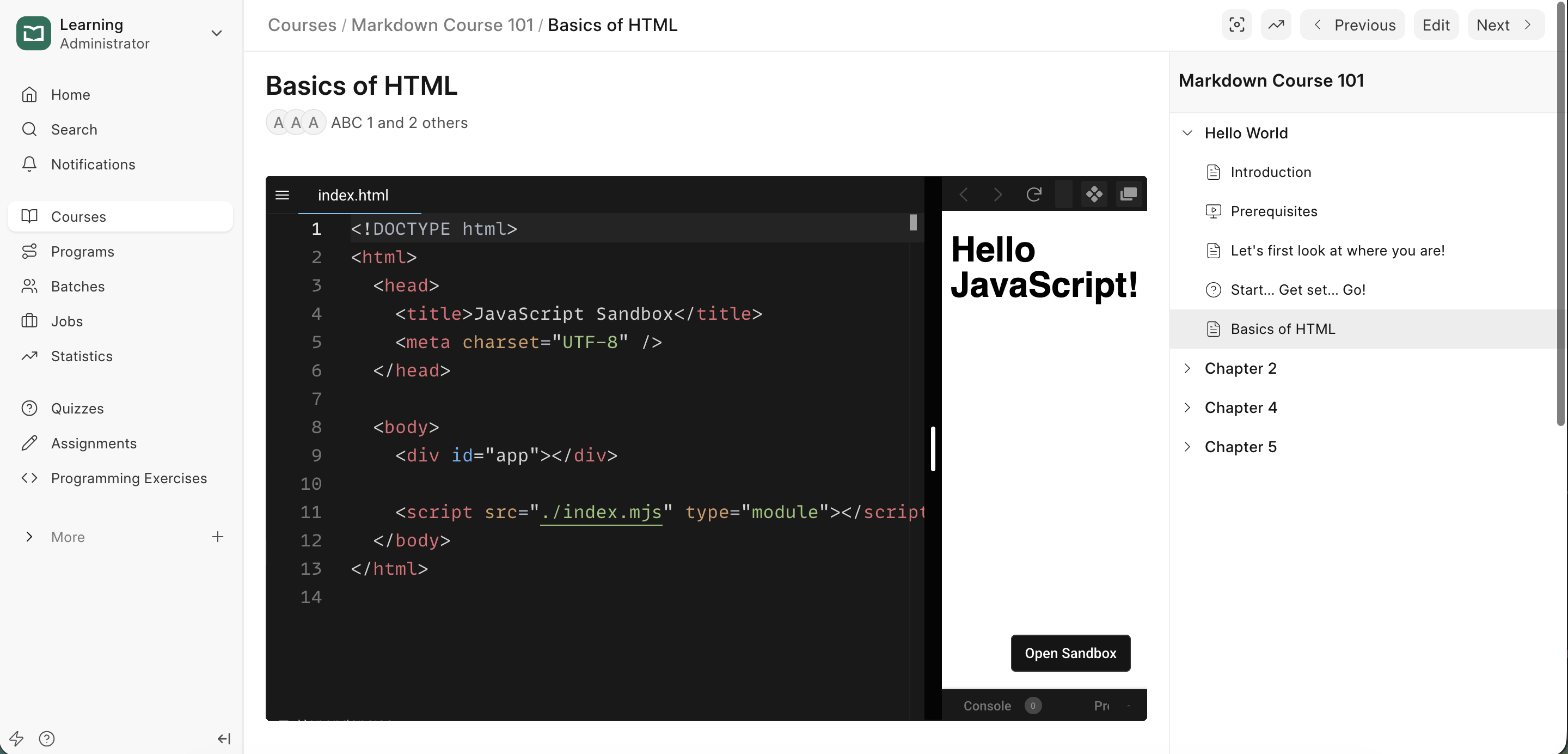
For technical and programming courses, you can embed a live IDE directly into the lesson.
To add a CodeSandBox:
- Go to your sandbox on CodeSandbox.io.
- Copy the URL of your sandbox.
- Paste it in the Lesson Editor.
- Learners will be able to view and interact with the code without leaving the course.
- They can also open a sandbox in CodeSandbox by clicking on
Open Sandbox.
Last updated 6 months ago
Was this helpful?