

















Embedding Google Workspace (Docs, Sheets, Slides)
You can integrate live Google Docs, Sheets, and Slides into your lessons to provide dynamic, up-to-date documentation and presentations.
How to Embed Google Workspace Files
- Open your Google Doc, Sheet, or Slide.
- Make sure your permissions are set properly (
File>Share>Share With Others).
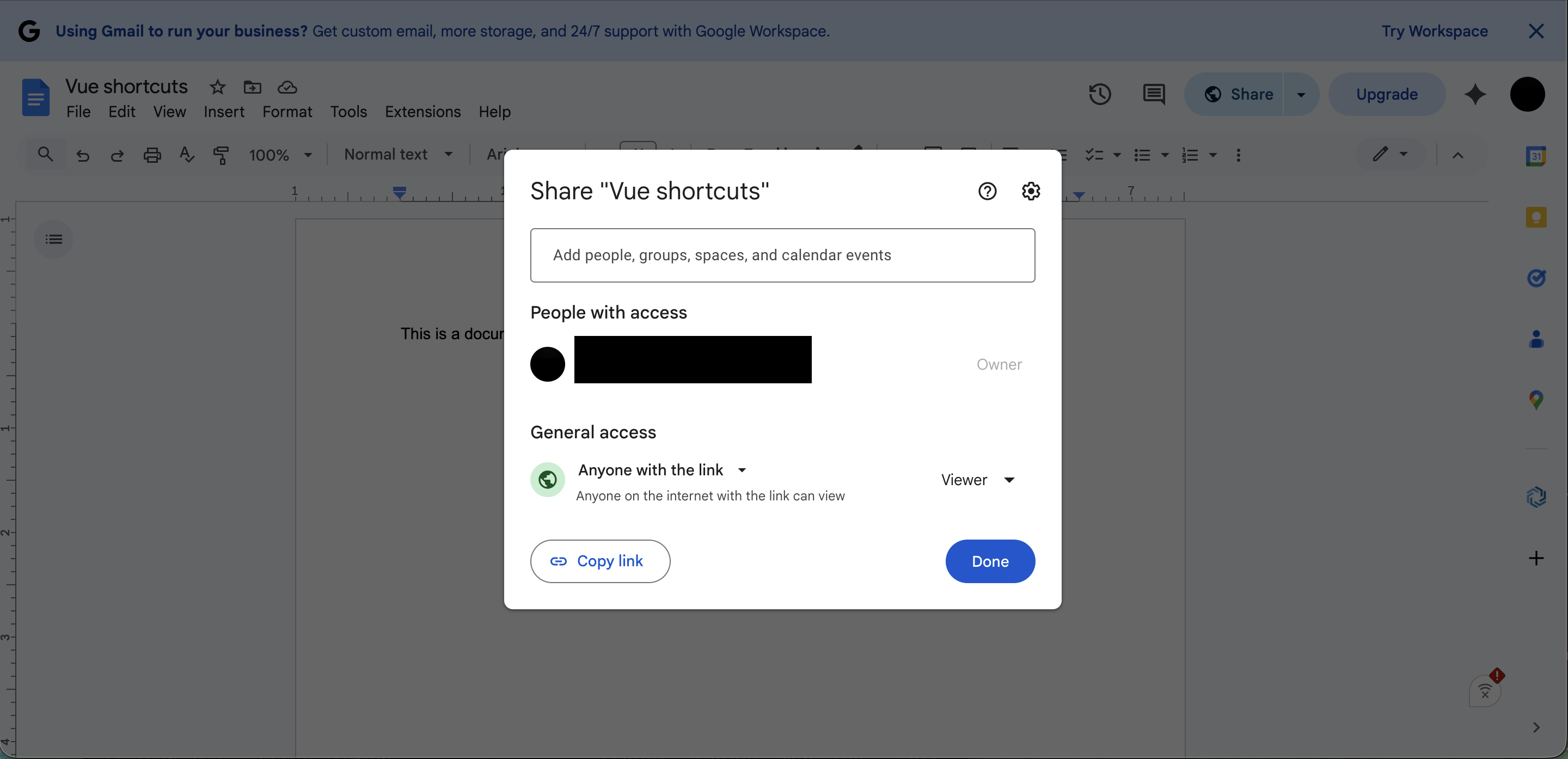 Permission Manager in Google
 - Copy your URL from the top browser address bar.
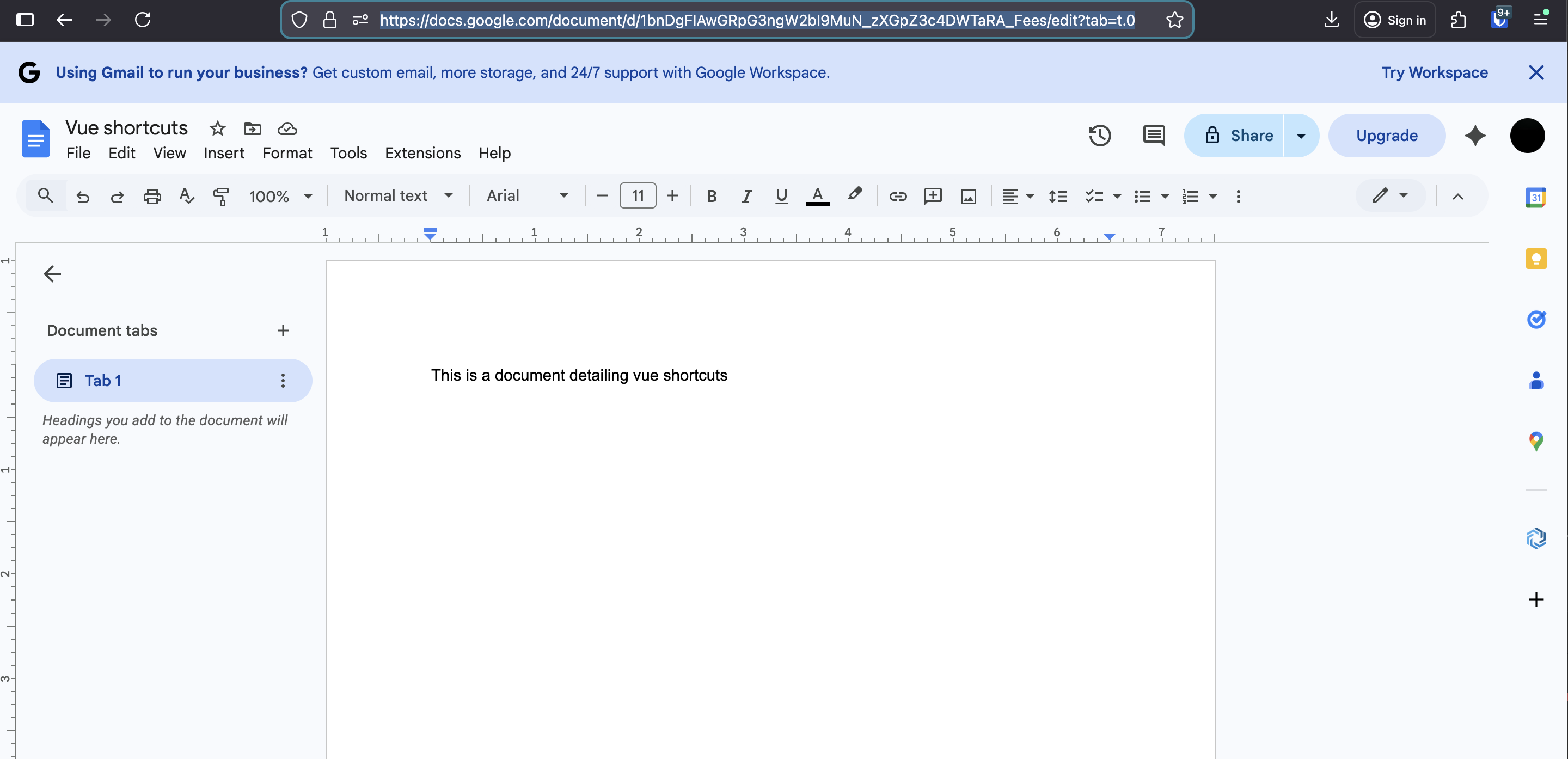 Google Docs
- Now paste it in your lesson.
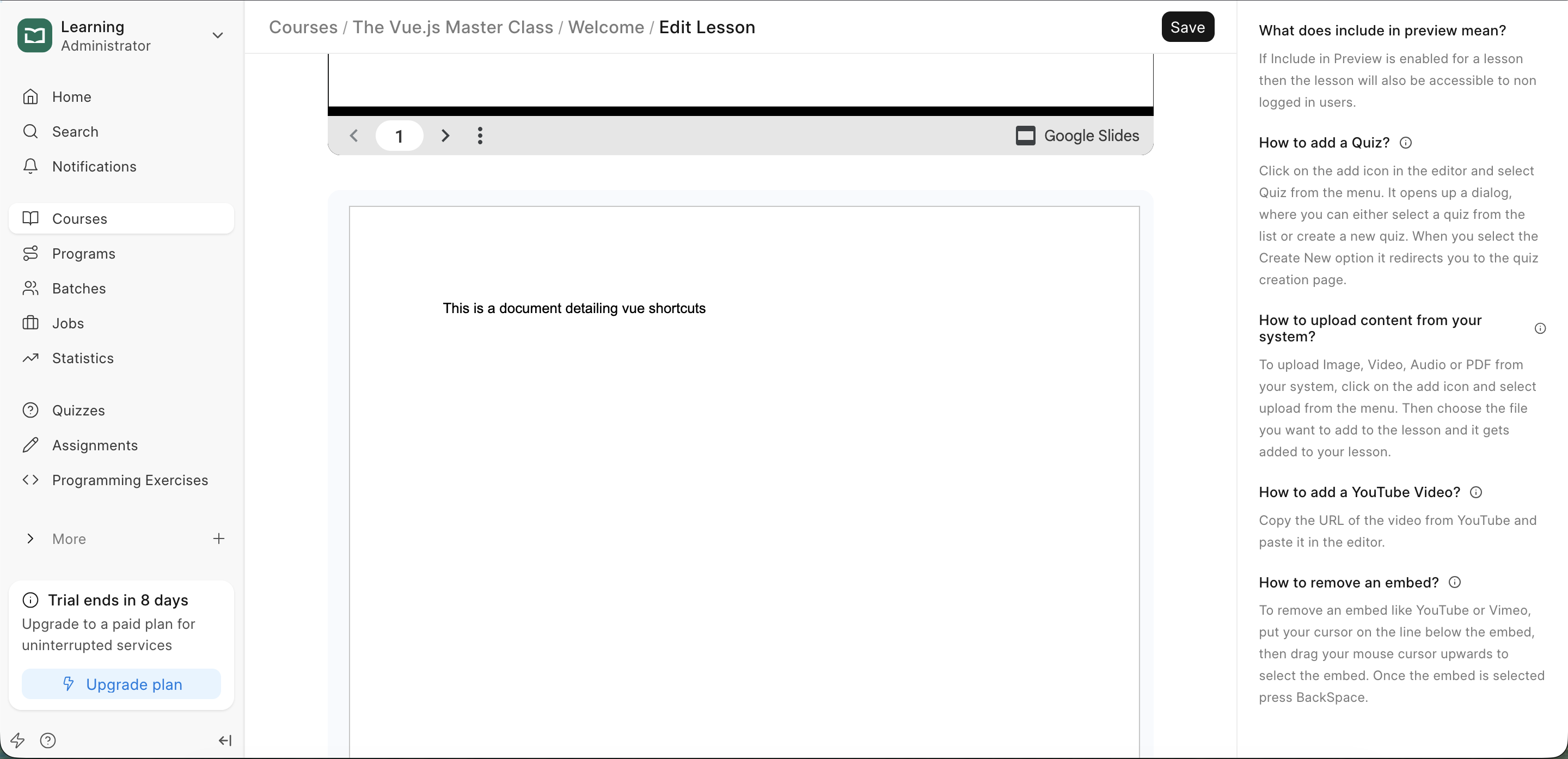 Document rendered in lesson.
Integration Options
- Google Slides: Perfect for presentations. These render with full navigation controls for the student.
- Google Sheets: Useful for sharing live data tables or interactive calculators.
- Google Docs: Best for course handouts, reading material, or live-updating documentation.
Last updated 8 months ago
Was this helpful?