


















Add a Preview Video
A preview video acts as a teaser for guest users.
- In the Course form, locate the
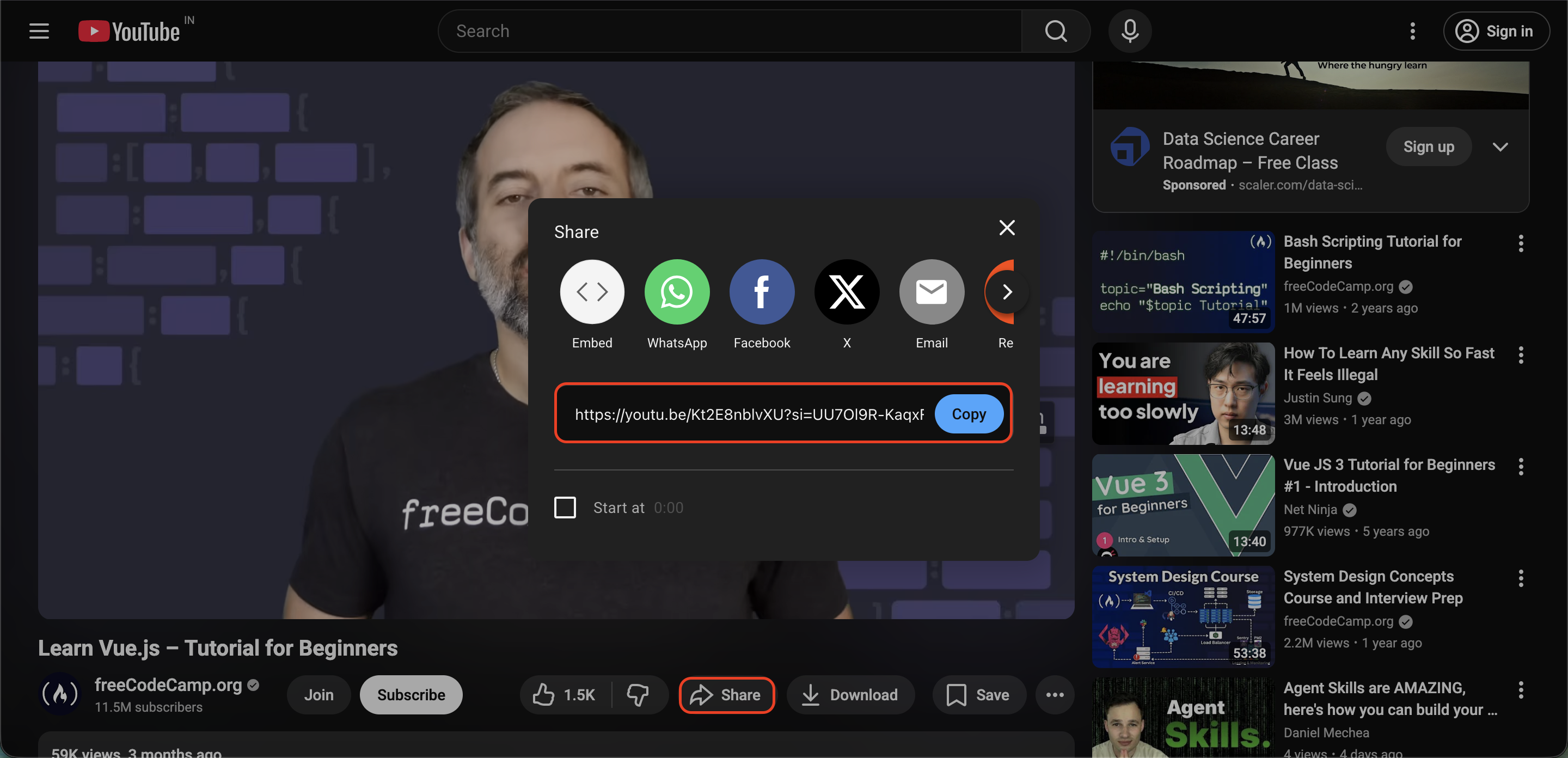
Preview Videofield. - To use a YouTube video: Go to YouTube, click the
Sharebutton under the video, and copy the link provided.
- Paste the link into the field.
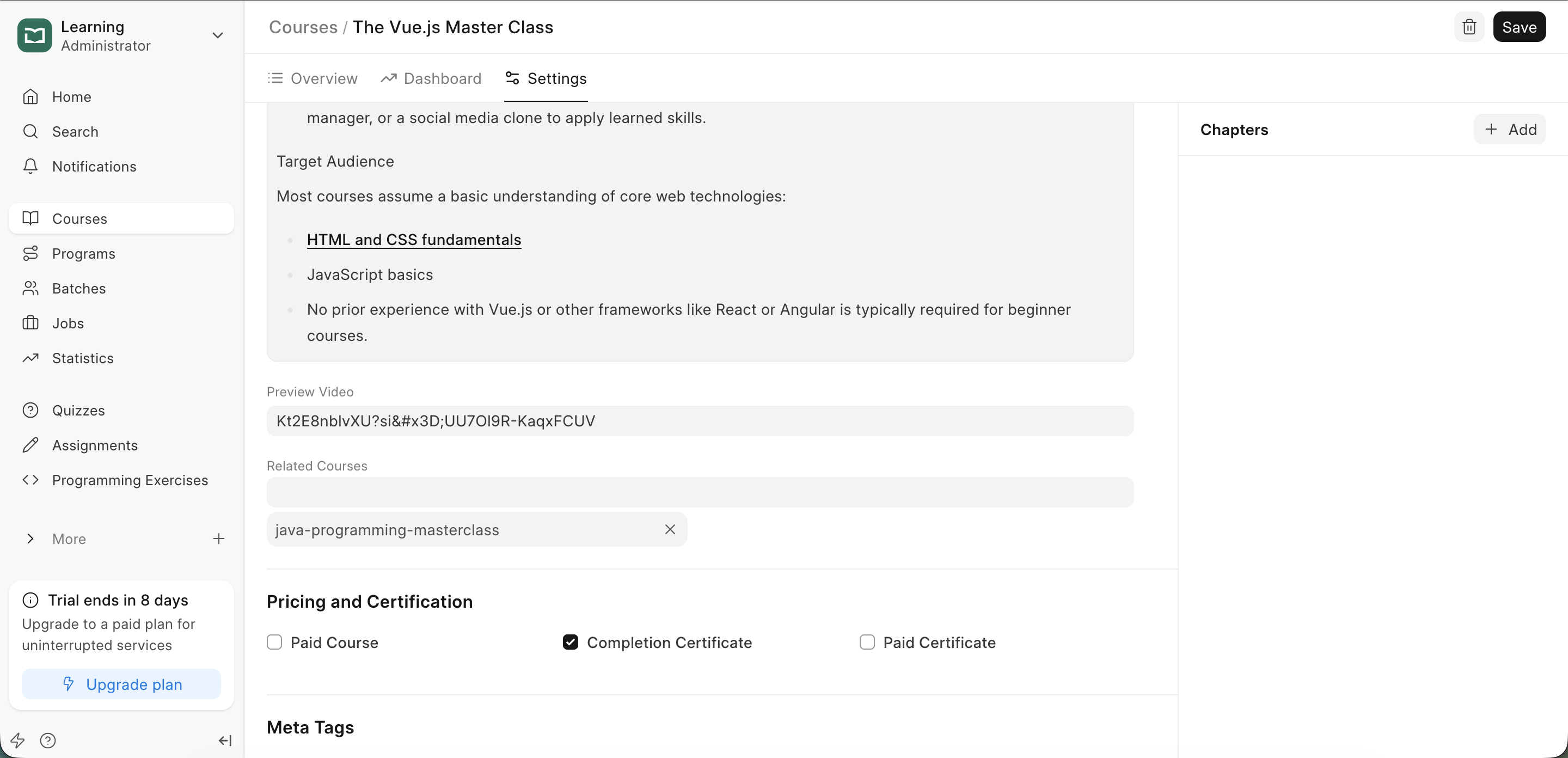 Course Fields
- This video will appear on the Course landing page, allowing users to watch it before they enroll.
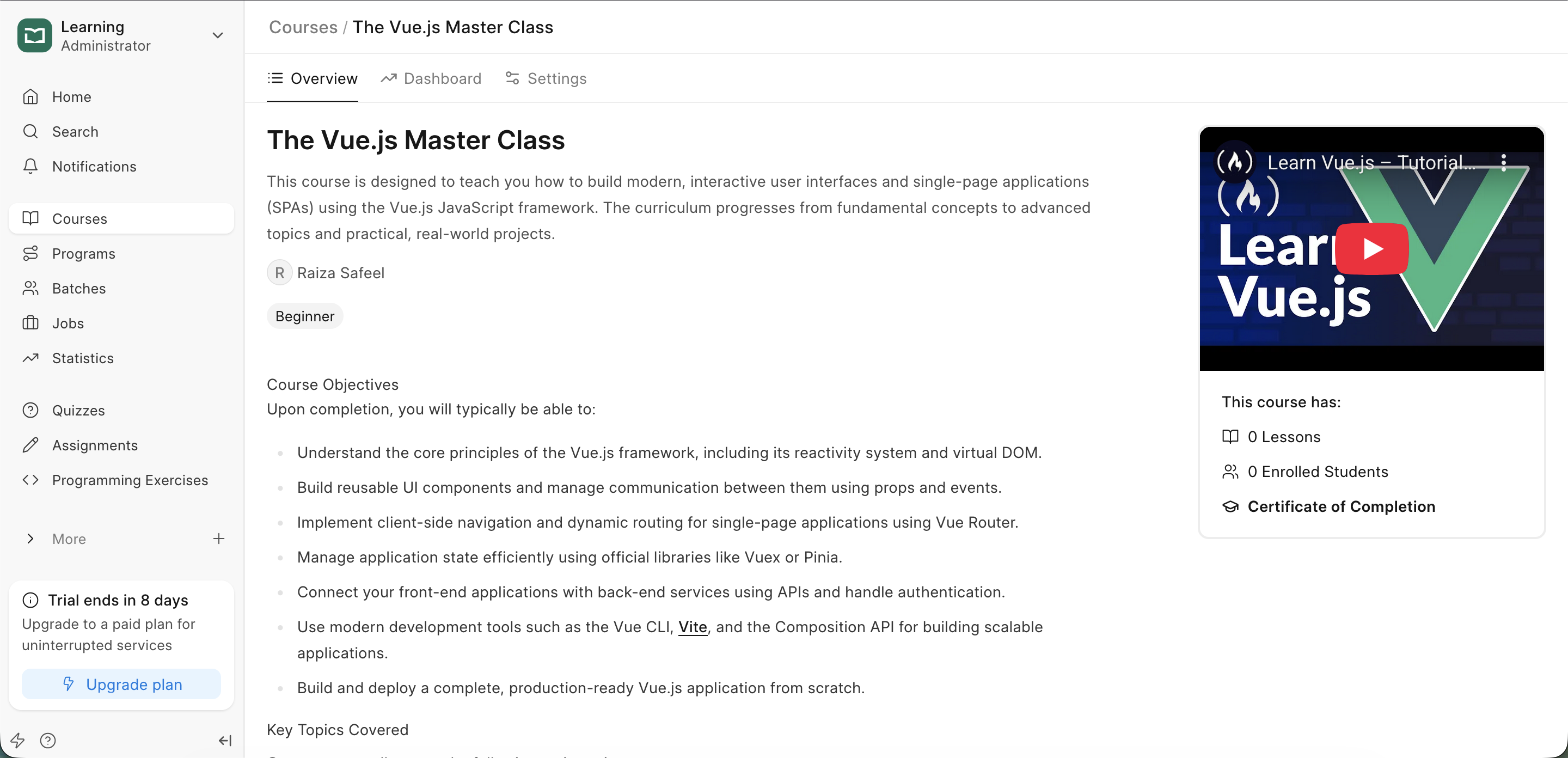 Course Preview
Last updated 8 months ago
Was this helpful?