Filter Options in Select Field
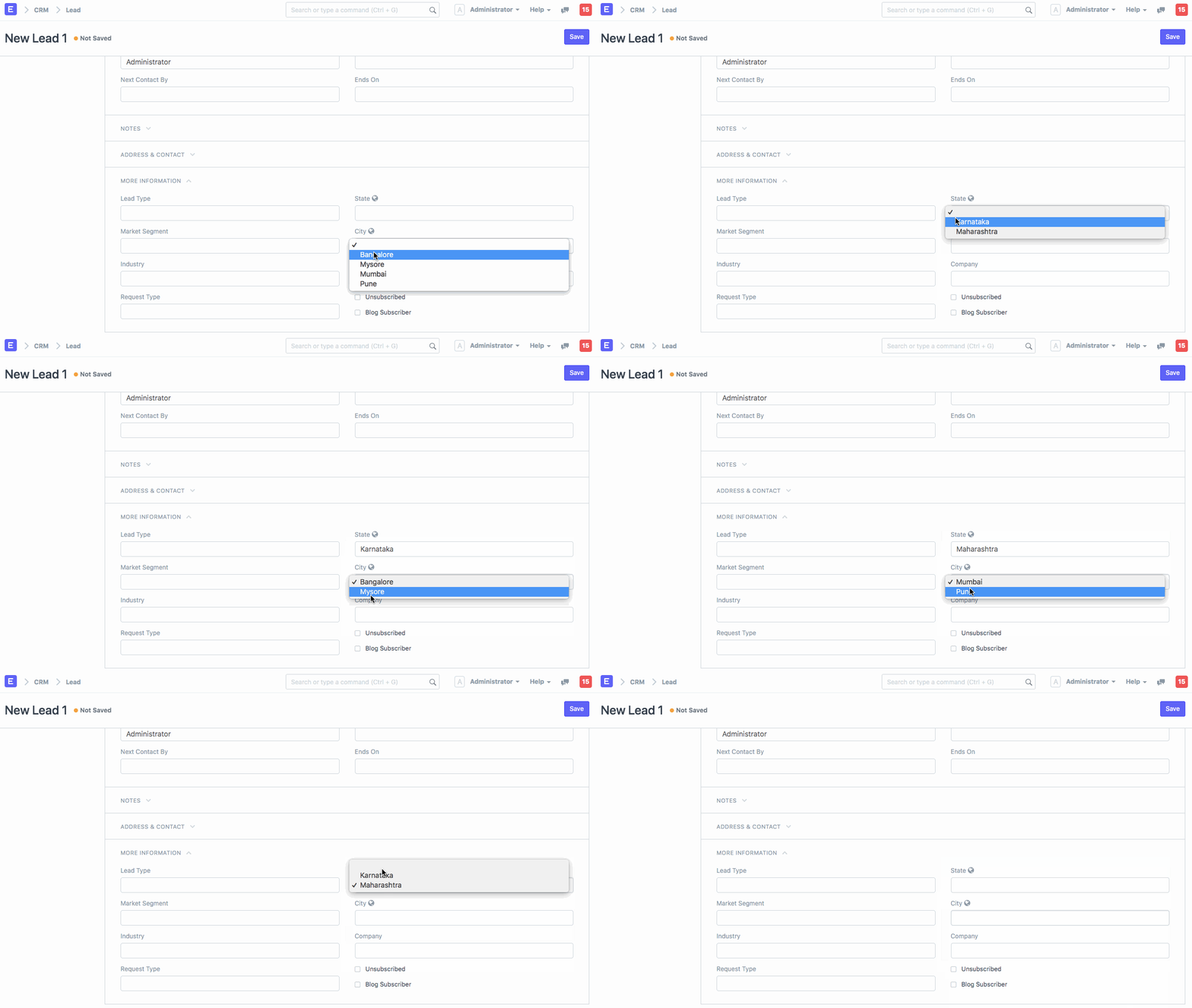
Let's say you have two drop-down fields named State and City. State has two values Karnataka and Maharashtra and City has four values, Bangalore, Mysore, Mumbai, and Pune. If you would like to filter options in City based on the value chosen in State, you can write custom script as shown below.
frappe.ui.form.on("Lead", "state", function(frm) { if(frm.doc.state == "Karnataka") { set_field_options("city", ["Bangalore","Mysore"]) } else if(frm.doc.state == "Maharashtra") { set_field_options("city", ["Mumbai","Pune"]) } else if(frm.doc.state == "") { set_field_options("city", ["","Bangalore","Mysore","Mumbai","Pune"]) } });
Last updated 4 months ago
Was this helpful?