
Designations are the official job titles given to employees.
With reference to company management, there are various stakeholders like directors, officers, managers and shareholders who guide a company towards the fulfillment of its business objectives.
Frappe HR allows you to create various designations and also mention the skills required for the same.
To access Designation, go to:
Home > Human Resources > Employee > Designation
1. How to create a Designation
- Go to Designation list, click on New.
- Enter the Designation name.
- Enter Description and Required Skills (optional).
- Save.
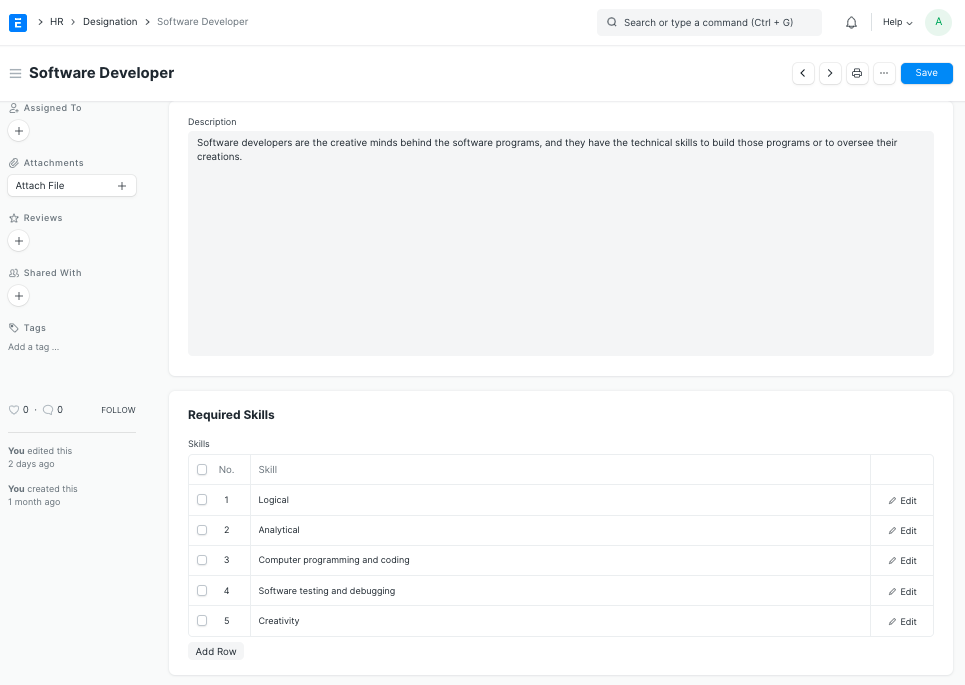
Note: The skills required for an Employee of a particular Designation that are specified in the "Required Skills" section of the Designation doctype can be directly fetched in the Employee Skill Map to evaluate an employee's performance based on his skills.
3. Related Topics
Last updated 4 months ago
Was this helpful?