
Delete entries linked with GL entries
While deleting the transactional entries like Purchase Receipt, Purchase Invoice, Sales Invoice, Delivery note and Stock ledger entries the following message pops up:
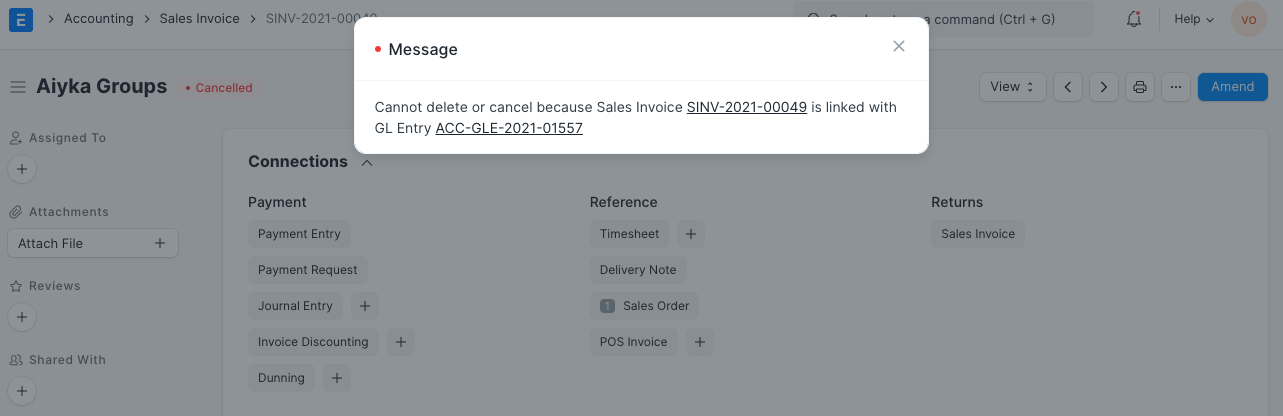
To delete all the transactional entries, follow the steps given below:
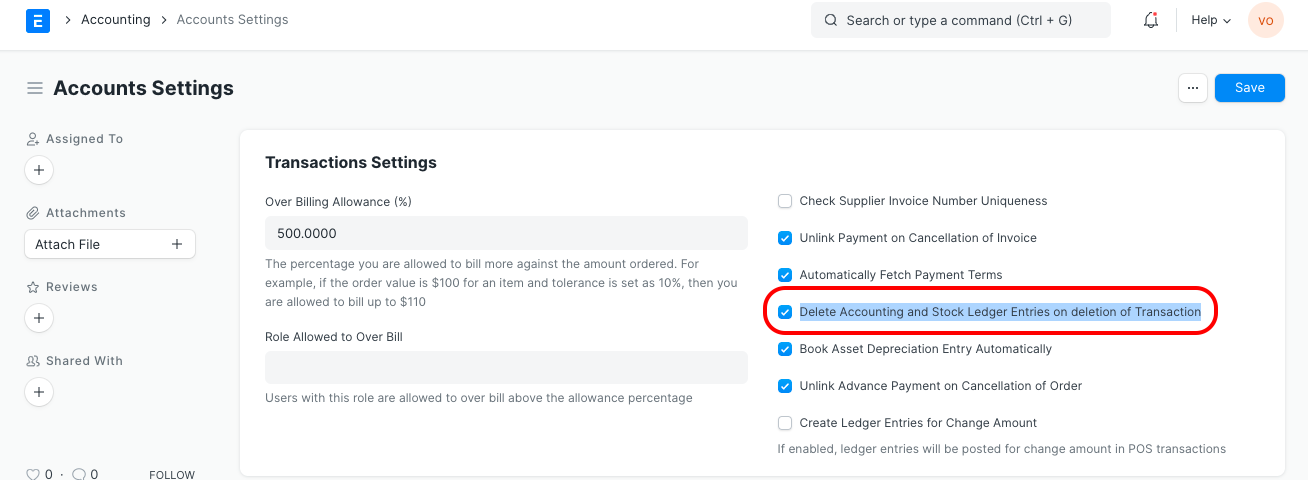
- Go to Accounts Settings
- Enable a checkbox Delete Accounting and Stock Ledger Entries on the deletion of Transaction
- Save and Refresh
Last updated 3 months ago
Was this helpful?