


















Setup Opening Balances
If you move from a different accounting system, enter the account balances from that system in Frappe Books. You do this with one journal entry of the type Opening Entry.
Get the Starting Balances
Get a Trial Balance report from your previous accounting system. Use the balances on the day before you start to use Frappe Books.
Add the Missing Accounts
Some accounts from your previous system can be missing in Frappe Books. Add them in the Chart of Accounts. For the steps, see Create a New Account.
Make sure that you add each account below the correct group.
Make an Opening Entry
- Click Common > Journal Entry in the sidebar.
- Click New.
- Set Entry Type to Opening Entry.
- Set Date to the date of the balances.
- In Account Entries, add one row for each account in your Trial Balance report.
- In each row, select the Account and enter the Debit or the Credit amount.
- Click Save.
- Check the entry. Then click Submit and click Yes.
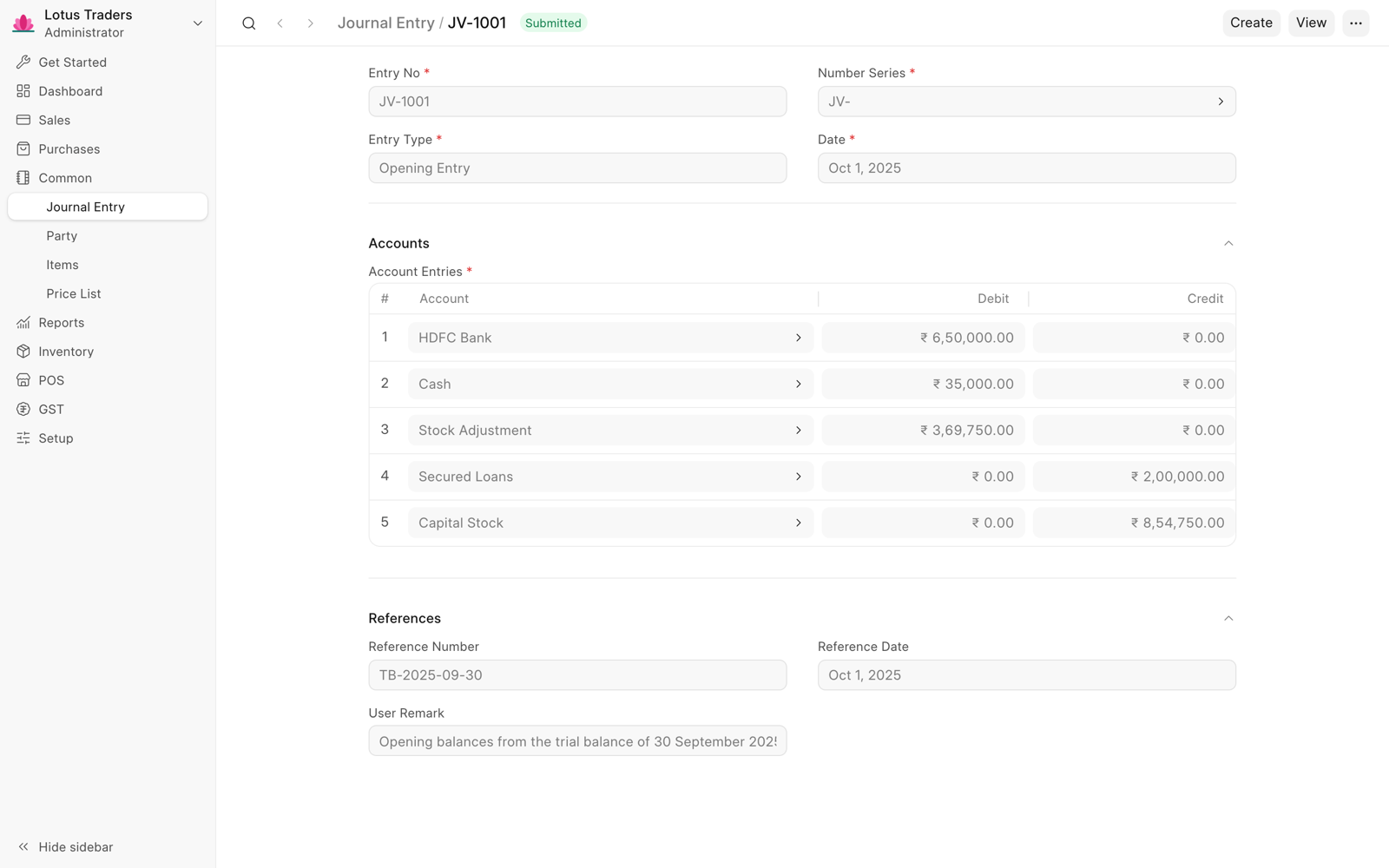
The total of the debits must be equal to the total of the credits. If the totals are not equal, add a row with the Opening Balance Equity account. Frappe Books fills the new row with the amount that balances the entry. In the Standard Chart of Accounts, this account is in Equity.
After you submit the entry, your accounts show the same balances as your previous system. You can now record your transactions.