


















Blocks control how a run moves through its steps: they pause it, or send it down one of two paths. Click + on the canvas and pick one from the Flow group.
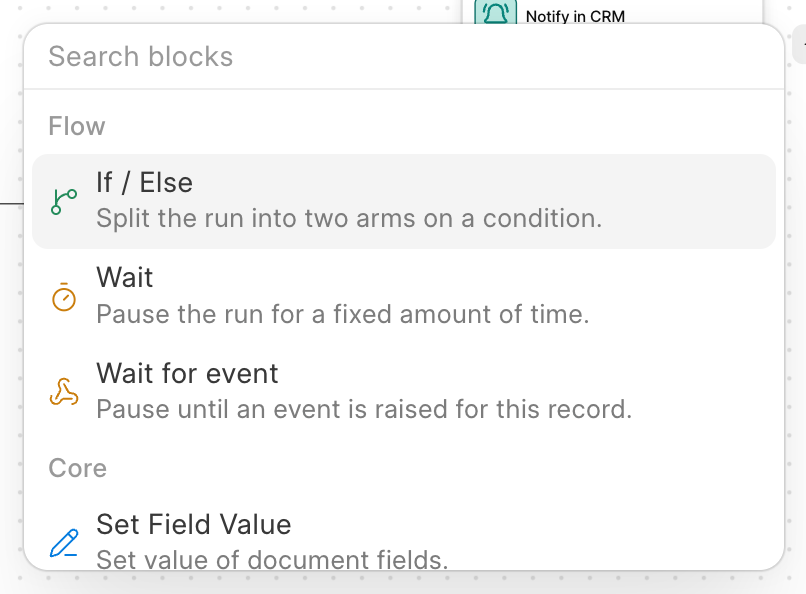
| Block | What it does |
|---|---|
| If / Else | Splits the run into two branches on a condition. |
| Wait | Pauses the run for a fixed amount of time. |
| Wait for event | Pauses the run until an event happens for this record, or until a timeout. |
If / Else
An If / Else block checks a condition when the run reaches it:
- If the condition is true, the steps on the True branch run.
- If it is false, the steps on the False branch run.
Either branch can be empty, and a branch can hold more blocks, including another If / Else. To add steps that run after either branch, click + After branches.
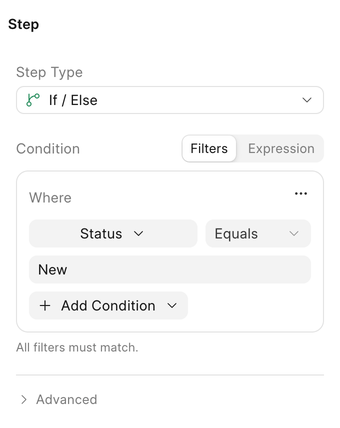
Writing the condition
Switch between two ways of writing the Condition:
- Filters: pick a field, an operator and a value, the same way you filter a list. Use Add Condition Group to combine rules with AND / OR.
- Expression: a Python expression, for when filters are not enough.
doc.status == "Qualified" and doc.annual_revenue > 50000
An expression can read:
| Name | What it is |
|---|---|
doc |
The record the run is working on, read fresh when the block is reached |
target |
The record picked in the block's Record field |
context |
Run details, such as context["payload"] for the trigger event's values |
The condition is checked when the run reaches the block, not when the run started. After a Wait, the record may have changed, and the condition sees the new values.
Wait
A Wait block pauses the run for a fixed time, then continues with the next step.
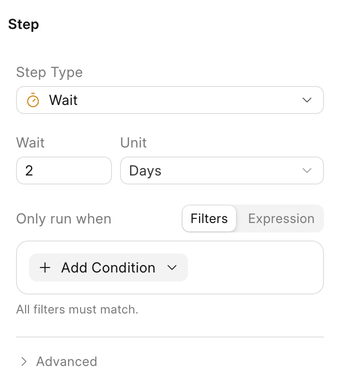
| Setting | Options |
|---|---|
| Wait | A whole number |
| Unit | Seconds, Minutes, Hours, Days |
Common uses:
- Wait 2 days after a lead is created, then check whether anyone has contacted them.
- Wait 1 hour after a deal is won before sending a thank-you email, so the owner has time to fix any mistakes.
A waiting run does not hold anything up. It is stored and picked up again when the time is up.
Wait for event
A Wait for event block pauses the run until a specific event happens for the same record, or until a timeout runs out, whichever comes first. It has two branches of its own:
- Event happened: the event arrived before the timeout.
- Timed out: the timeout ran out first.
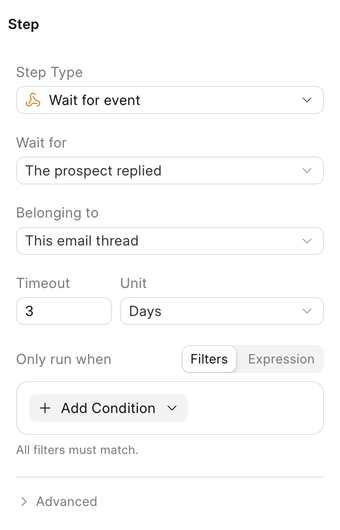
| Setting | What it means |
|---|---|
| Wait for | The event to wait for, such as The prospect replied or Deal was won. See Events. |
| Belonging to | Which occurrence of the event counts. See below. |
| Timeout and Unit | How long to wait before giving up. Seconds, Minutes, Hours or Days. A timeout is required. |
Belonging to
This decides which event wakes the run up, so a reply from one prospect does not resume a run waiting on another.
| Option | Resumes when the event happens for |
|---|---|
| This email thread | The same email thread (message events only) |
| This lead or deal | The same lead or deal, in any thread (message events only) |
| This record | The same record (stage, won, lost, conversion and overdue events) |
When the event arrives, its values are available to later steps in context["event"]["payload"].
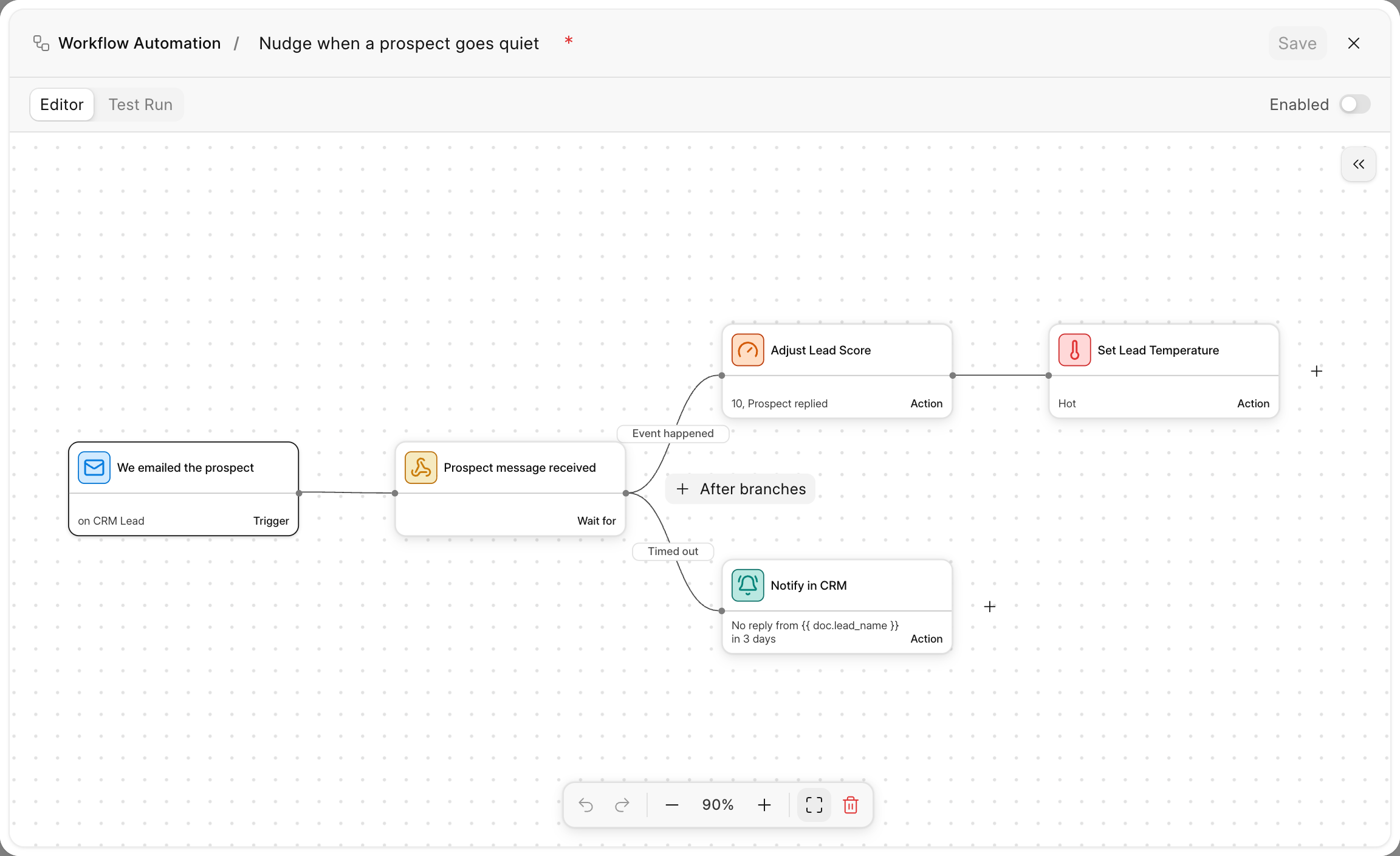
Example: nudge the owner if the prospect goes quiet
- Trigger: We emailed the prospect on CRM Lead.
- Wait for event: The prospect replied, belonging to This email thread, timeout 3 Days.
- On the Event happened branch: Adjust Lead Score by
10, then Set Lead Temperature to Hot. - On the Timed out branch: Notify in CRM to Document owner with
No reply from {{ doc.lead_name }} in 3 days.
Settings every step has
Blocks and actions share a few settings.
| Setting | What it does |
|---|---|
| Record | Which record the step works on: the Trigger record, a related record (such as the lead's Organization or Contacts), or a record an earlier step produced. |
| Only run when | An optional condition, written with Filters or an Expression. When it is false, the step is skipped and the run moves on. |
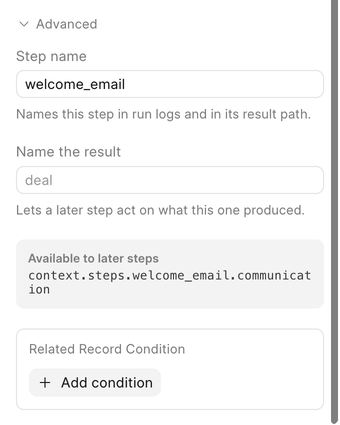
Open Advanced for the rest:
| Setting | What it does |
|---|---|
| Step name | Names the step in test results and in the path later steps use to read its output. |
| Name the result | Gives a name to the record this step creates, such as deal, so later steps can pick it in their Record field. |
| Available to later steps | Shows the exact path to this step's output, such as context.steps.welcome_email.communication. |
| Related Record Condition | Runs the step only if records linked to it match: a related record exists, no related record exists, or a count of related records. For example, no related record exists in Deals on a lead is true while the lead has not been converted. |
In a test run
Test Run does not really pause. Wait is shown as simulated and the run carries straight on. Wait for event takes the Timed out branch; click Run Event happened under the block to test the other branch.