


















When you click on the CRM logo at the top left, a small dropdown appears. By default, it shows things like Apps, Settings, and Log out.
Home Actions lets you customize what shows up there. Add links to tools your team uses every day, hide things they don't need, or add separators to keep things organized.
It's a small thing, but it makes a big difference if your team is jumping between tools often.
To get here, go to Settings > Home Actions.
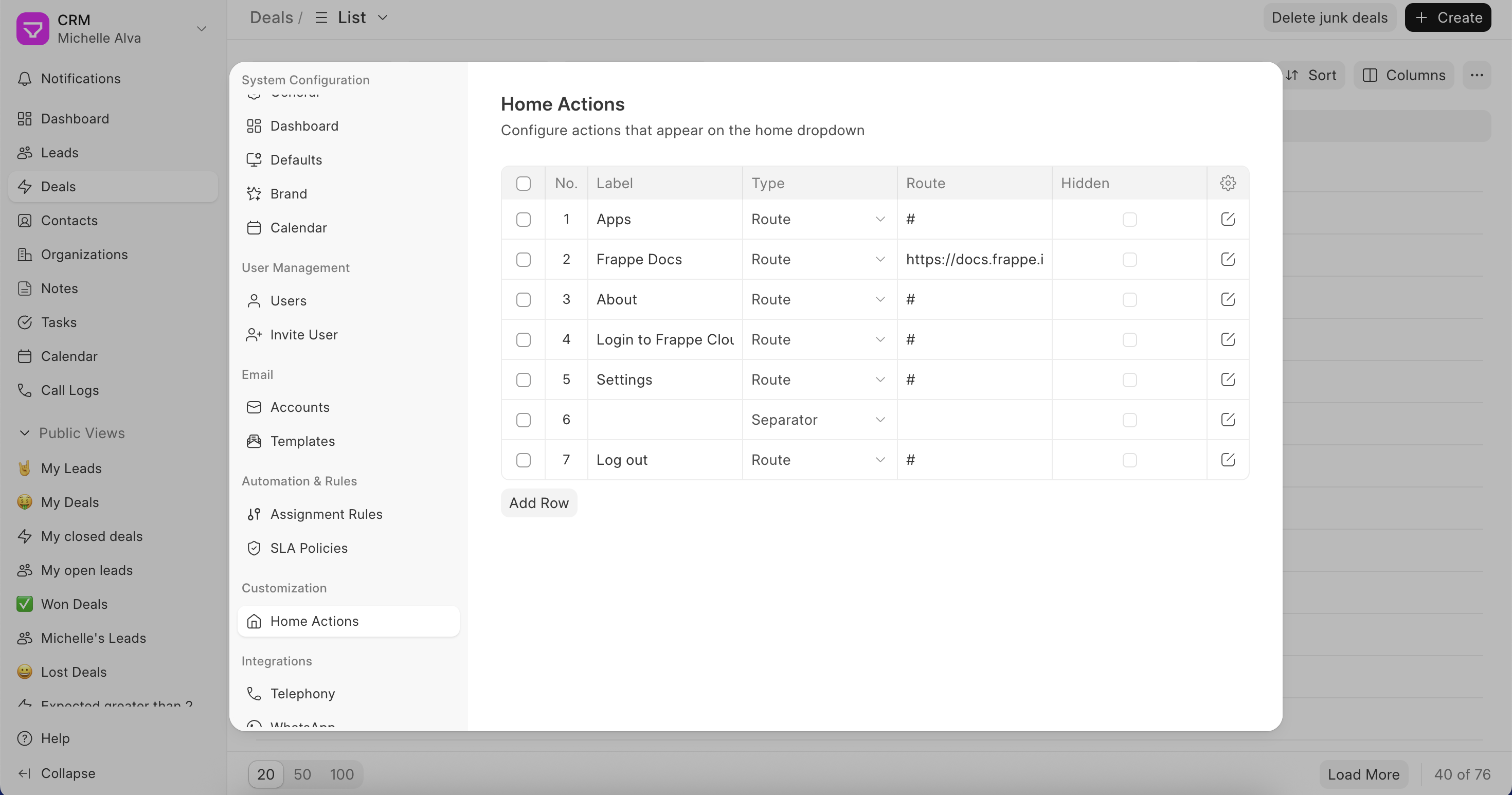
Each row in the list is one item in the dropdown. You can edit any row to configure:
- Label – The name that shows up in the dropdown
- Type – Either a Route (a link) or a Separator (a divider line to group things)
- Route – The URL or internal path the link points to
- Icon – Use a Feather icon name like
settingsorbook-open, or paste in custom SVG code - Open in new window – Opens the link in a new tab
- Hidden – Hides the item from the dropdown without deleting it
Click Add Row to add a new link. Hit Update when you're done.
Last updated 6 months ago
Was this helpful?