


















Frappe includes a built-in Model Context Protocol (MCP) server. MCP clients can use its tools to find DocTypes and methods, read and change documents, and call whitelisted methods on a Frappe site.
The server uses Streamable HTTP at /api/v2/mcp. For a site at https://erp.example.com, the endpoint is:
https://erp.example.com/api/v2/mcp
MCP tools provide a client interface to Frappe. They are not REST API endpoints. Document tools use Frappe’s REST API v2 handlers and permission checks.
Enable MCP
MCP is enabled by default on new sites. To check or change the setting:
-
Sign in to the Desk as a System Manager.
-
Open System Settings.
-
Select the AI Agents tab.
-
Select Enable MCP to enable the endpoint, or clear it to disable the endpoint.
-
Save the settings.
Set up OAuth
Configure OAuth on the Frappe site before connecting a client. See How to set up OAuth 2.
If a client uses dynamic client registration, enable Enable Dynamic Client Registration in OAuth Settings. During connection, the client opens a browser for Frappe sign-in and authorization, then returns to the client.
Connect an MCP client
Use your site’s MCP endpoint:
https://erp.example.com/api/v2/mcp
Claude
In Claude Desktop:
-
Open Settings > Connectors.
-
Select Add custom connector.
-
Enter a name, such as
Frappe, and the endpoint URL.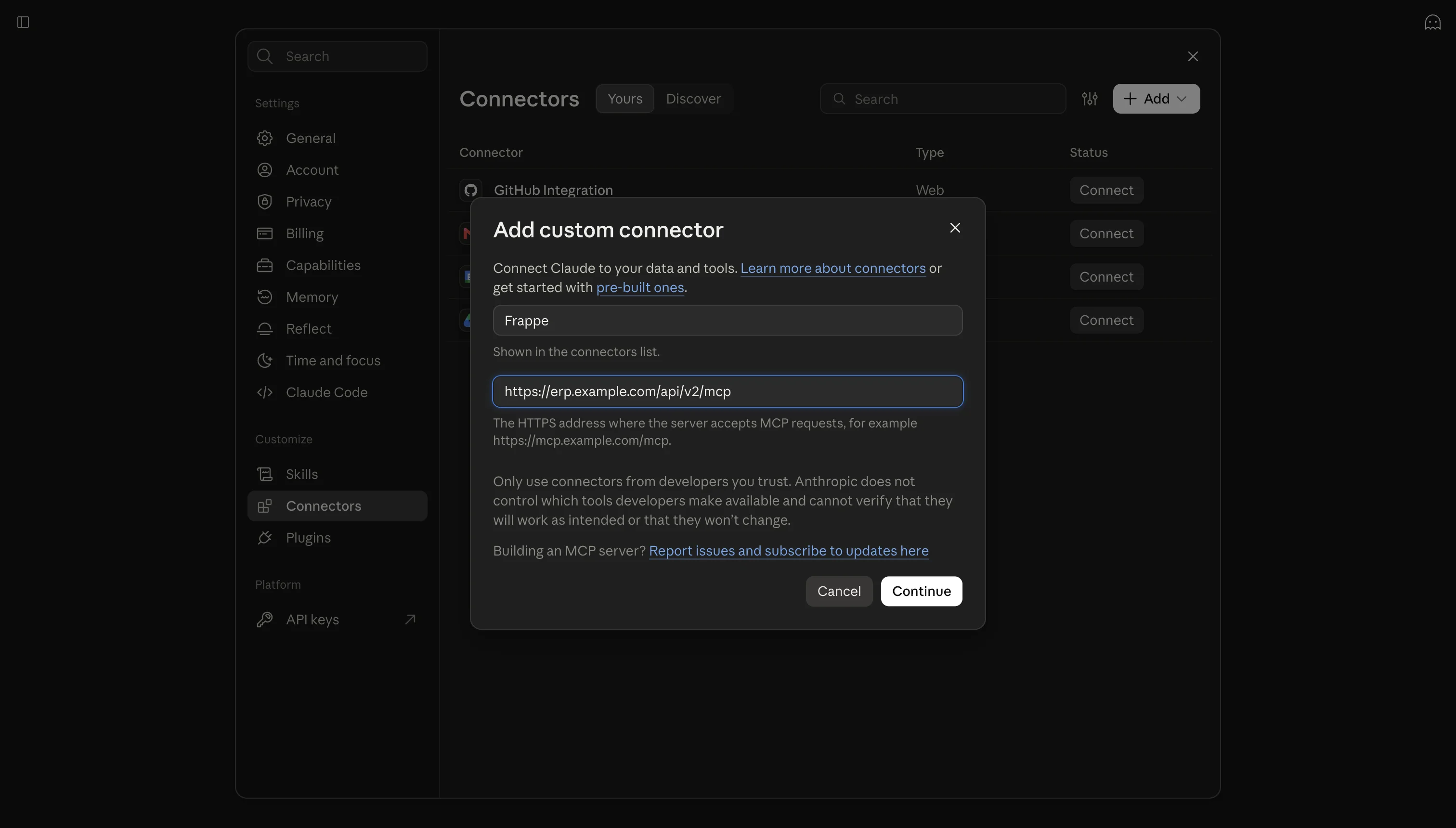
-
Select Add, then connect and authorize the server.
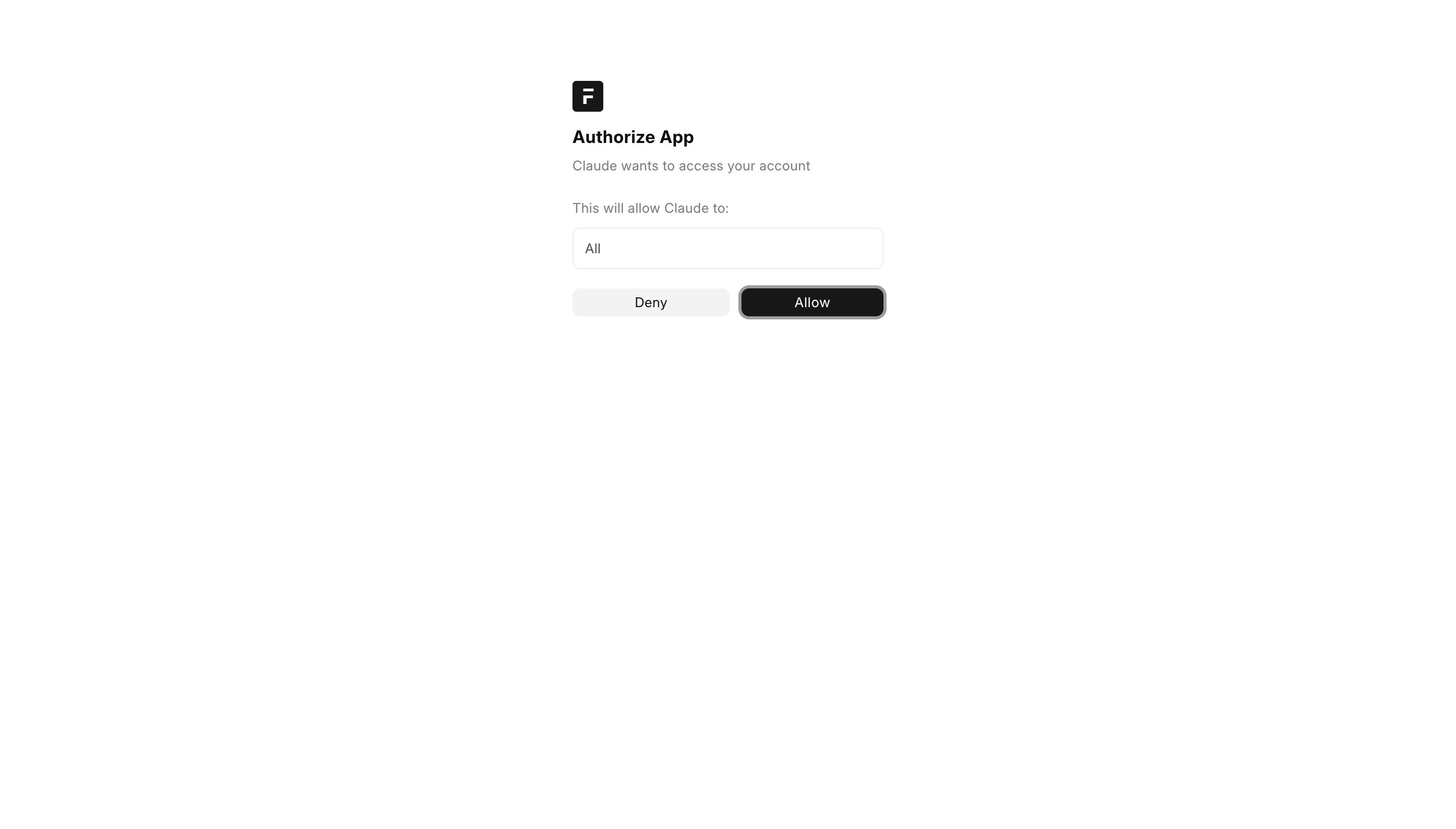
For Team and Enterprise plans, open Organization connectors before adding the connector.
In Claude Code:
claude mcp add --transport http frappe \
  https://erp.example.com/api/v2/mcp
claude mcp login frappe
See Anthropic’s guides for remote MCP connectors and Claude Code MCP.
Codex
In the Codex desktop app:
-
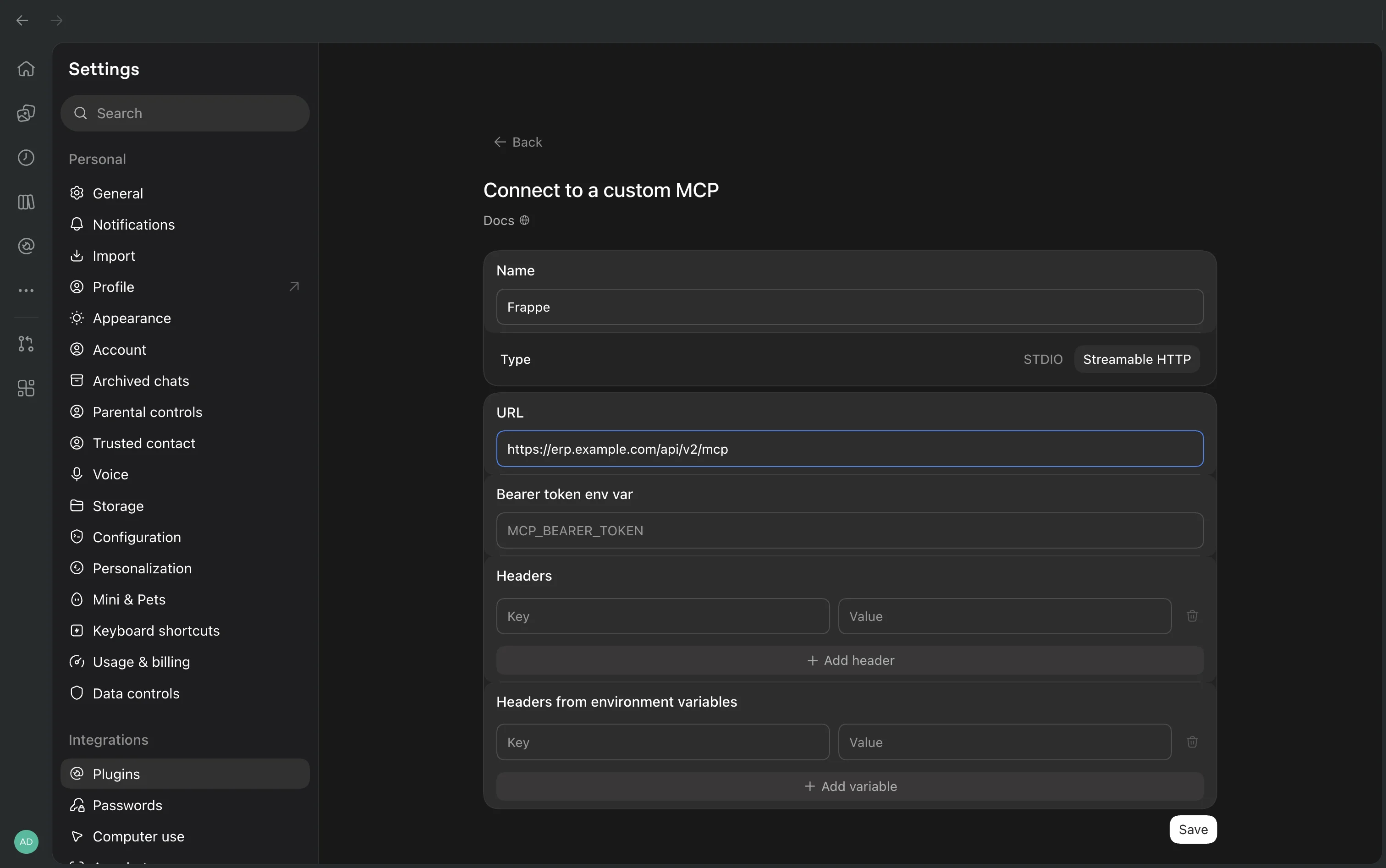
Open Settings > Plugins.
-
Select Add MCP server.
-
Enter a name, choose Streamable HTTP, and enter the endpoint URL.
-
Save the server, then select Authenticate.

In Codex CLI:
codex mcp add frappe \
  --url https://erp.example.com/api/v2/mcp
codex mcp login frappe
Run codex mcp list to check the connection. The Codex desktop app and CLI share their MCP configuration. See the Codex MCP guide.
Use an API token
Use an API token if OAuth is not available for your client. As a System Manager, open the Frappe user’s User document, open API Access, and select Generate Keys.
Configure the client to send this header:
Authorization: token API_KEY:API_SECRET
The server applies the permissions of the user that owns the keys. Store the API secret in a password manager or the client’s secret store. See Token Based Authentication.
Available tools
The Frappe MCP server exposes 13 tools. The MCP client retrieves each tool’s description and input schema when it connects.
| Tool | Purpose |
|---|---|
search_doctypes |
Find DocTypes by name. |
get_doctype_schema |
Get a DocType’s fields and the current user’s permissions. |
search_methods |
Find whitelisted methods and document methods. |
get_method_schema |
Get a method’s arguments and documentation. |
list_document_methods |
List whitelisted methods for a DocType. |
list_documents |
List documents that match filters. |
get_document |
Read a document and its permitted child rows. |
count_documents |
Count documents that match filters. |
create_document |
Create a document. |
update_document |
Update a document. |
delete_document |
Delete a document. |
call_method |
Call a whitelisted method by its dotted path or an API Server Script. |
call_document_method |
Call a whitelisted method on a document, such as submit or cancel. |
list_documents returns up to 20 documents by default. Check has_next_page in the result to see if another page is available. Increase start to request the next page.
Document filters, fields, and ordering follow REST API v2 behavior. See REST API and Manipulating DocTypes.
Permissions and method behavior
The server requires an authenticated Desk user. DocType and method discovery return metadata. They do not grant access to documents or methods.
Document tools use Frappe’s permission checks. Users need read permission to list or read documents, create permission to create documents, write permission to update documents, and delete permission to delete documents. Frappe also checks field-level permissions and document-specific rules.
Method tools can call only whitelisted methods. Frappe applies each method’s existing HTTP method and permission checks. A method whitelisted for GET but not POST runs as GET. This requires read permission, and Frappe rolls back database writes made by that method. Other methods run as POST.
See Users and Permissions for details.
Configure site instructions
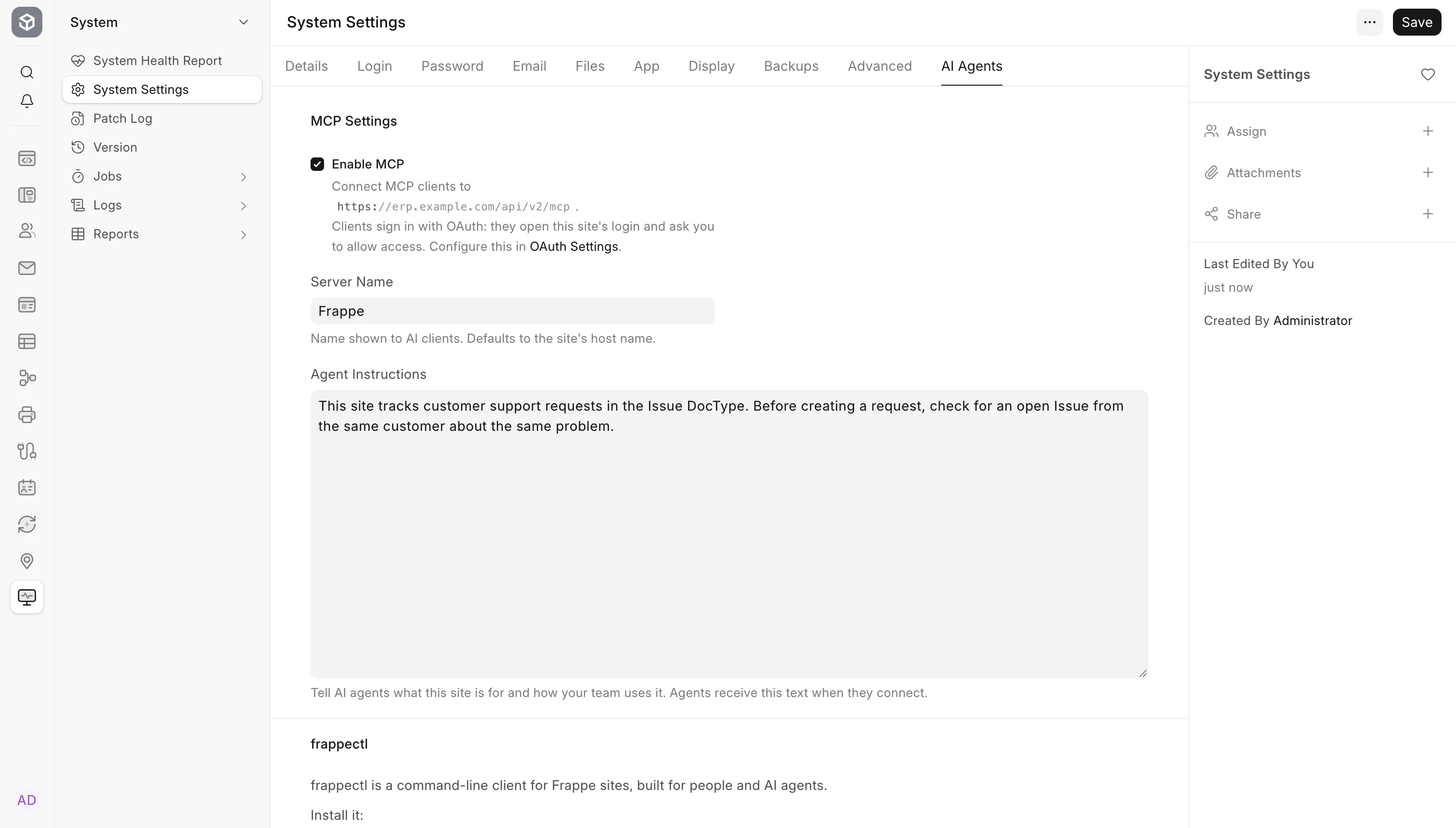
Open System Settings > AI Agents to configure the MCP server:
-
Server Name sets the name the server advertises to clients. It does not set the name you choose when adding the server in a client. If empty, Frappe derives the name from the site host. For example,
erp.example.combecomeserp_example_com. -
Agent Instructions adds site-specific guidance to the instructions Frappe sends to clients. Use it to explain the site’s purpose, workflows, or terms your team uses.
For example:
This site tracks customer support requests in the Issue DocType. Before creating a request, check for an open Issue from the same customer about the same problem.Agent Instructions guide the client. They do not grant permissions or access to data.
Troubleshooting
| Response | Check |
|---|---|
401 |
Check the credentials and Authorization header. |
403 |
Check that the user has Desk access and that the request origin is allowed by the site’s CORS settings. |
404 |
Check the endpoint URL and the Enable MCP setting. |
405 |
Send requests through POST. Opening the endpoint URL in a browser sends GET. |
406 |
Make sure the client accepts application/json. |
415 |
Make sure the client sends Content-Type: application/json. |