


















Print Settings holds the site-wide printing defaults. Only a System Manager can change it.
Open it from the Printing workspace, or on the print page from ⋯ > Print Settings.
Applies to Frappe v16 and later.
PDF Settings
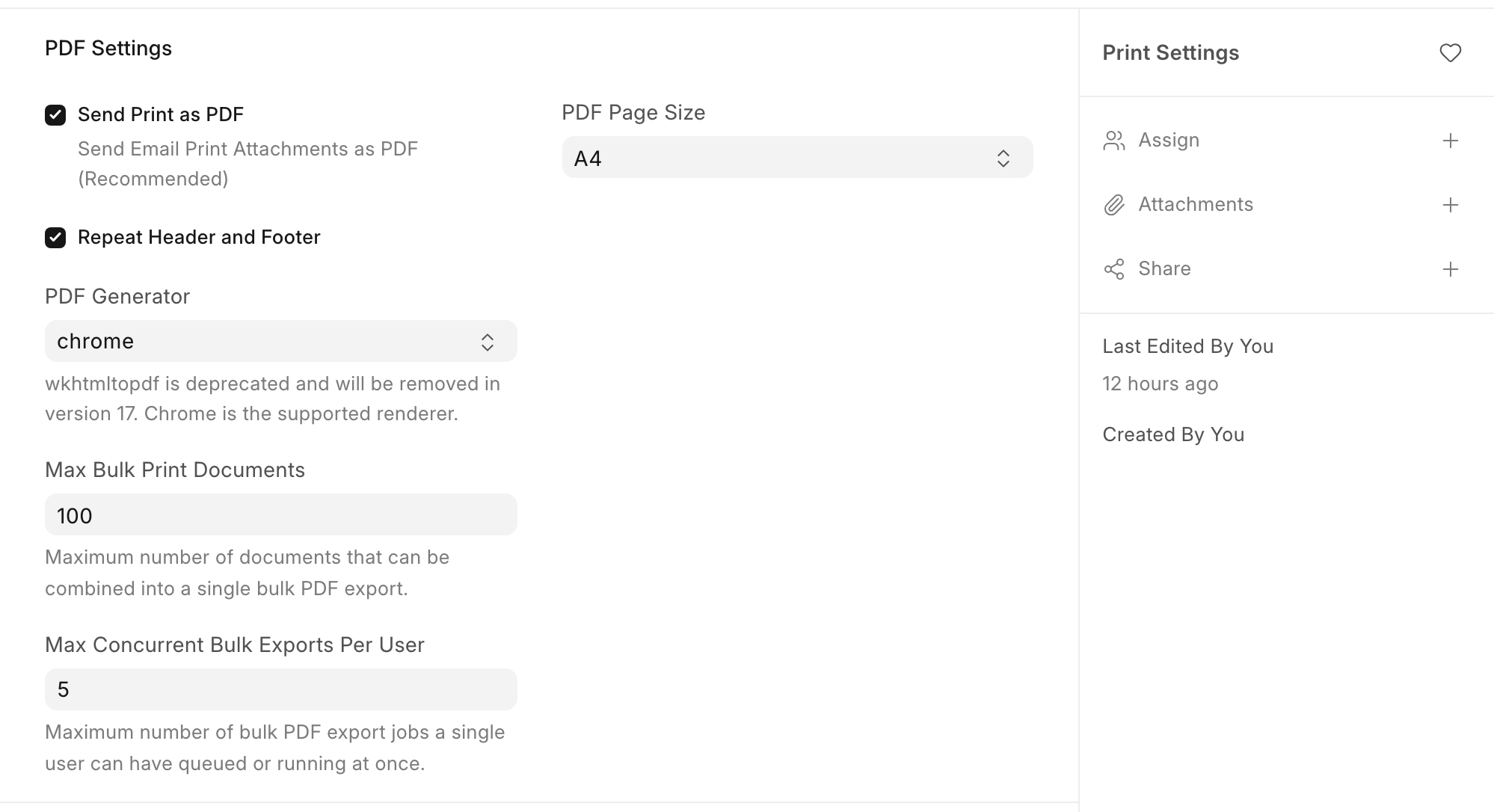
| Setting | What it does |
|---|---|
| Send Print as PDF | Emails attach the print as a PDF. When off, it is attached as HTML. On by default. |
| Repeat Header and Footer | Prints the header and footer, including the letter head, on every page. When off, the header prints once at the top and the footer once at the end. On by default. |
| PDF Generator | The engine that makes PDFs of the Standard format and HTML formats. Keep it on chrome. wkhtmltopdf is old and cannot lay out columns. Formats made in the Print Format Editor pick their engine in the editor. See PDF generation. |
| PDF Page Size | Default paper size, A4 unless changed. Choose Custom to enter a height and width in mm. |
| Max Bulk Print Documents | Most documents in one bulk PDF. Default 100. |
| Max Concurrent Bulk Exports Per User | How many bulk exports one person can run at once. Default 5. |
Note: the PDF Generator setting is removed in version 17, where every PDF is made with Chromium.
Page Settings
| Setting | What it does |
|---|---|
| Print with letterhead | Selects the default letter head on the print page |
| Allow Print for Draft | Lets people print documents that are saved but not submitted. On by default. |
| Always add "Draft" Heading | Adds a "Draft" banner to printed drafts |
| Allow page break inside tables | Lets a long table row split across pages |
| Allow Print for Cancelled | Lets people print cancelled documents |
Apps can add their own settings here. ERPNext adds Compact Item Print, Print UOM after Quantity and Print taxes with zero amount, which also show in the print page sidebar for its documents.
Print Server and Raw Printing
| Setting | What it does |
|---|---|
| Enable Print Server | Sends prints to a network printer through CUPS |
| Enable Raw Printing | Sends ESC/POS commands to thermal and label printers through QZ Tray |
Print Style and Fonts
| Setting | What it does |
|---|---|
| Print Style | The default Print Style for the Standard format. Default is Redesign. |
| Font and Font Size | Font for HTML formats. Formats made in the editor set their own font. |
Last updated 3 weeks ago
Was this helpful?