
















Hide the search bar in Frappe Desk
Every Frappe Desk user sees a search icon in the navigation Dock, which opens a box to search and jump to anything on the site. If you want a user with a narrow, restricted role to see only their own workspace, you can turn this off, for yourself or for another user.
Before you start
- To hide it for your own account, you do not need any special role.
- To hide it for someone else's account, you need the System Manager role.
- This is a setting on each User record. It is not a setting on a Role, so it cannot be turned off "for everyone with role X" in one step. See Change it for several users at once below if you need that.
Hide it for your own account
- Select your profile picture at the bottom of the sidebar, then click My Settings.
- Open the Preferences tab.
- Turn off Show search bar.
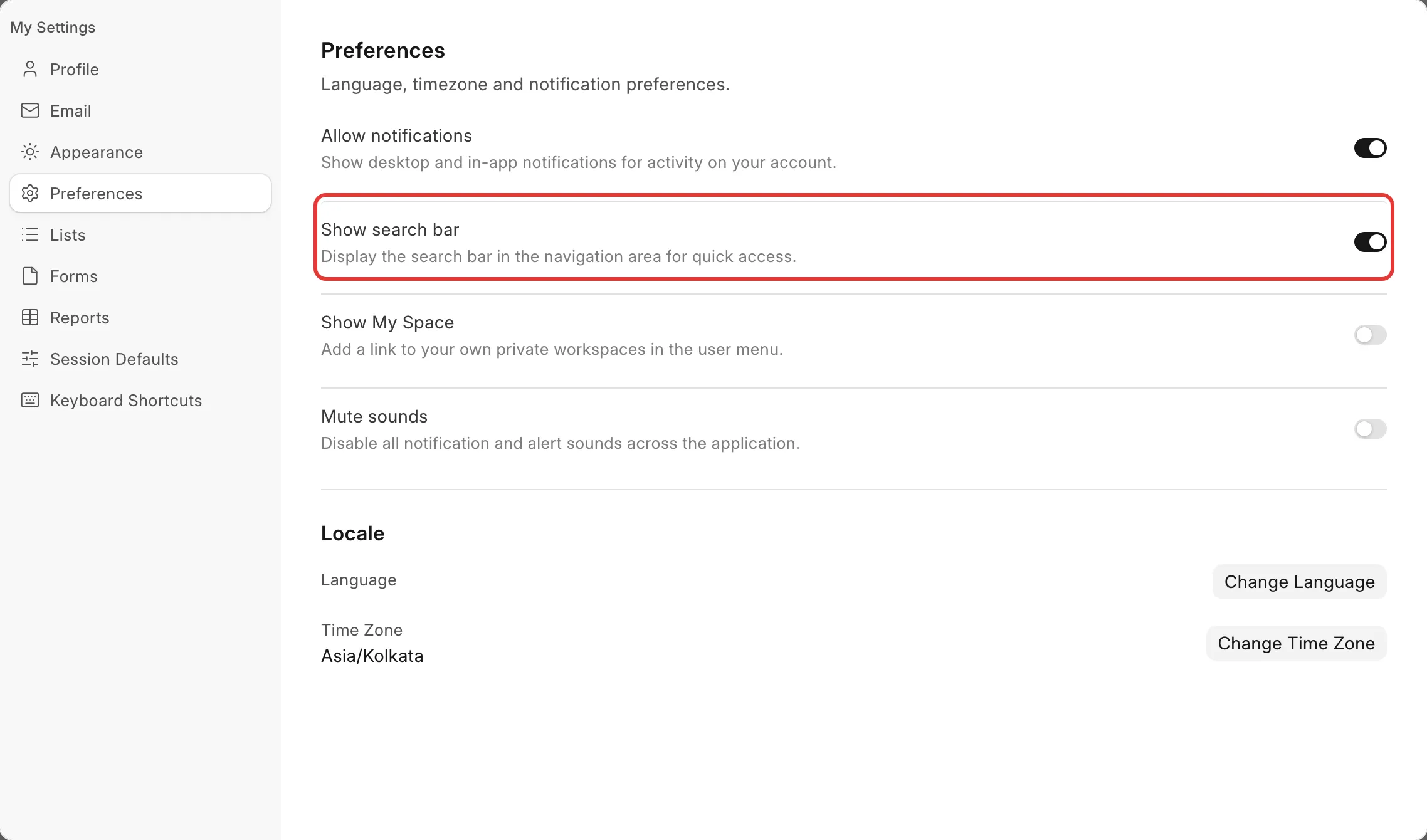
The change saves as soon as you turn off the switch. Refresh the page, and the search icon no longer shows in the Dock.
Hide it for another user
- Go to the User list and open the user's record, for example Priya Nair.
- Click the Settings tab, then open the Navigation Settings section.
- Clear Search Bar.
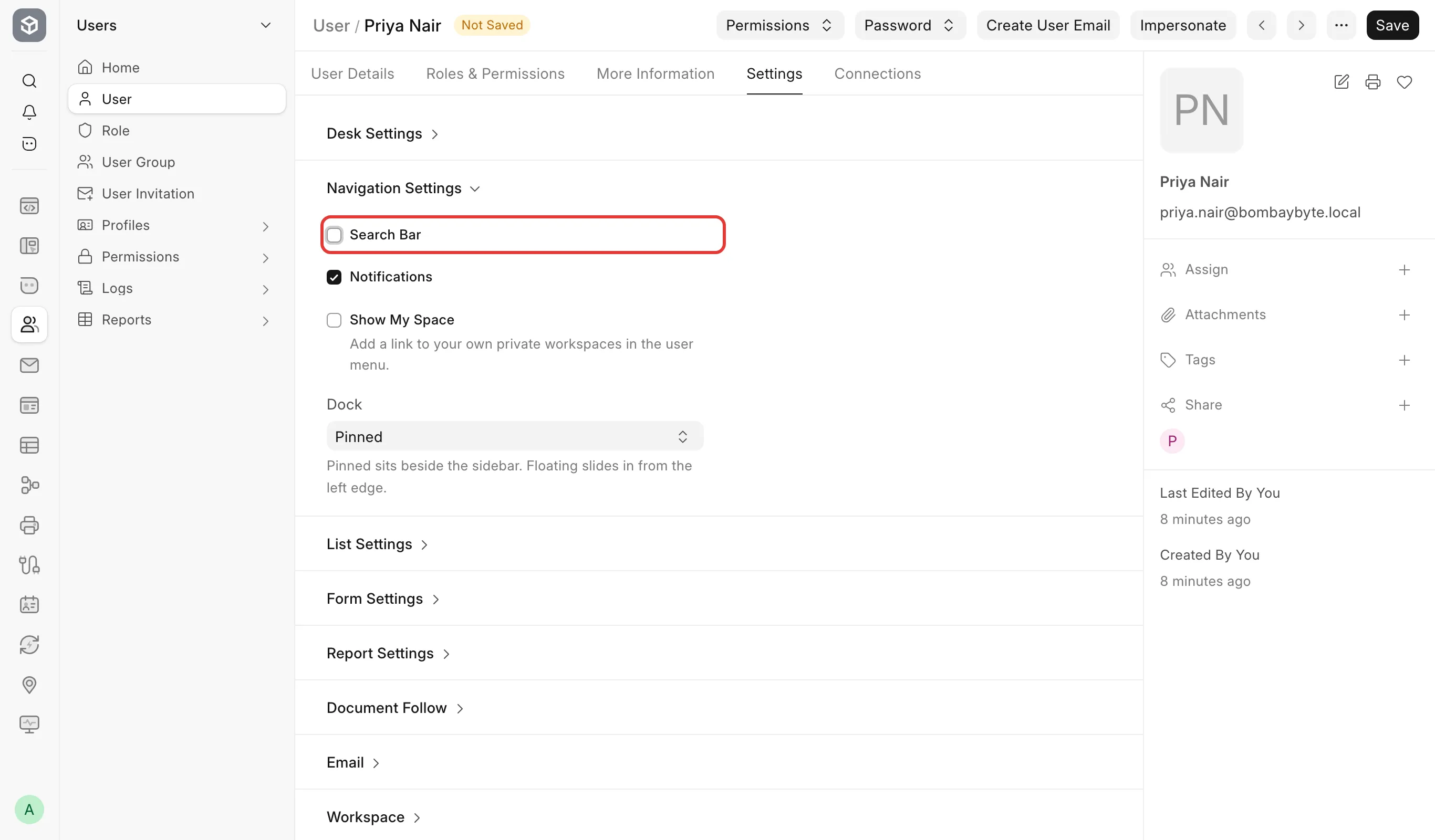
- Click Save.
Change it for several users at once
Because Search Bar is a field on the User record, turning it off for one user's role does not turn it off for every user with that role. To turn it off for a group of users in one action:
- Go to the User list.
- Select the users, open the ··· menu above the list, and click Edit.
- Choose the Search Bar field, clear it, and apply.
What happens next
The search icon no longer appears in that user's Dock, for every app and module. Nothing else on their account changes: they can still open any document they have permission for by its menu path or a direct link, or you can turn Search Bar back on the same way at any time.
Before:

After:
