


















Introduction
Flow puts an AI assistant in your Frappe site, along with a framework for building your own agents.
- As an assistant: you ask for something in plain language and Flow does it on your site.
- As a framework: you create agents for your own work, each with its own instructions, tools and knowledge.
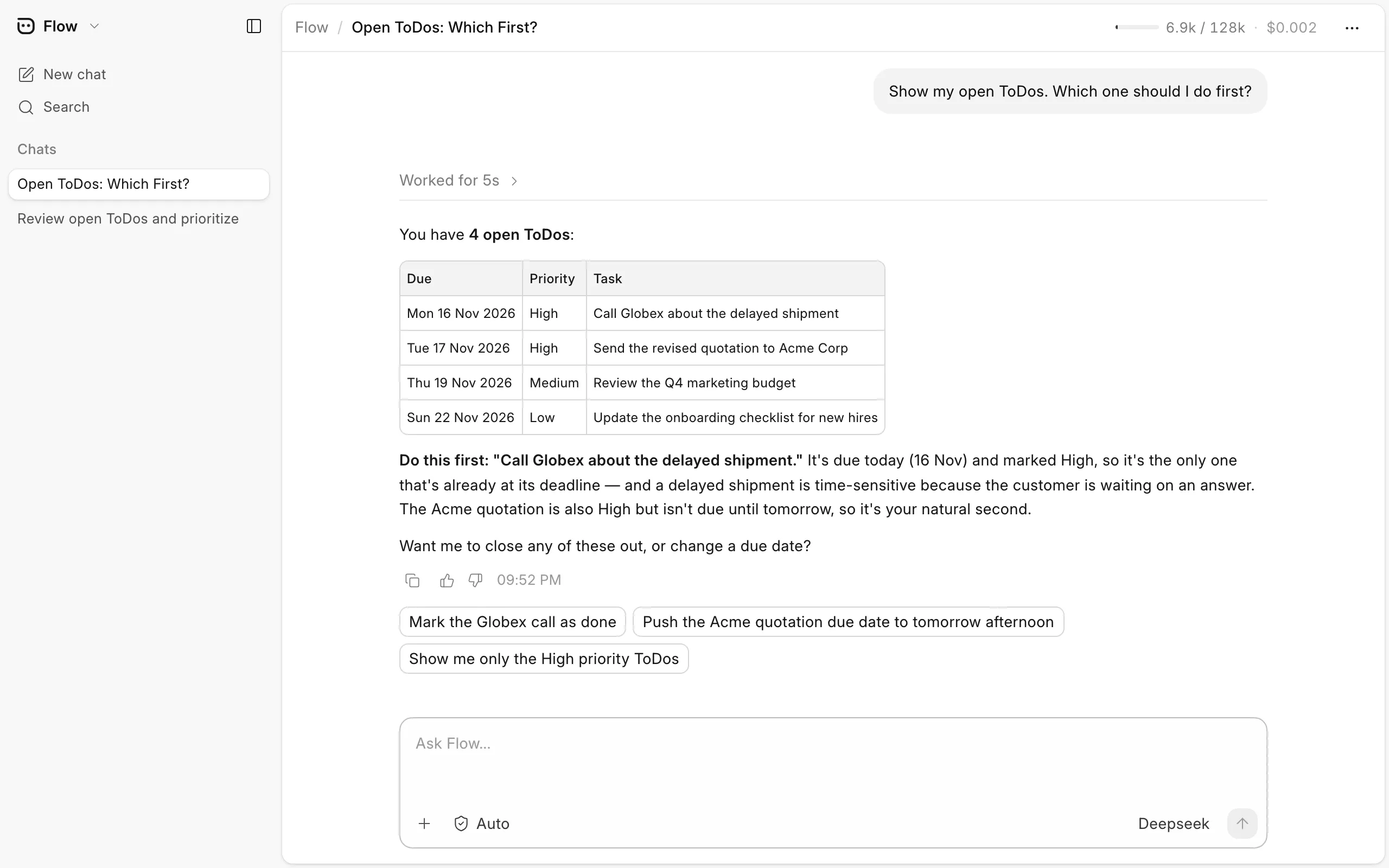
What Flow can do
- Answer questions about your data and run your reports.
- Create, update and submit documents, and take them through a workflow.
- Customize your site with DocTypes, custom fields, workflows and print formats.
- Set up agents that do recurring work, on a schedule or whenever a document changes.
Flow works with the permissions of the person asking, so it can never see or change more than they can.
Flow is available from Frappe v16.60.
Next steps
- Set Up Flow - Connect a model provider and give users access.
- Chat with Flow - Use the assistant on its own page or inside Desk.
- Agents - Create an agent for one kind of work.
- Knowledge - Give an agent content it can search.
- Triggers - Run an agent on a schedule or when a document changes.
- Access and Permissions - Control who can use Flow.
- Extending Flow - Ship tools and agents from your app.
- Flow Server - Run Flow on your own bench.
Flow is not the same as Automation Flow, which runs fixed steps without AI.
Last updated 4 hours ago
Was this helpful?