
Application Server Horizontal Scaling
What is Horizontal Scaling?
In the context of Frappe Cloud, horizontal scaling refers to adding another application server to share the traffic and workload during high usage.
Instead of upgrading a single server to a bigger one via plan changes (vertical scaling), we temporarily add a secondary server to run the same sites and benches alongside the primary one.
You can think of it as
During low traffic, your sites continue to run on the same primary server, during peak hours generating higher traffic, the load is split across two servers with zero downtime on your sites.
Why Do We Need a Secondary Server?
A secondary server provides extra compute only when it’s needed. When CPU usage rises (for example, during heavy API traffic, heavy background jobs, etc.), the secondary server:
-
Syncs the same benches as the primary server
-
Starts running workloads alongside it diverting incoming traffic to both servers and utilising workers of both primary and secondary servers
-
Allows your sites to continue functioning without delay or downtime
Setting Up a Secondary Server
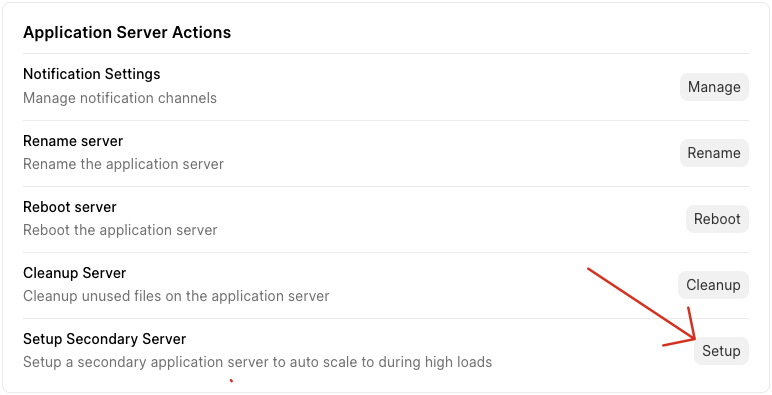
You can select a secondary server from the actions section of the server tab as shown below.
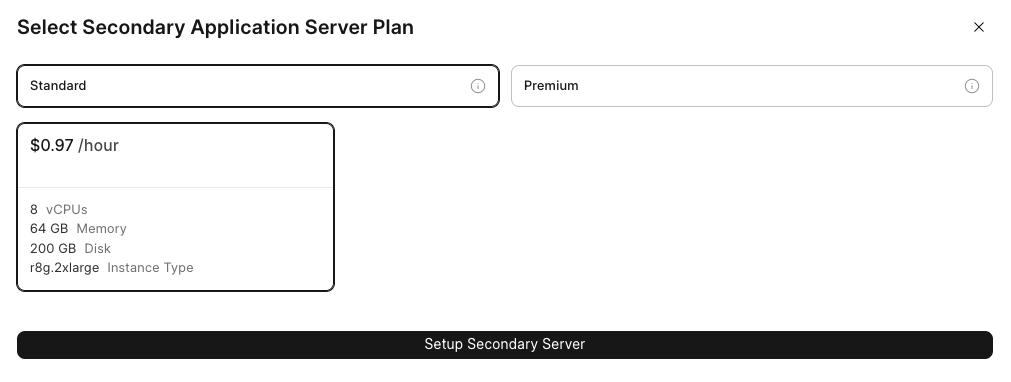
The above shown setup phase will also pompt you to select a plan for the secondary server, this is the plan that the secondary server will operate on, this plan will be identical to the primary server plan in terms of compute resources, as shown in the example setup prompt below.
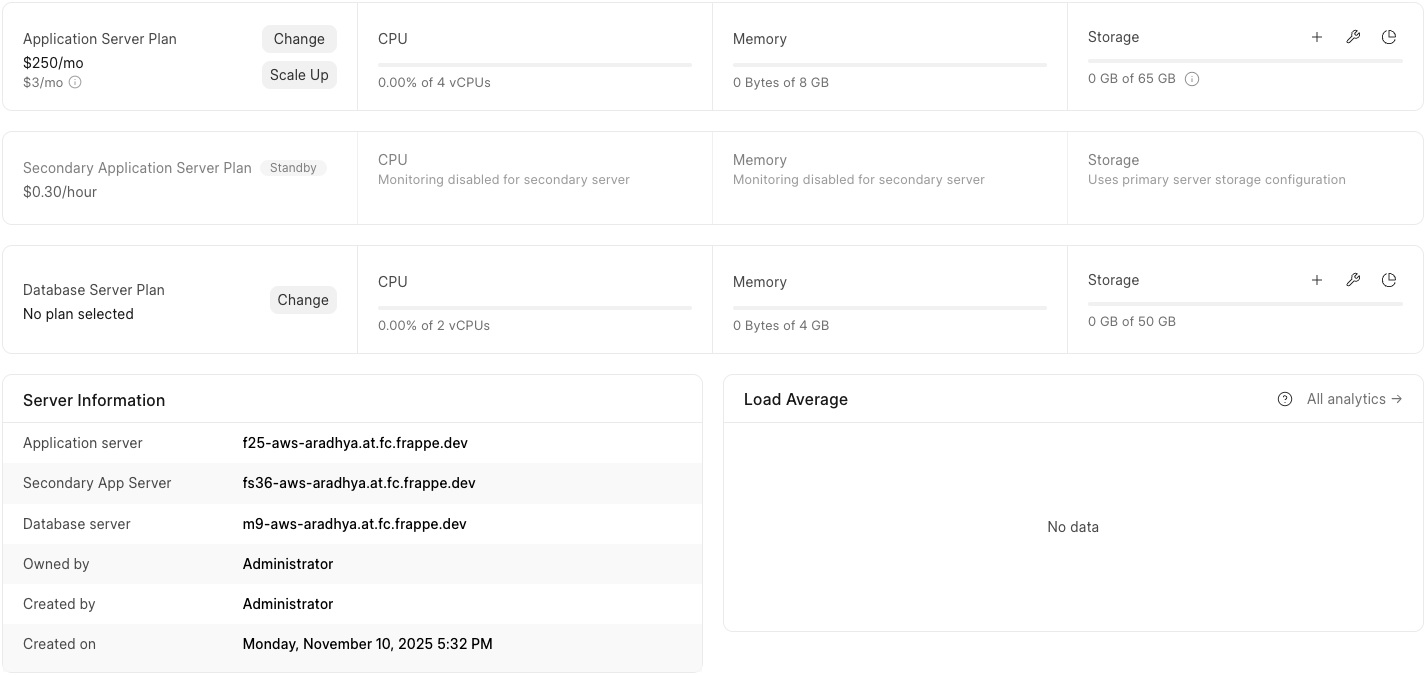
Once the setup is completed this is how the dashboard would look.
Scaling Up
During a scale-up event, a secondary server is started, starts running the benches, and begins sharing live workload with the primary server. This helps distribute traffic and keeps the system responsive under heavy usage.
How do we distribute traffic?
When selecting a secondary server plan, users another identical server to act as their secondary server. Traffic distribution during scaling is configured as follows:
Since the secondary server has the same compute capacity as the primary server, 50% of the requests are routed to it.
Scaling Down
When the load reduces, traffic is routed back to the primary server and the secondary server is safely shut down to avoid unnecessary billing. All queued jobs are processed gracefully before shutdown.
Automated Scaling
You can configure CPU and memory thresholds to control when a server scales up or down. These thresholds can be set from the Configure Automated Scaling button, as shown below.

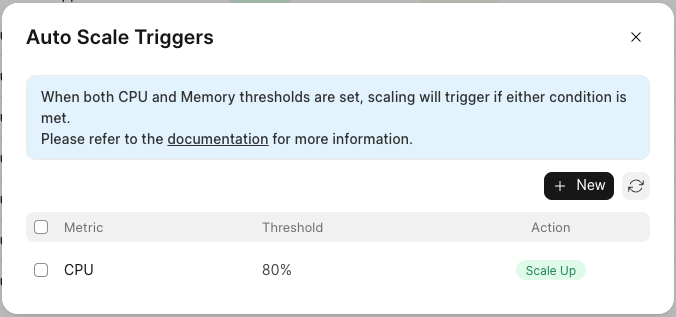
If both CPU and memory thresholds are configured, the server will trigger a scale-up or scale-down when either condition is met.
Notifications
Whenever an automatic scale-up is triggered, an email notification is sent to inform users that the server has been scaled up.
The same notification mechanism will apply to automatic scale-downs once they are supported.
Scheduling Autoscales
- You can also schedule scale-ups or scale-downs in advance (for example, to handle predictable peak traffic), as shown below.
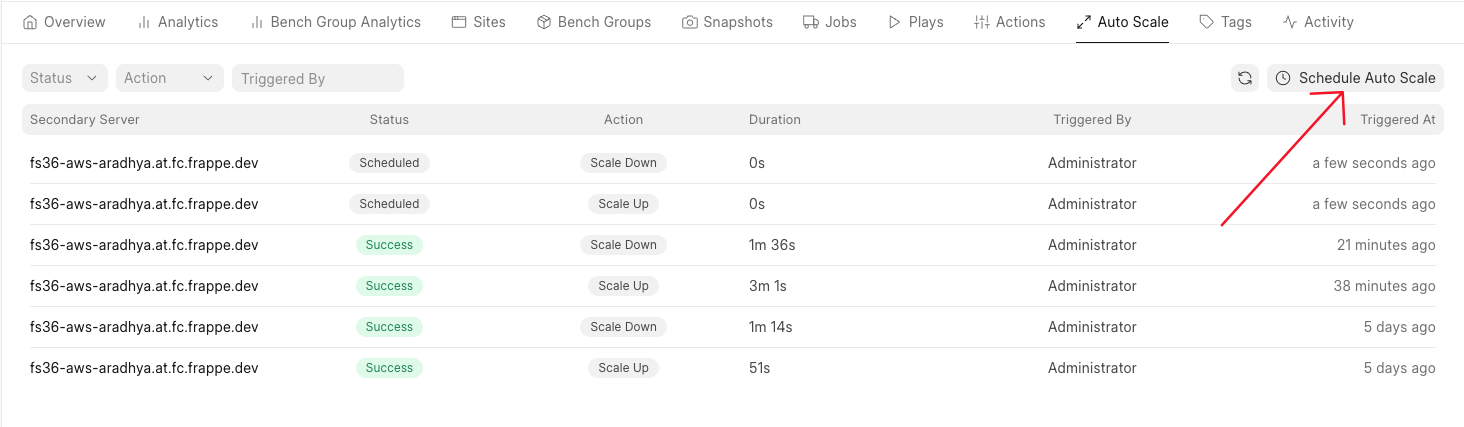
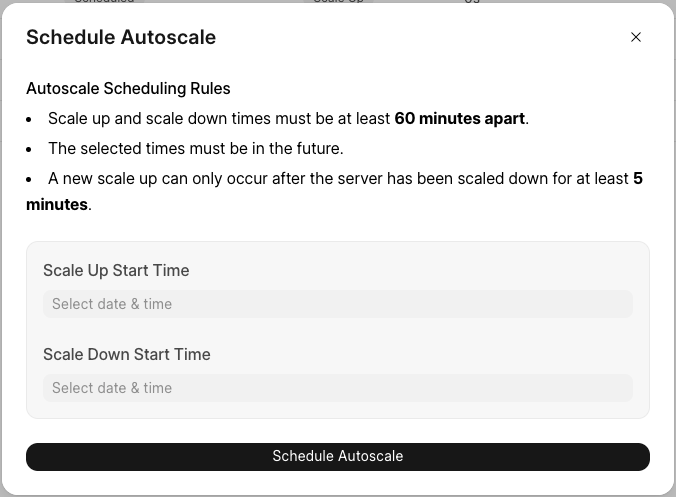
Note: Scheduled scaling is disabled if automated scaling is already configured on the server.
Zero Downtime Scaling
Auto-scaling on is designed to add or remove compute capacity without interrupting your sites. Your primary server keeps serving requests while the secondary server is prepared in the background. Once it’s ready, traffic begins flowing to it automatically.
Scaling Rules
Scaling actions are governed by a few safety rules to ensure stability:
-
Scaling via triggers or manually must be at least 5 minutes apart.
This gives the system enough time to fully complete the previous scale operation before starting another. -
Scheduled scale actions must be at least 1 hour apart.
These are intended for predictable load patterns, such as daily or monthly traffic spikes.
These rules help prevent overlapping scale operations and ensure consistent, zero-downtime behaviour.
Time taking operations
Below are a few common time taking actions during setups or scaling.
-
Setting up autoscaling as shown above, might take sometime depending on the number and size of the benches on the server, while this is running the server will be in the Installing state, however all the sites will continue to run without any downtime.
-
First auto scale will be time taking as well subject to the number of benches, however the subsequent scale operations are likely to be significantly faster.
Pricing
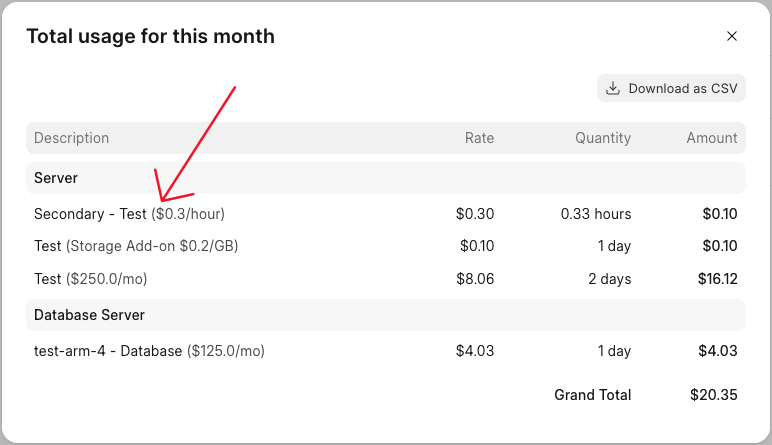
Secondary server billing only applies when it is active (during scaled-up periods).
-
You get 10% off the secondary server’s base price
-
Billing is hourly, and only for hours during which the secondary server was active
-
When scaled down, no secondary server cost applies
Final cost = (hours scaled up) × (primary app server plan price – 10% discount)
This can be viewed from the invoice and is billed on an hourly basis
Opting out
If you no longer want to use horizontal scaling, you can opt out anytime from the Server Actions:
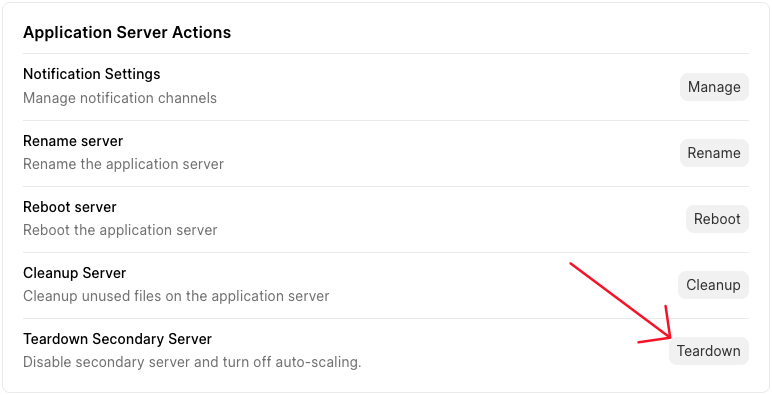
When you trigger a teardown, the primary server will switch to the Installing state while the secondary server is removed. Once the process completes, the primary server will return to Active status. Your sites will continue to run without any downtime during this entire process.
Once the secondary server is dropped no scaling opertations can take place on the server/
Beta Note ⚠️
This feature is currently in beta and is available only in the Mumbai region.
If Something Goes Wrong
If you notice a Failure status in your Auto-Scale list view, please contact Support immediately. Do not attempt manual fixes, as this may make it harder to debug the exact cause of the failure.