


















Guidelines for Contributing Regional Compliance App
Every country has specific tax compliance laws that businesses must follow. ERPNext includes an accounting module with core features like maintaining a Chart of Accounts, creating tax invoices, and recording payments.
To handle regional tax rules, additional features can be developed and maintained in a separate Frappe application. For example, the India Compliance App lets users generate e-invoices, e-way bills, and GST reports required by the Indian government.
Chart of Accounts
ERPNext comes with a pre-configured Chart of Accounts. If your country uses a different standard, you should first apply your country's specific Chart of Accounts over the standard one. This ensures all the necessary tax accounts are available for setting up taxes, which you will later select in accounting transactions.
You can contribute your regional Chart of Accounts to the core ERPNext repository in the specified folder. Alternatively, you can set up the Chart of Accounts through a custom app, which can also include the required tax ledgers.
Contribute the regional Chart of Accounts in the core repo of ERPNext, in this particular folder
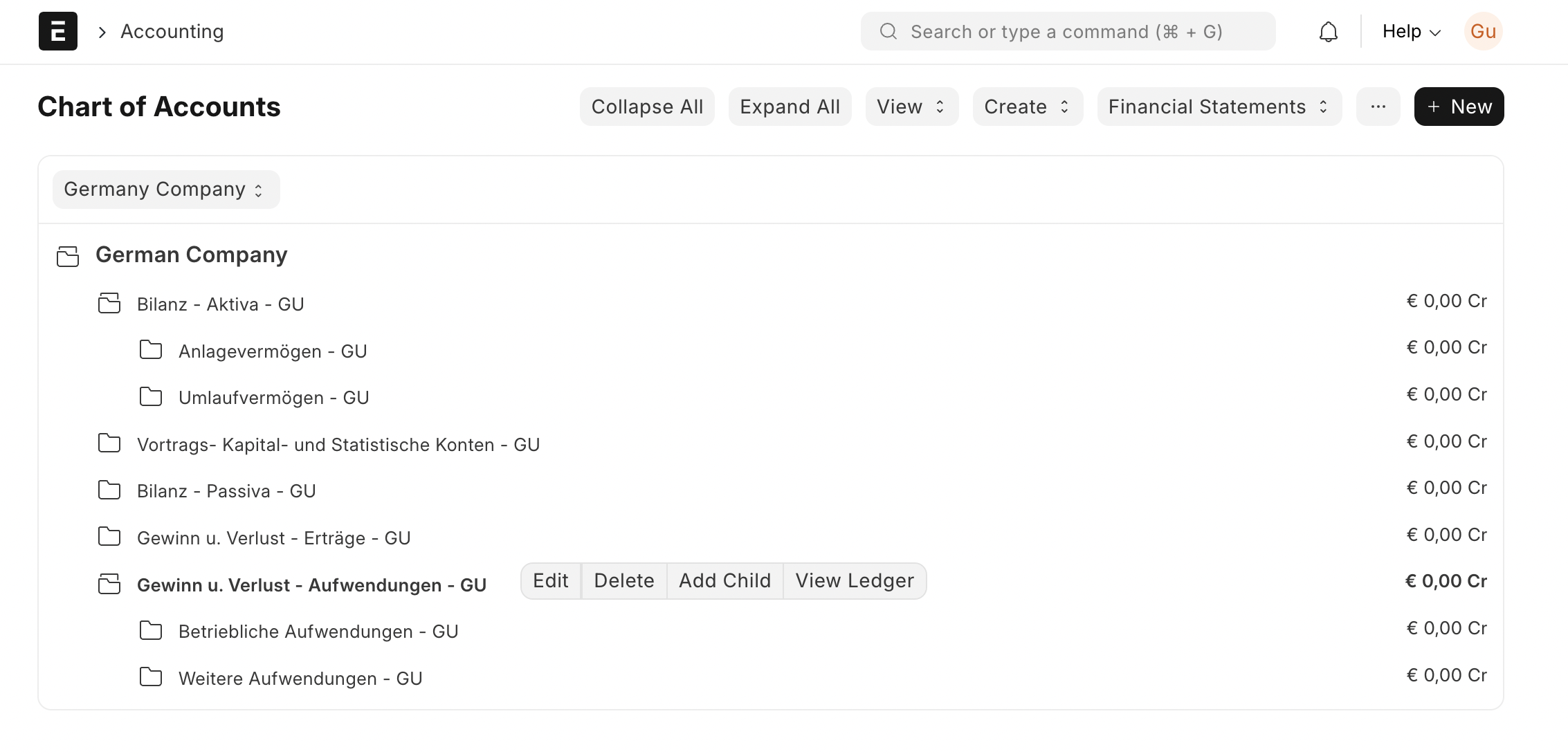
Also, you can have Chart of Accounts setup via your custom application, which will include tax ledgers.
Sales, Purchase and Item Tax Templates
To make applying taxes easier in transactions, ERPNext allows you to set up Tax Templates for sales and purchases. This helps new users correctly apply taxes to invoices to ensure they are compliant.
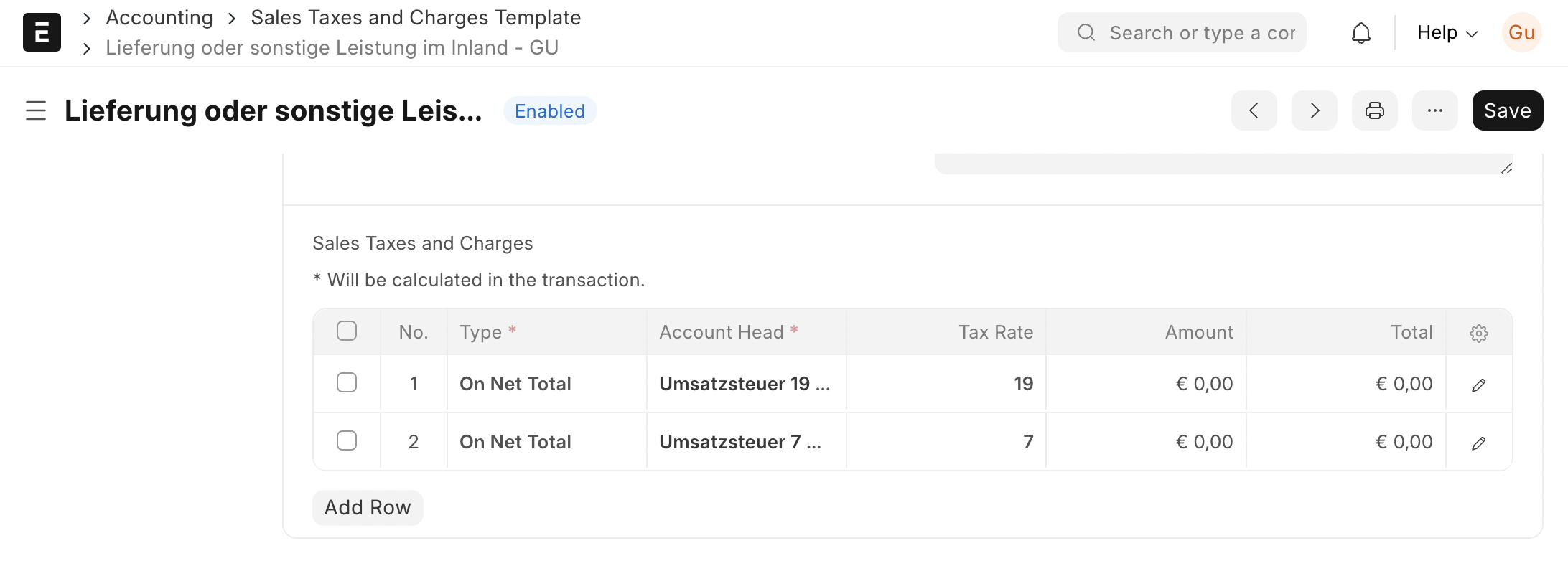
In cases where an invoice contains multiple items with different tax rates, an Item Tax Template should be auto-created. For instance, in India, there are GST slabs of 5%, 12%, 18%, and 28%. Since a single sales invoice can have items from different slabs, the tax must be defined at the item level.
Regional Tax Setting
The final goal for tax ledgers is to provide reports as specified by the tax authorities. While tax ledgers are created in the Chart of Accounts, the system needs a setting to identify which ledger corresponds to which tax type. The India Compliance app, for example, has a GST Setting page for this.
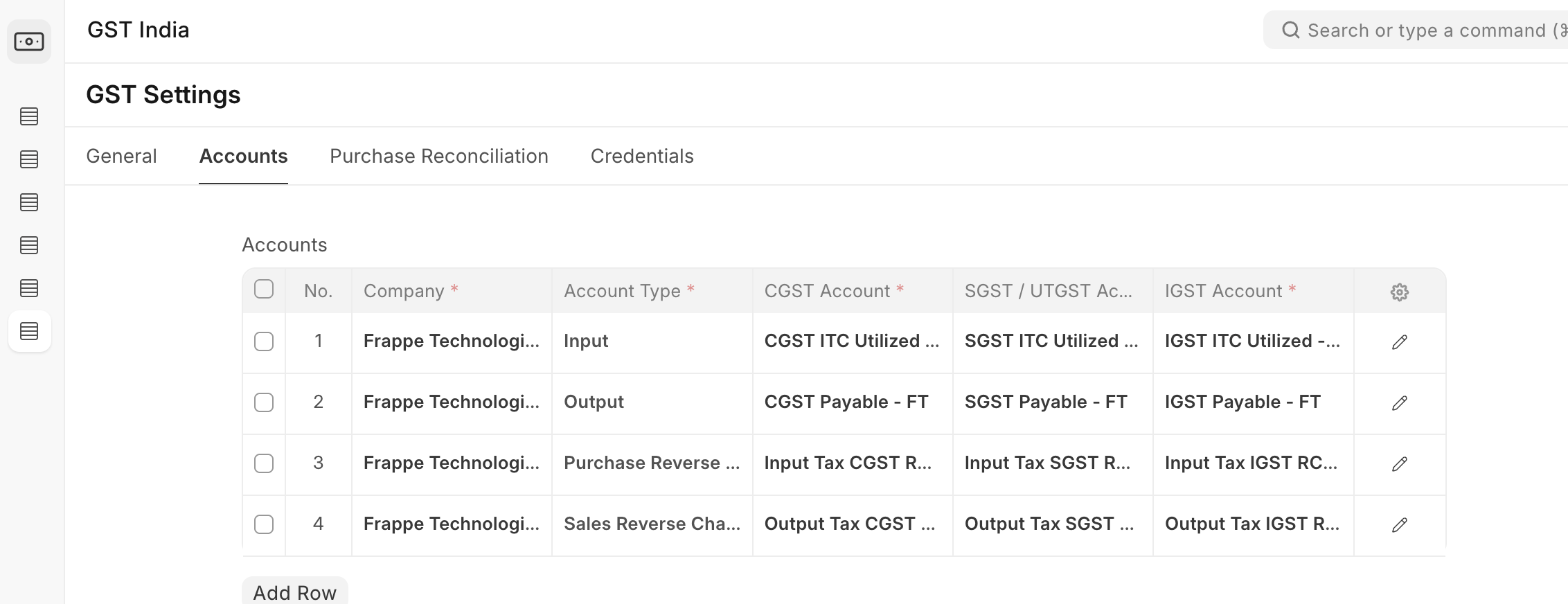
This settings page can also store other country-specific configurations, such as API details for e-invoicing integrations.

Workspace for Regional Taxation
Your regional compliance app will include several DocTypes, such as:
- Setting page (for tax ledgers and integration details with the system of tax authorities)
- Additional masters and transactions are required for creating compliant invoices
- Link of Reports
- Link of User manual and help videos
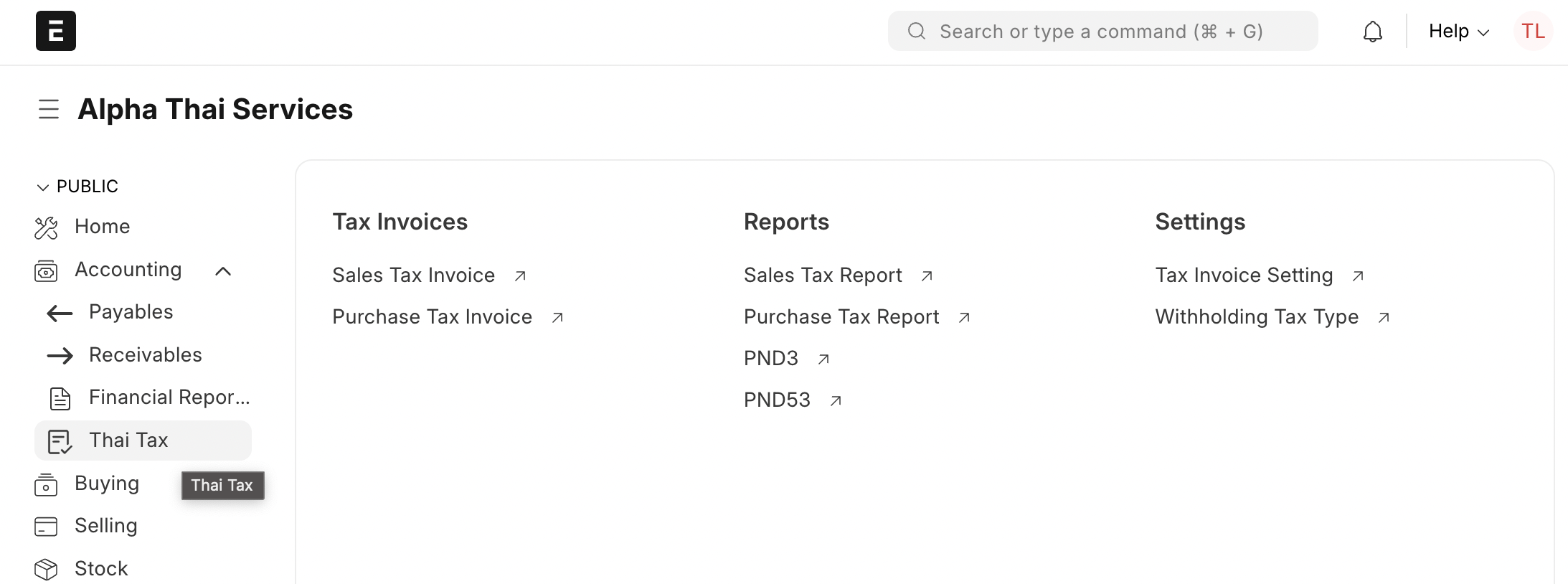
Do create a Workspace or sub-workspace that lists all these DocTypes, pages, and reports, grouped logically. This makes it easy for new users to find compliance features and helpful resources.
Onboarding Help
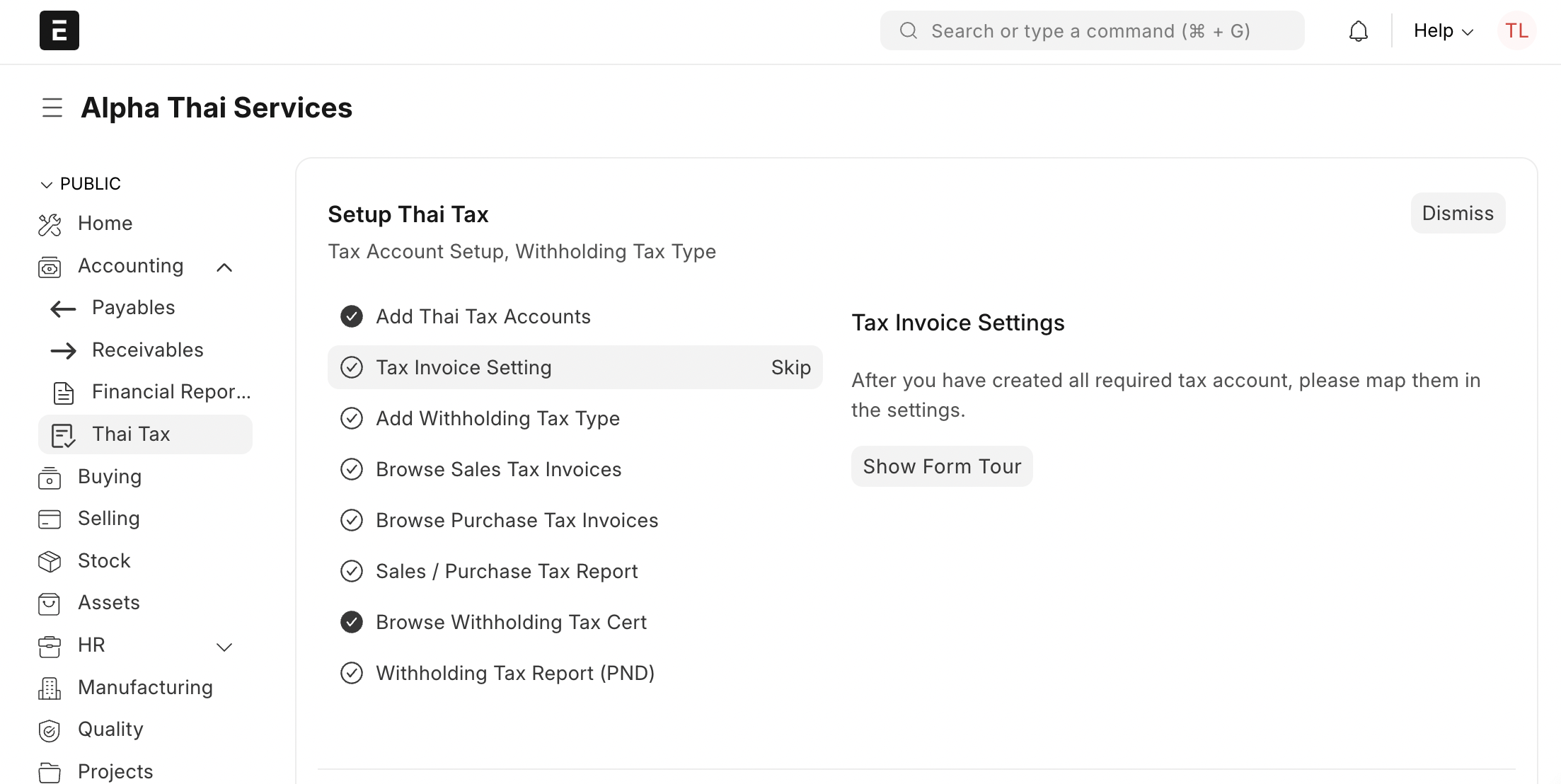
You can create a step-by-step onboarding guide to help users set up the app. For reference, you can look at the onboarding flow in the Thai Taxation app.
Reports
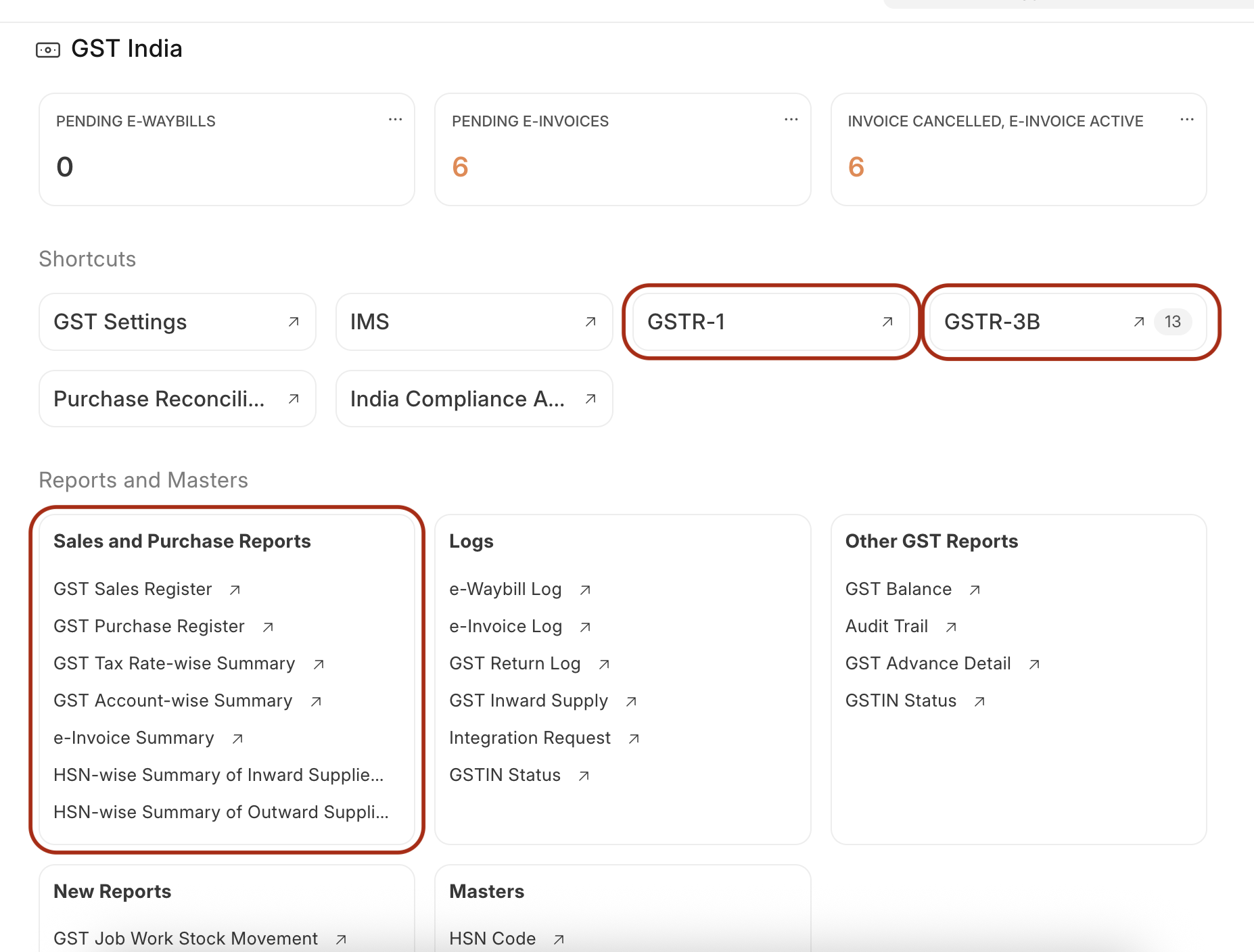
The success of a regional compliance app depends on providing accurate reports in the exact format and with the names specified by the tax authorities. It is extremely important to build these reports correctly. They should be grouped within the app's workspace based on their importance.
Review Process
Your regional app will be reviewed from two main aspects:
Technical Review: This ensures the app follows Frappe's best practices and does not introduce security vulnerabilities. Frappe uses Semgrep as a CI/CD tool for security scanning of Frappe apps. App builders must run a Semgrep scan on their app’s repository and fix any vulnerabilities identified. A successful Semgrep scan (green check) will be a significant advantage in the review process.
Check Nikhil's talk for a comprehensive understanding of technical guidelines for building a compliance app. Start talk from 00:55 hrs.
Functional Review: This ensures the app's features work as expected. It includes a session with the app builders to understand the country's tax system and verify that the features and reports meet those requirements. Accreditation from a tax authority is helpful. If not available, we may ask community members in your country to test and review the app's coverage.
Functional Review Criterias
- Does the app set up a country-specific Chart of Accounts with tax ledgers? At a minimum, does it auto-create the necessary tax ledgers?
- Does the app pre-configure Sales, Purchase, and Item Tax Templates?
- Is there a settings page where each tax account can be mapped to its official tax name?
- For countries with e-invoicing, does the setup capture company-wise tax and API details?
- Does the app add necessary Custom Fields to masters and transactions? For API integrations, can it fetch party details based on their tax ID?
- Does it add validations for custom fields, especially those mandatory for compliant invoicing?
- For e-invoicing, does the Sales Invoice fetch tax details? If the government provides a unique acknowledgement ID, is it stored in a read-only field? (This ID is often used for QR code generation on printed invoices).
- Ensure application has documentation sufficient to guide new user to complete taxation setup.
- Reports:
- Are all required statutory tax reports available?
- Are the reports named exactly as referred to by the tax authorities?