


















Role and Permissions
Introduction
Why? Because there might be too many people in your organisation that it becomes hard to manage. The team owner must be a person with utmost authority. This person (or organisation) must be the sole authority to do anything on team level. That includes actions like deleting, renaming or transferring a team. But there will be others who want to work on other areas of activities. This may be actions like updating a site, a bench or a server. This person must not be able to do team level actions but they still should be able to what they are supposed to do. There will be also times when a person should see only one resource (a site, for example) and nothing else.
All this means roles and permissions are a way to restrict people, not a way to make it convenient for them. Your authority as the owner gives you the power to set rules that will act as barriers. These barriers are our promise of safety and security.
Understanding Roles
Two questions arise when talking about roles.
- What if I don’t want to use roles at all?
- What happens when I create a role and add nothing in it.
The first question is relatively simple and that is what we mostly face. Let’s say your team has ten members. You trust all of them and you believe none of them could do anything wrong. You are okay with all ten members having unrestricted access to everything under the team. Good for you, because you don’t have to do anything. Because of absence of any role results in deactivation of the barrier. This is a basic scenario where people don’t care about roles at all, mostly in small teams.
The second question is tricky. Because the moment you create a role, you are opting in to use them. That means from that moment on, the barrier will be active and it will prevent team members from accessing resources they were not cleared for. There is one thing to keep in mind though. All permissions has to be explicit. That means if a member want to access a resource (for example, foobar.frappe.cloud), they must be a member of a role that includes said resource (foobar.frappe.cloud). That means the barrier denies access by default and permits a member only if there is explicit rules.
Listing and creating roles
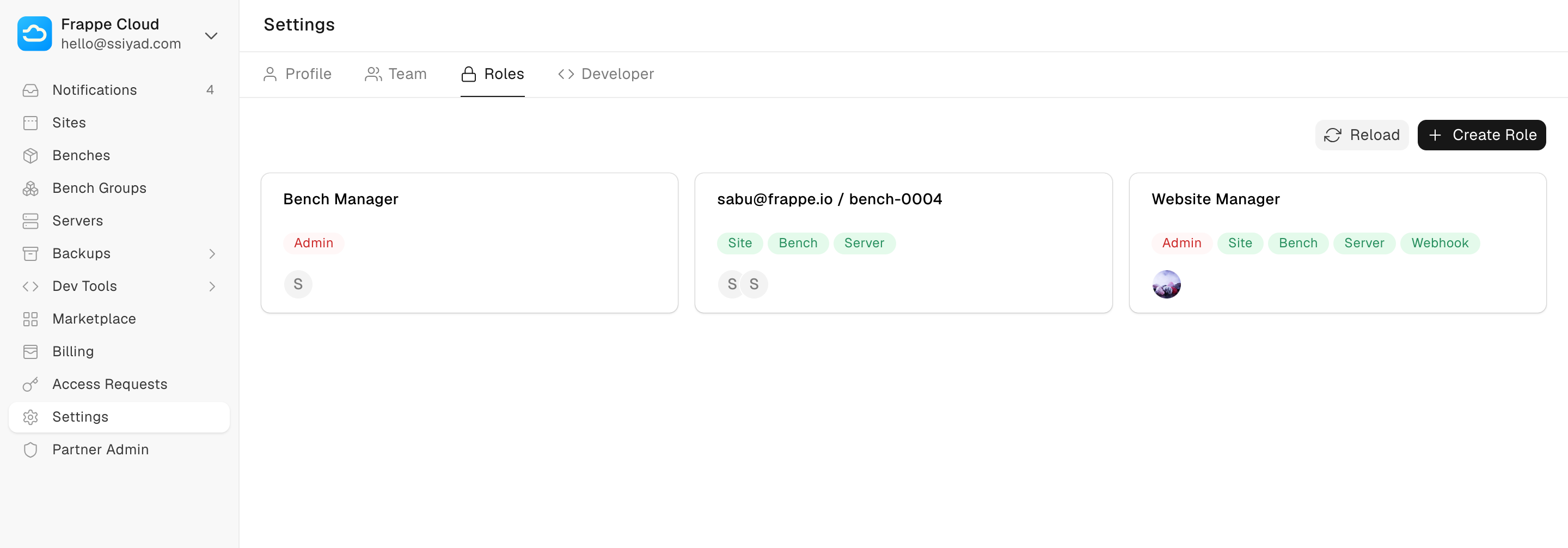
You can access roles from the team settings page.
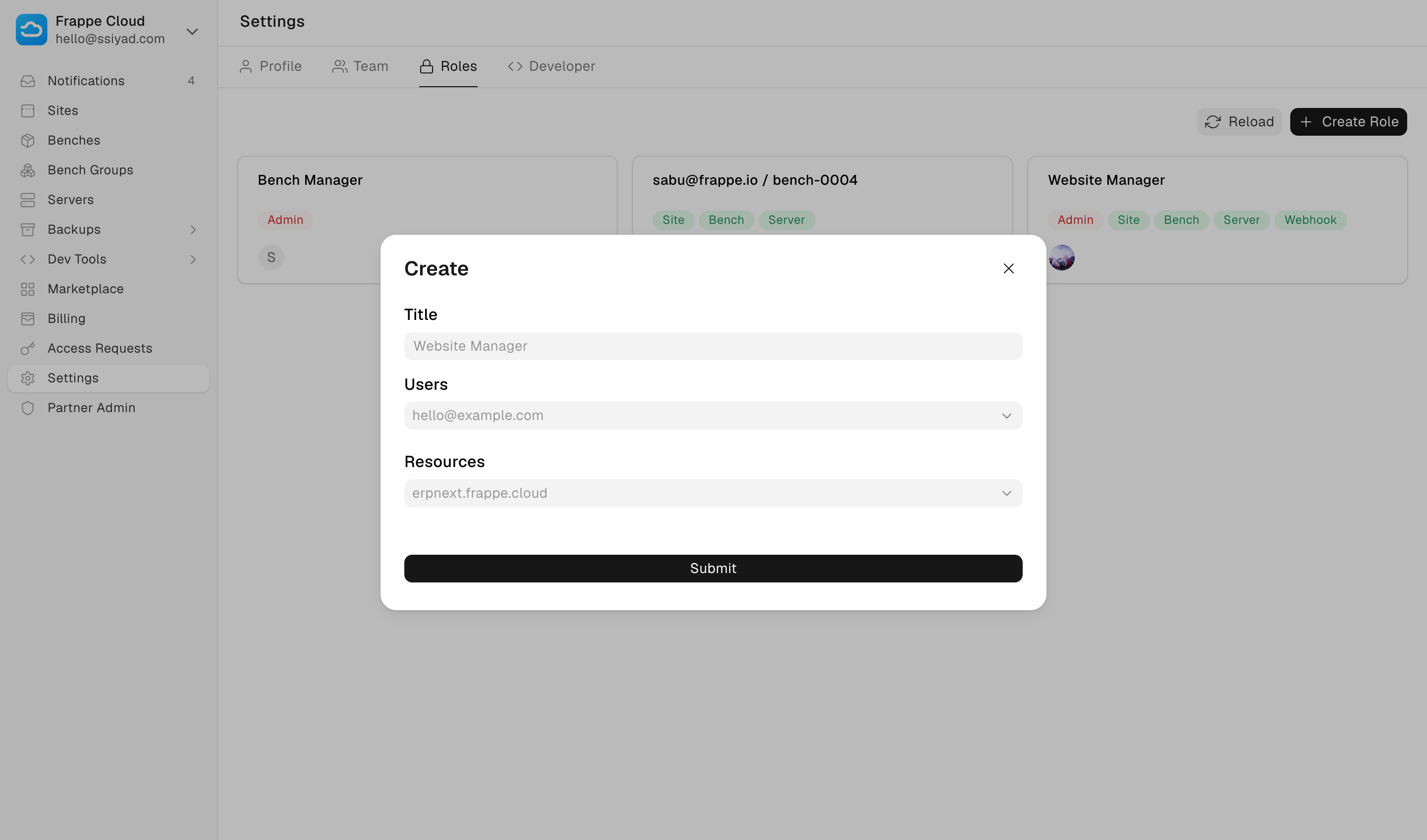
You can also create a new role with users and resources.
Gettting members and resources
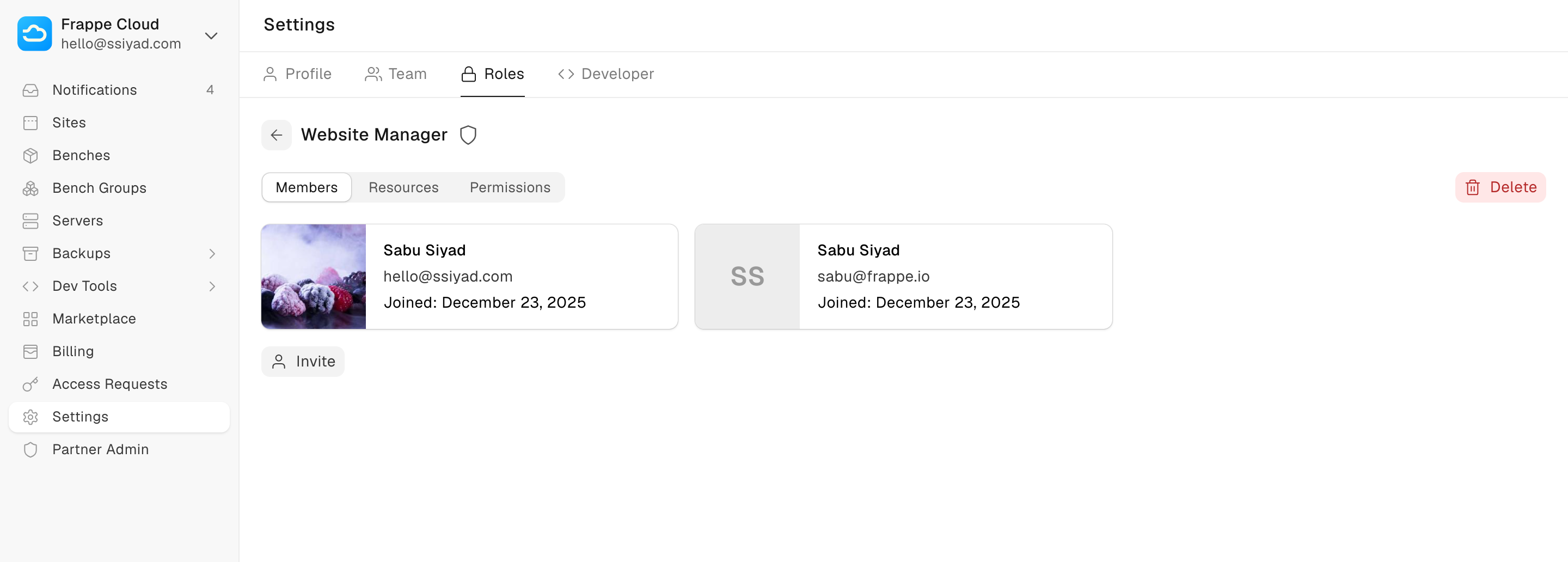
Click on individual roles to get a detailed view of members and resources.

Permissions
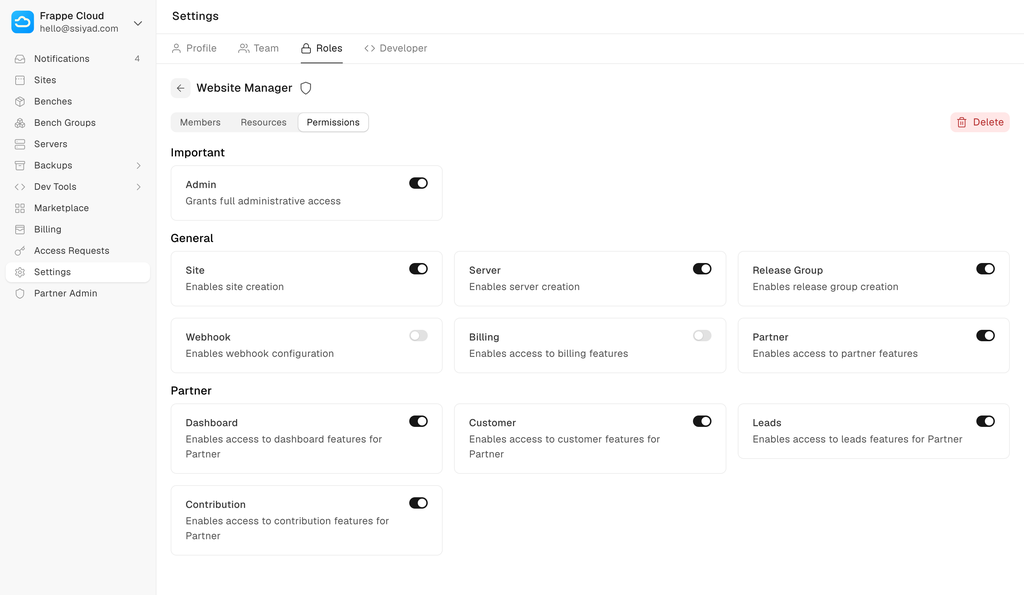
Each role can be tweaked to allow or deny certain permissions. These can be seen along with members and resources.
Notes
Roles and permissions are currently in beta. Please expect some rough edges. If you find any issues, please report them. We will fix them as soon as possible.