


















Creating a new bench
Click on the + New button from your Frappe Cloud dashboard under Benches:
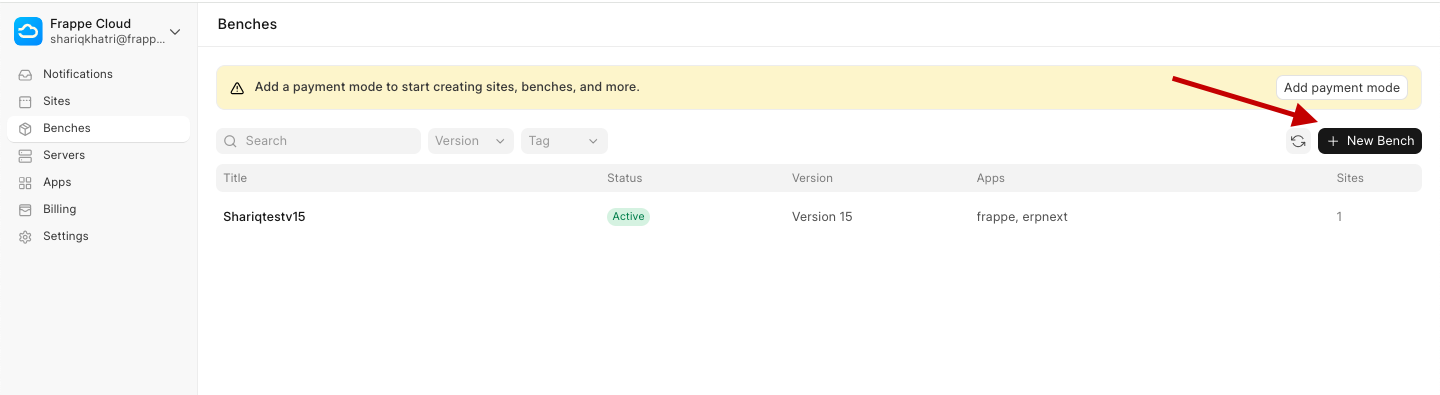
Select the Version of the Frappe Framework you want (also represents the "bench version"), select the Region for the bench and name the bench as per your requirement.
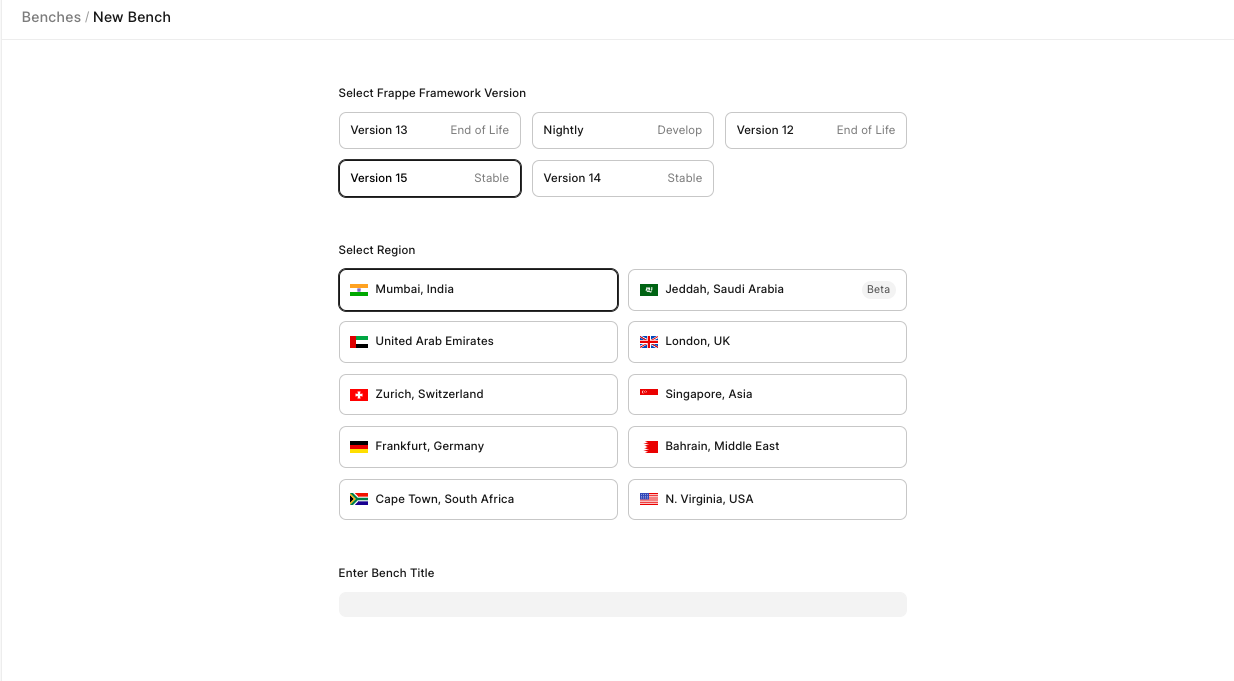
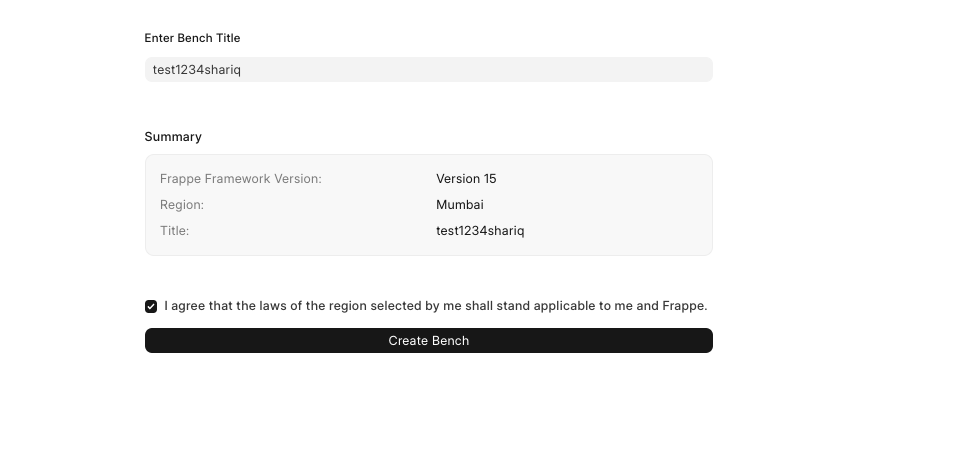
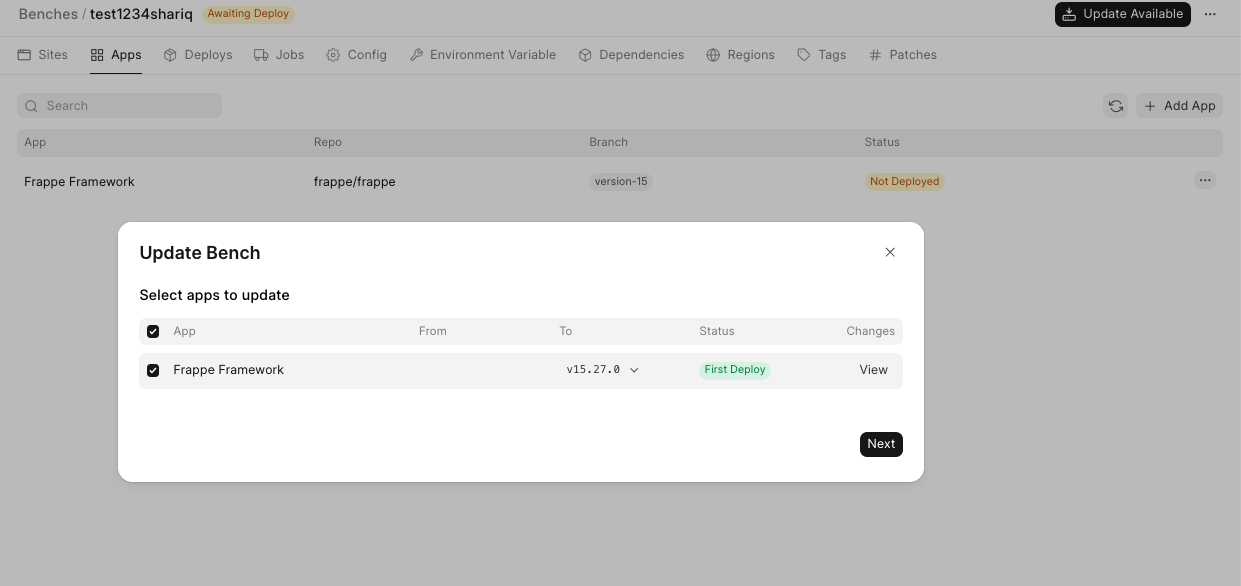
Then click on the Create Bench button. Once the bench group is created, you will be navigated to the bench group dashboard page. A bench is not automatically deployed, you have to click on the Updates Avaliable button.
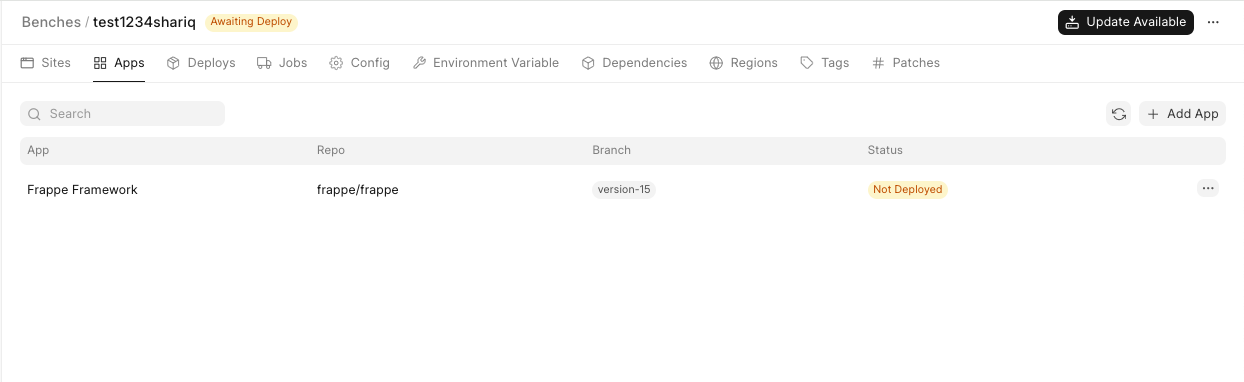
and click on Next: and then deploy
You can check the deployment status in the Deploys tab. Once deployed, you have your own shiny new private bench ready for some magic!
Last updated 5 months ago
Was this helpful?