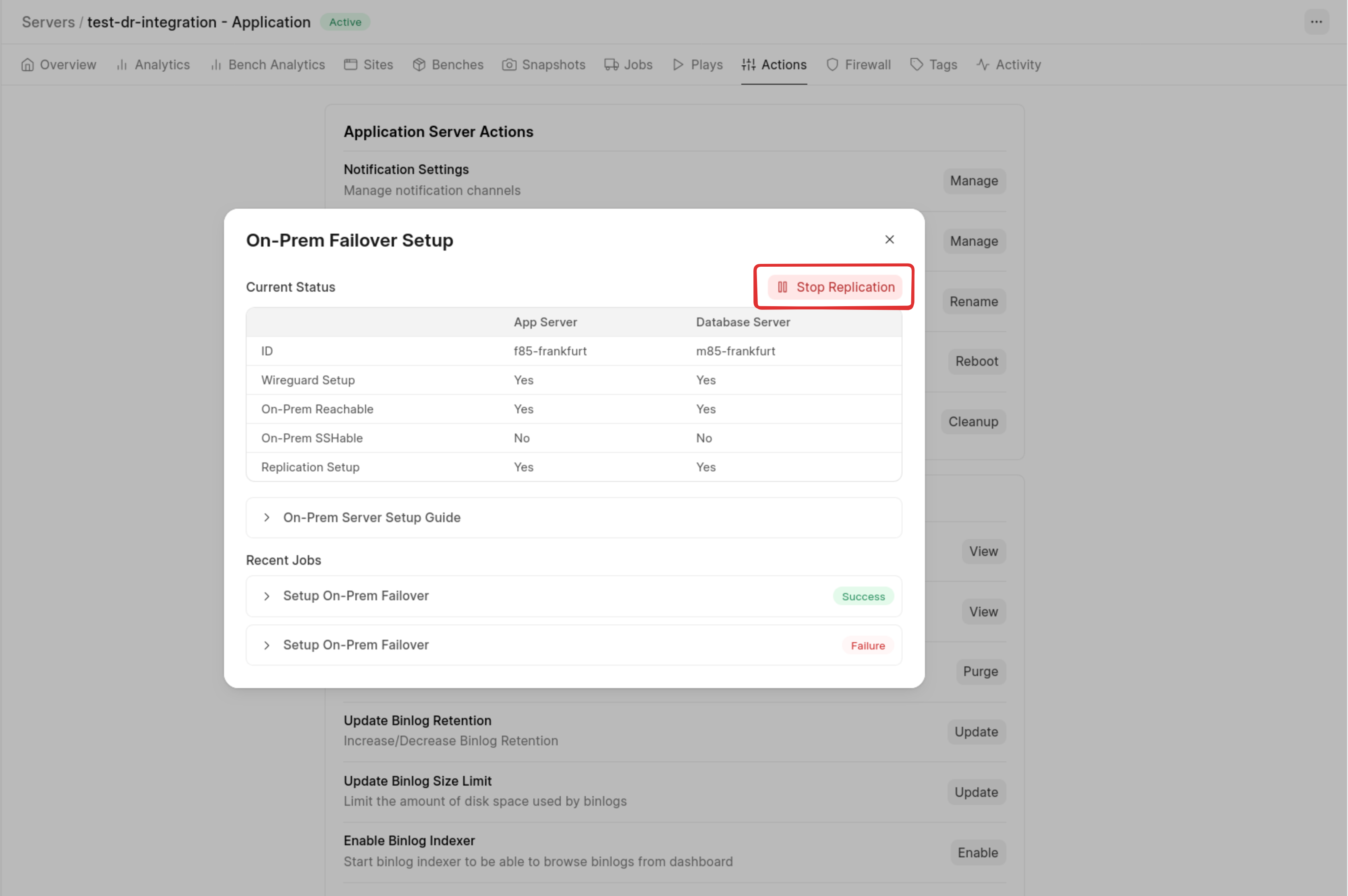
On-Prem Failover Setup
This feature enables you to replicate data from your Frappe Cloud–hosted dedicated servers to servers hosted by you (on-premises or external infrastructure).
In the event of a disaster - such as physical hardware failure in cloud infrastructure or international network disruptions, you can initiate a failover without requiring internet access.
Important Points
- Supported Architecture Only : This feature works only with a separate app server and database server setup. If you are currently using a unified server, you must first migrate to a separated architecture.
- Pricing : This feature is in beta and currently free of charge due to recent geopolitical issues. However, it will become chargeable in the future, and customers will be notified in advance via email.
- Access To Feature : The feature is disabled by default for all servers. To enable it, you must create a support ticket at : support.frappe.io, including the list of servers where you want this feature activated.
- What is On-Prem Server : An on-prem server refers to any server that you manage outside of Frappe Cloud. This can be : A physical server with internet connectivity or A virtual server hosted on another cloud provider (e.g., AWS, GCP, etc.).
Frappe Cloud does not provision or manage these servers - you are responsible for setting them up and maintaining them. - Frappe Cloud does not monitor or manage the health or state of your on-premises or external servers as of now. You are responsible for ensuring that those systems remain operational and properly maintained.
Architecture
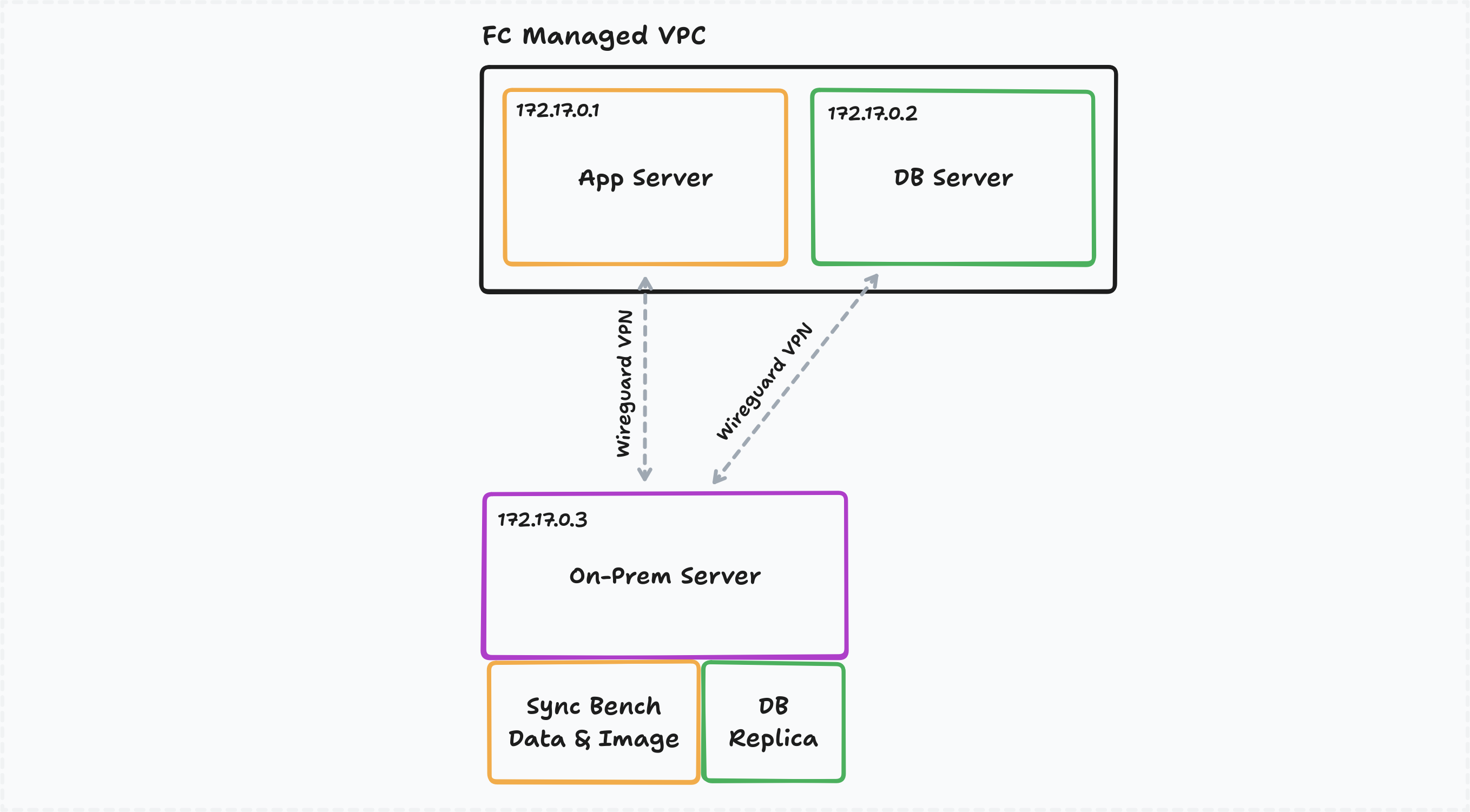
Frappe Cloud sets up a dedicated WireGuard P2P mesh between:
- Frappe Cloud app server
- Database server
- Your on-premise server
Afterwards, Frappe Cloud will setup a database replica to your on-prem server and sync all docker images and bench data to your on-premise server.
Setup Guide
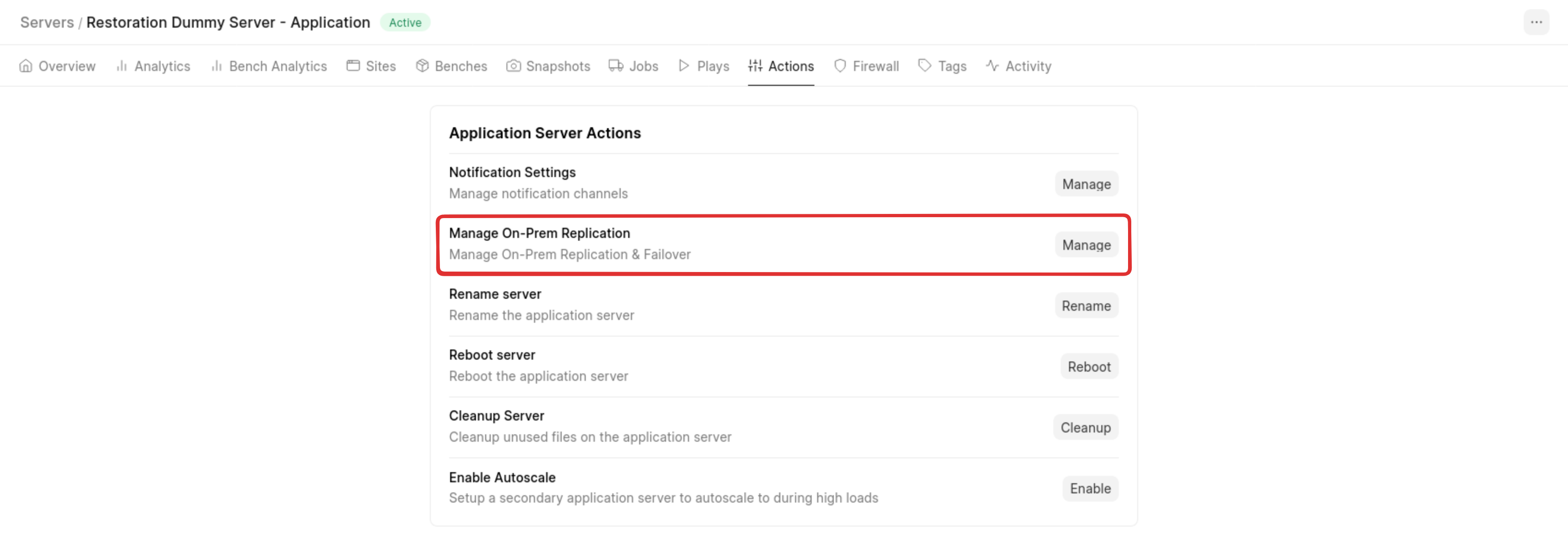
Once support enables the feature, you will see “Manage On-Prem Replication” under server actions.
Click Manage to view the setup guide for connecting your on-prem server to Frappe Cloud.
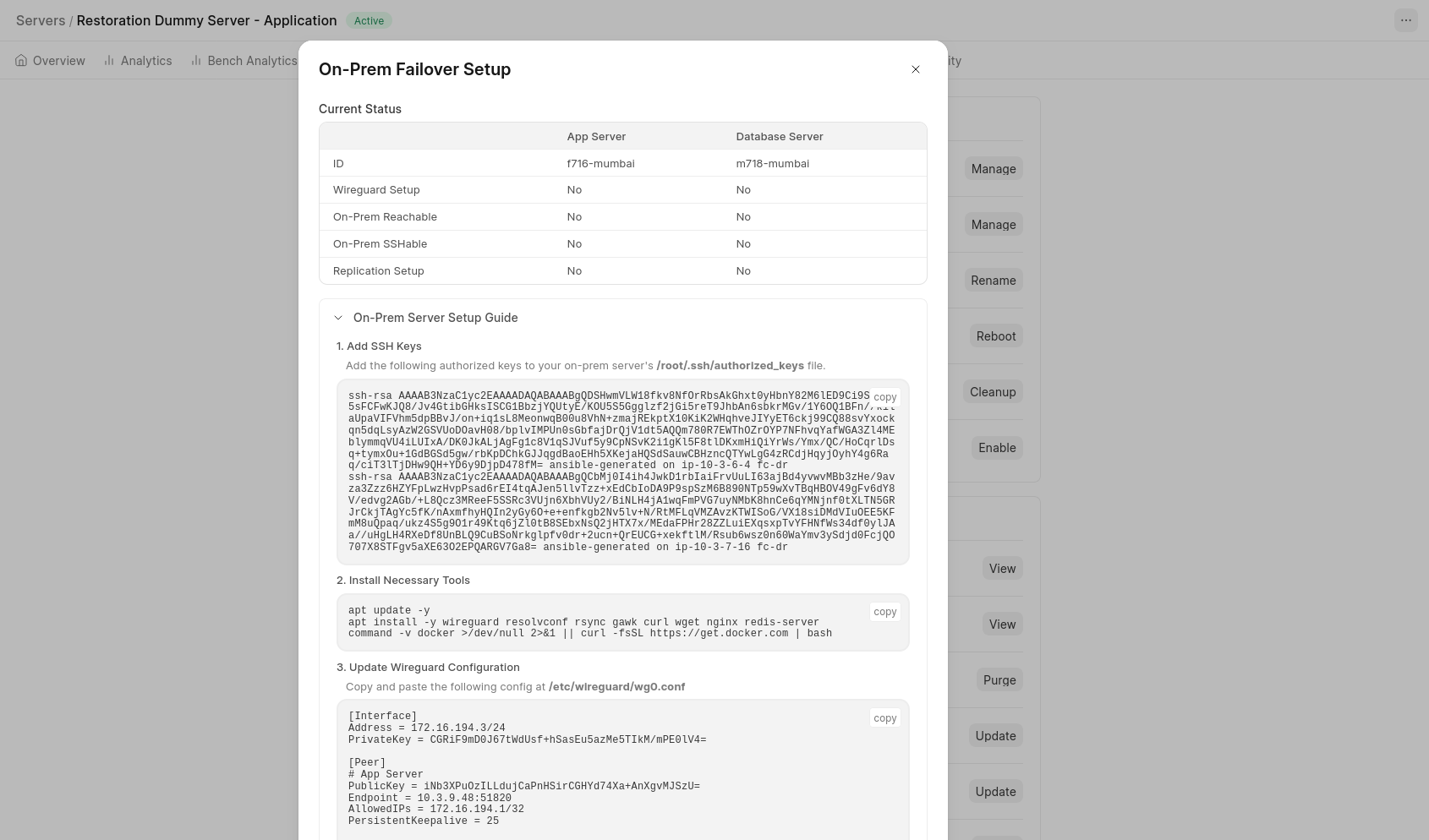
Complete the on-prem setup and initiate the replication setup from the UI.

You can track progress on the same page.
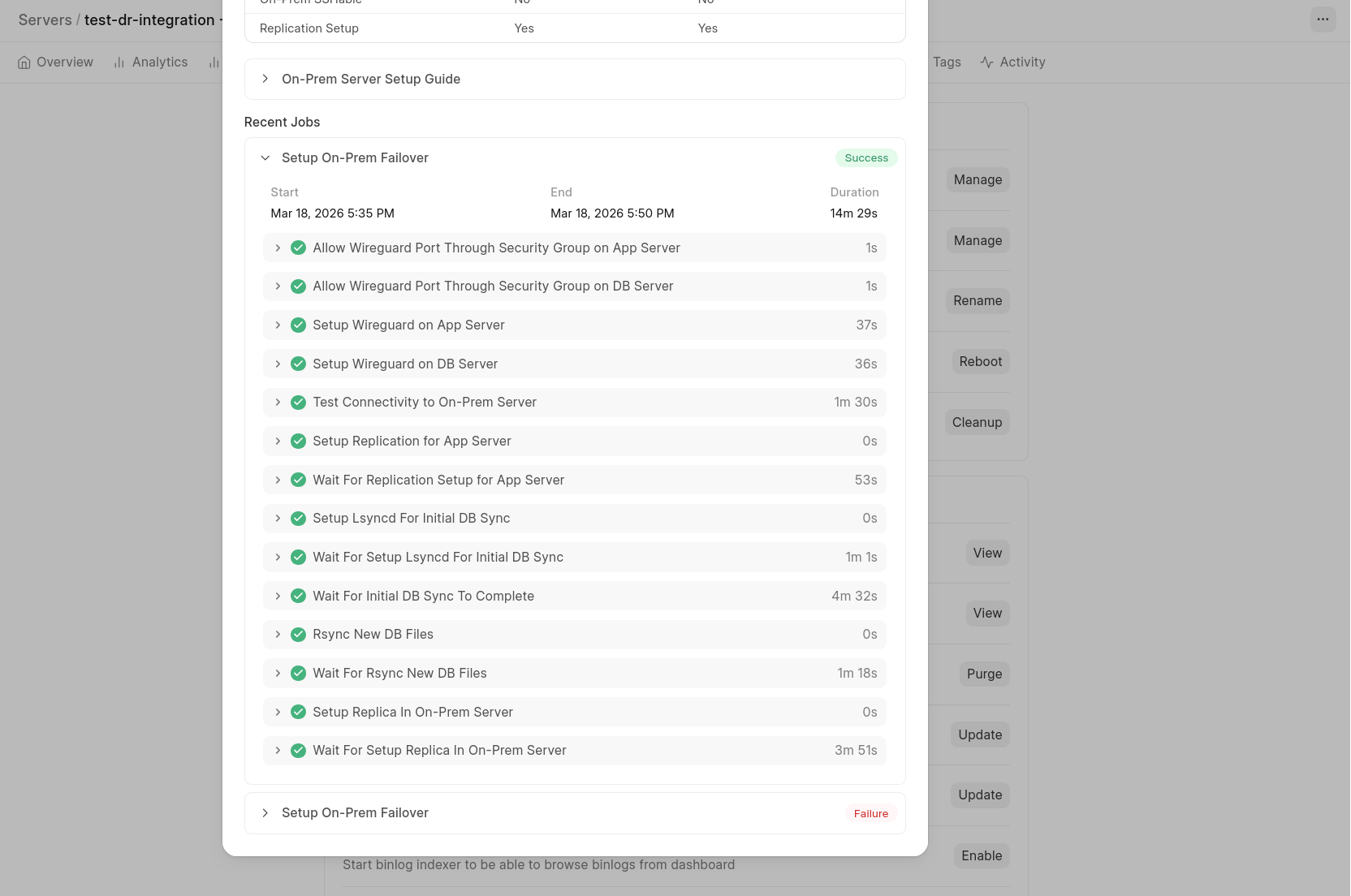
Once successful :
- All existing data will be synced to your on-prem server
- New data will continue to sync automatically
If the setup fails, reach out to support.frappe.io.
Performing Failover
After setup, a small daemon runs on your on-prem server to assist with failover.
Access the dashboard at : http://<your_on_prem_server_ip_address>:5000
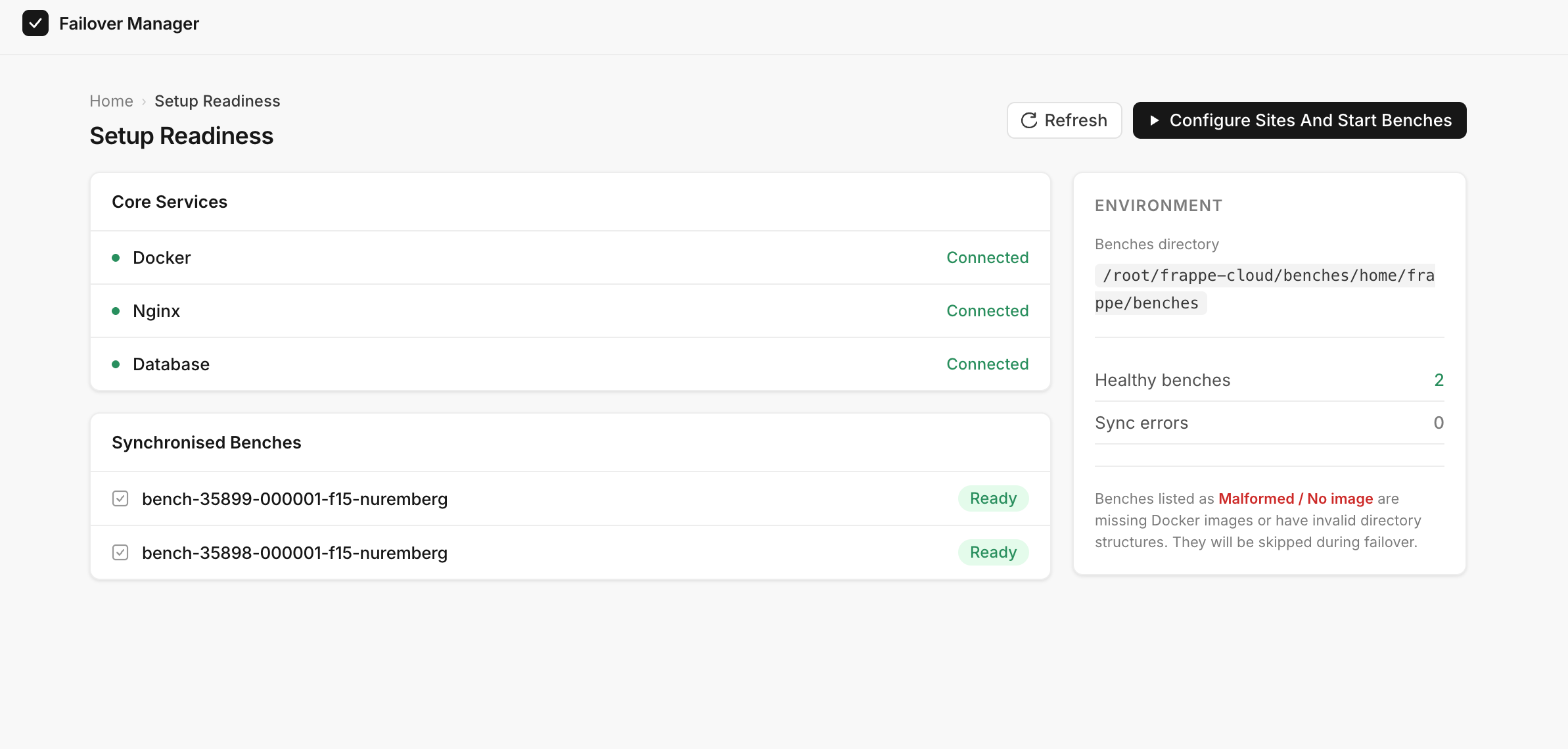
From the dashboard, you can :
- Monitor benches and sites
- Click Configure Sites And Start Benches to
- Stop replication
- Start serving sites from the on-prem server
Once completed, each site will be accessible on a specific port.
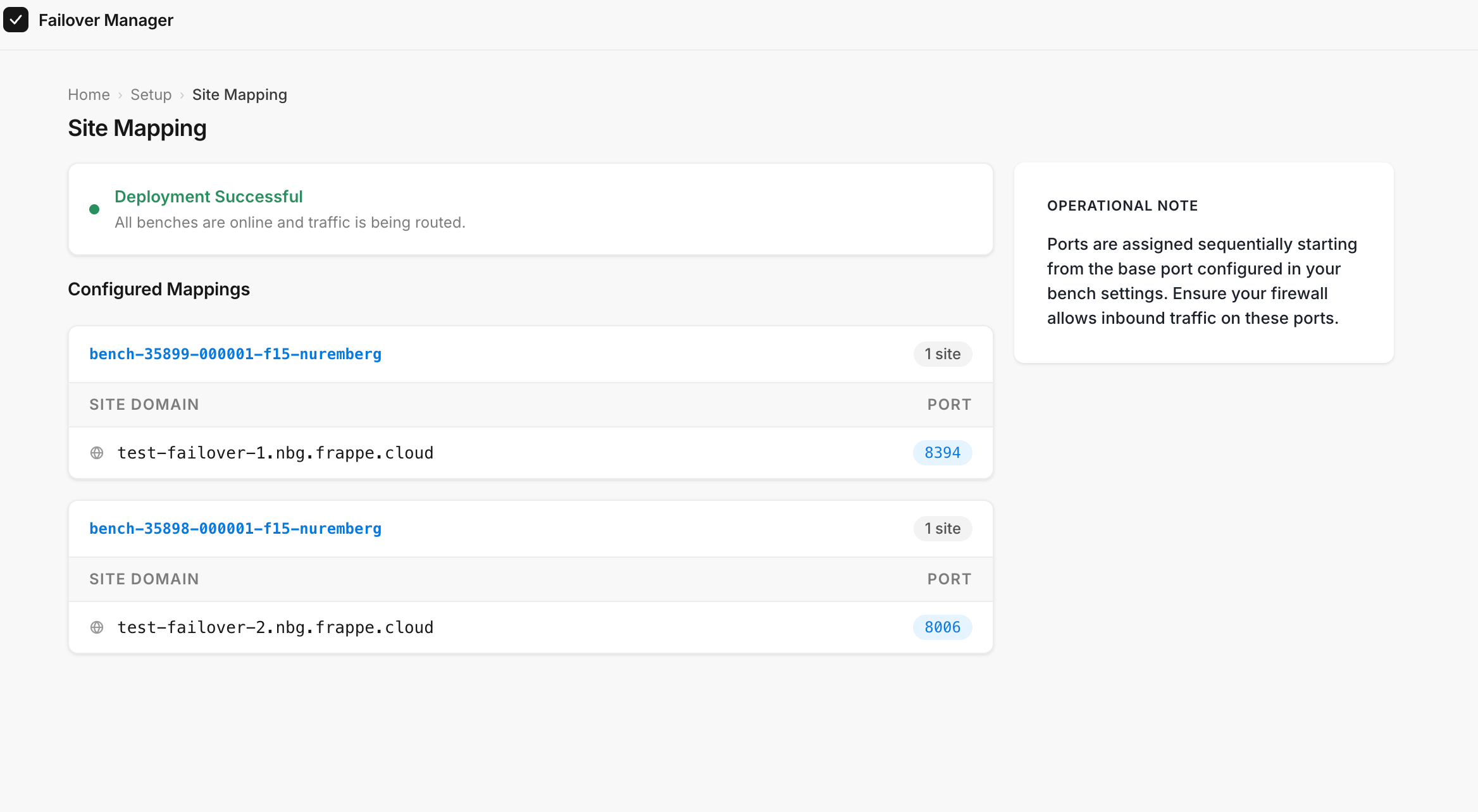
Example: To access test-failover-1.nbg.frappe.cloud, you have to visit http://<your_on_prem_server_ip>:8394
Stop Replication
If you want to stop syncing changes from Frappe Cloud to your on-prem server, use the Stop Replication option.