


















pkg_resources error when updating site
Update fails with "No module named 'pkg_resources'"
Your site update failed and the traceback ends with:
ModuleNotFoundError: No module named 'pkg_resources'
The update is rolled back, so your site is still running on the old bench. Nothing is lost — but the update will keep failing until you do one of the things below.
Why it happens
pkg_resources used to ship with setuptools. setuptools removed it in version 82.
Every deploy builds a fresh bench with a fresh Python environment, and that environment now gets a setuptools that no longer has pkg_resources. Any app that still imports it — older Frappe versions, and Payments and LMS (both pull it in through razorpay) — breaks the moment the site is migrated.
Fix: update the app
All three apps have newer releases that don't import pkg_resources any more. This is the fix — the rest of this page is for when you can't take it.
Open your bench group and go to the Apps tab. If an update is available you will see the Update Available button.
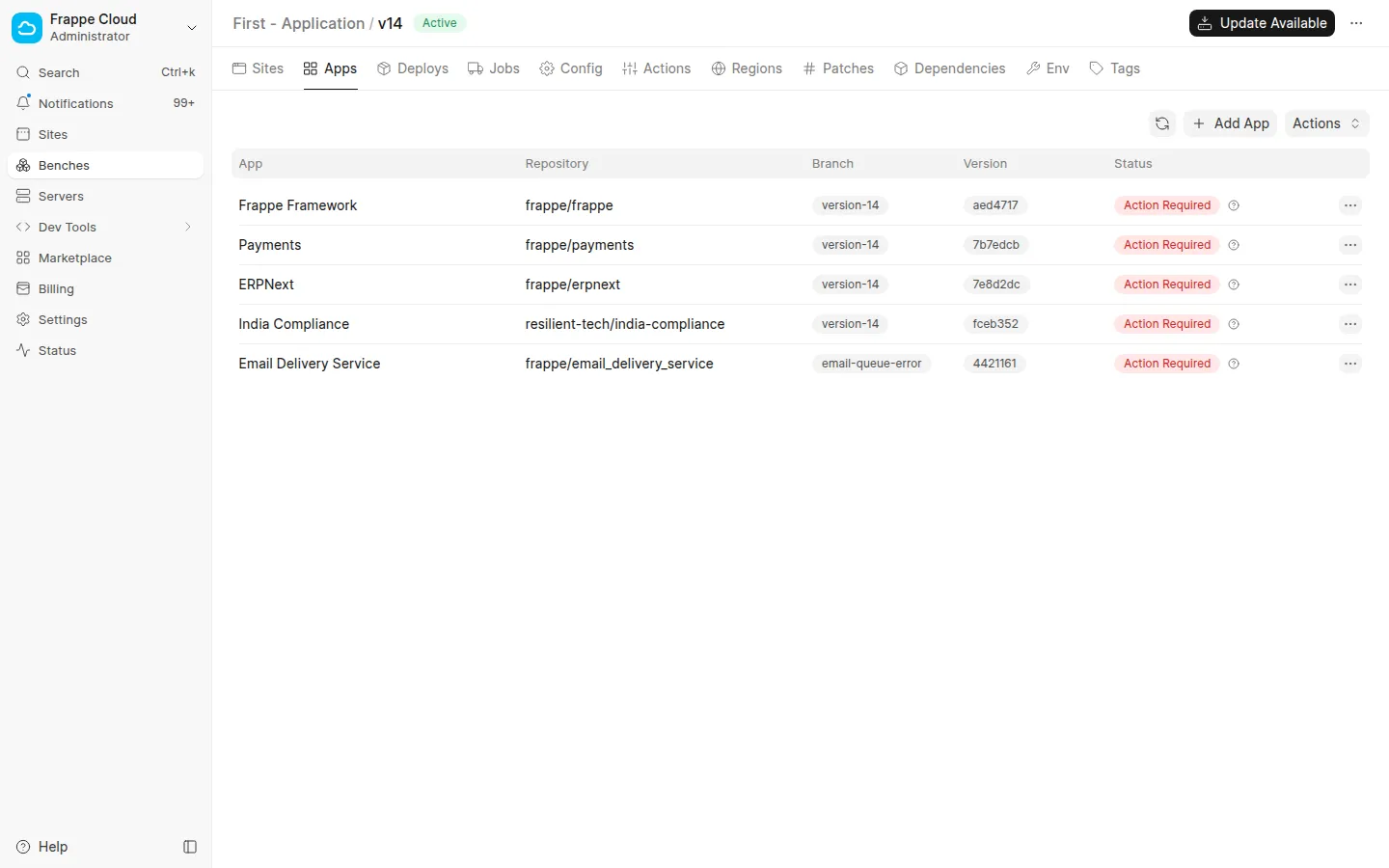
Click it, tick Frappe Framework, Payments and LMS — whichever are listed as having an update — and go through Next until you can deploy.
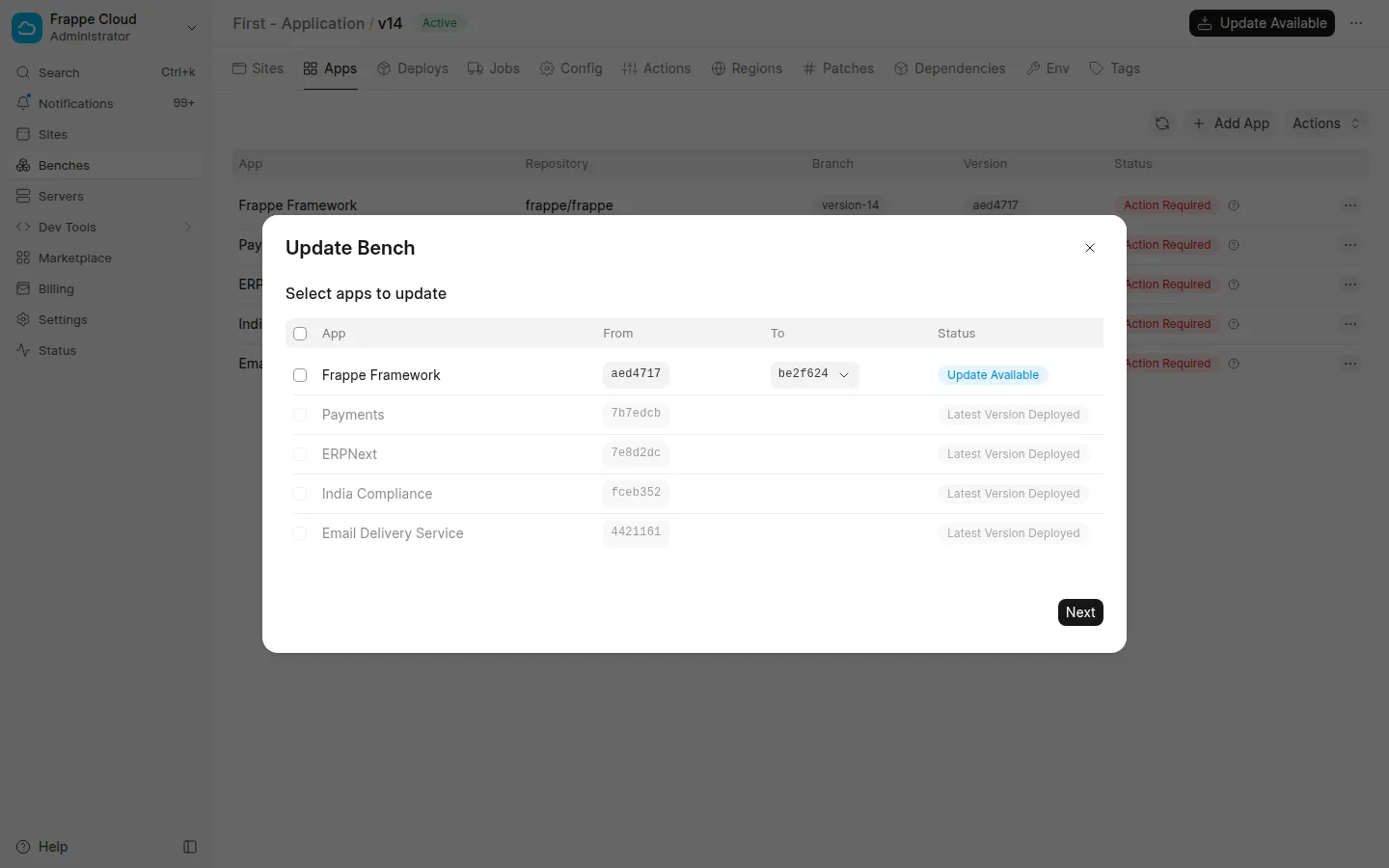
Once the deploy finishes, retry the site update.
If you don't want to update those apps
Some teams pin app versions deliberately. In that case you have two options.
Option 1: install the older setuptools yourself
The deploy creates a new bench. You can SSH into it and put the older setuptools back before the site is migrated.
- Open the bench group, go to the Sites tab, click the
...next to the new bench and choose SSH Access.
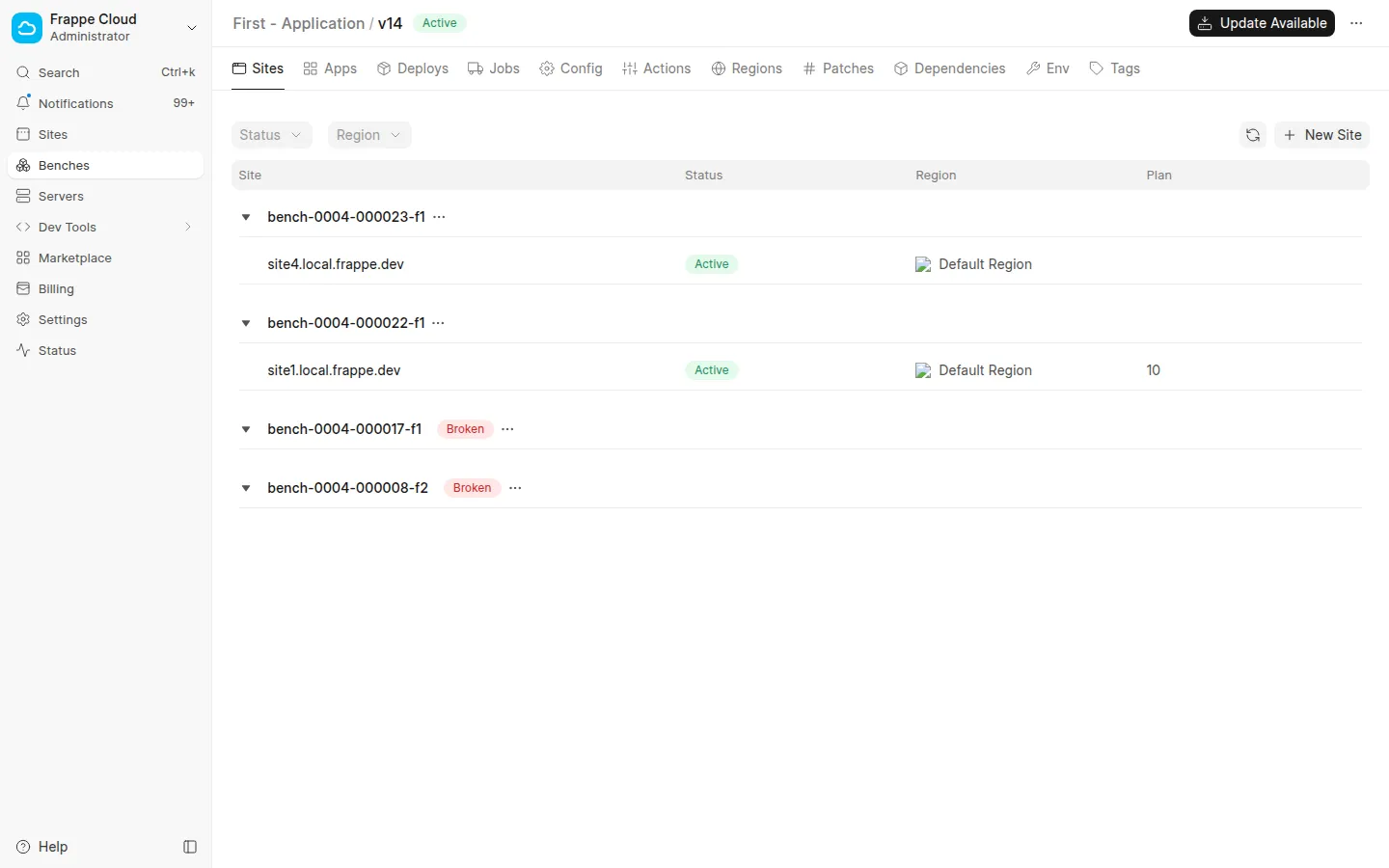
- Run the two commands the dialog gives you — the first stores a certificate that is valid for 6 hours, the second opens the SSH session.
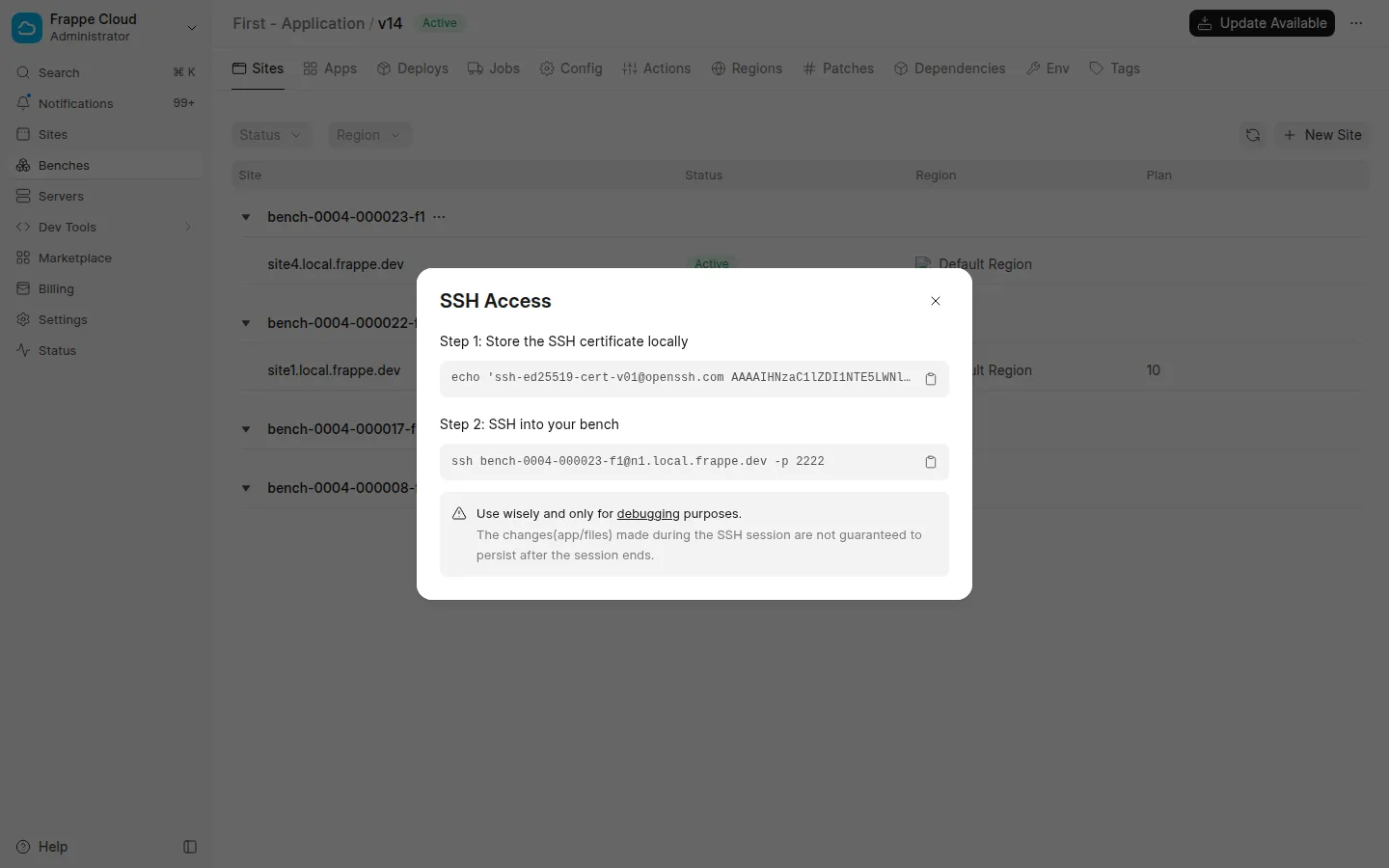
If the dialog says your SSH public key is missing, add it under Settings → Developer first.
3. Once you are in, run:
 cd /home/frappe/frappe-bench
 env/bin/pip install setuptools==80.9.0
- Retry the site update from the dashboard.
This is not a one-time fix. Every deploy creates a brand new bench with a brand new environment, so you have to do this again after every update. If that isn't practical, use Option 2.
Option 2: change the Bench version
The bench CLI used to pull in the newest setuptools when it built the environment, without telling anyone. Newer bench releases pin it back below 82, but the versions in between will keep picking up the broken one.
You can move your bench group to a Bench version that isn't affected. Go to the Dependencies tab of your bench group.
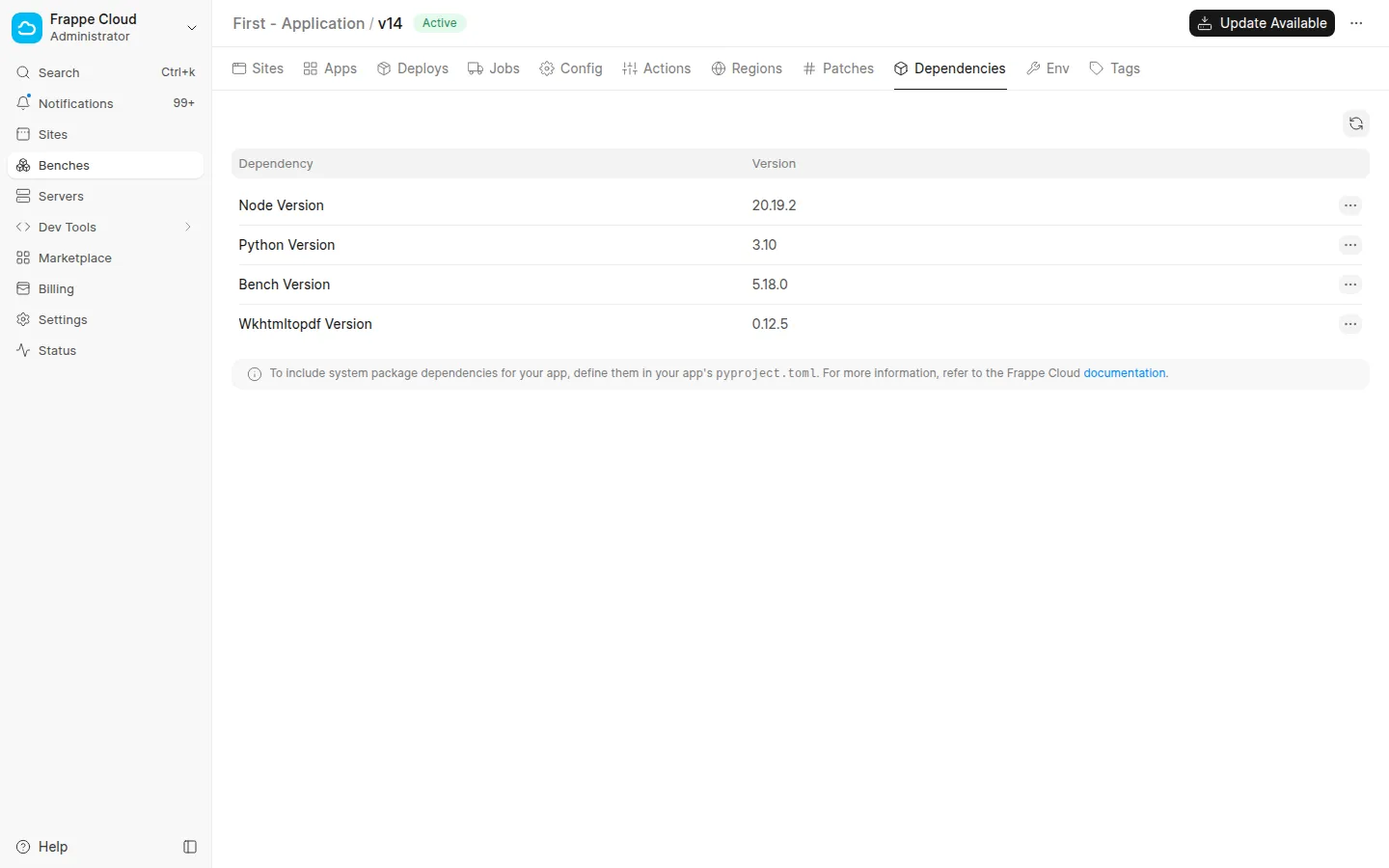
Click the ... next to Bench Version, choose Edit, pick 5.26.0 from the list and click Update. Deploy afterwards for it to take effect.
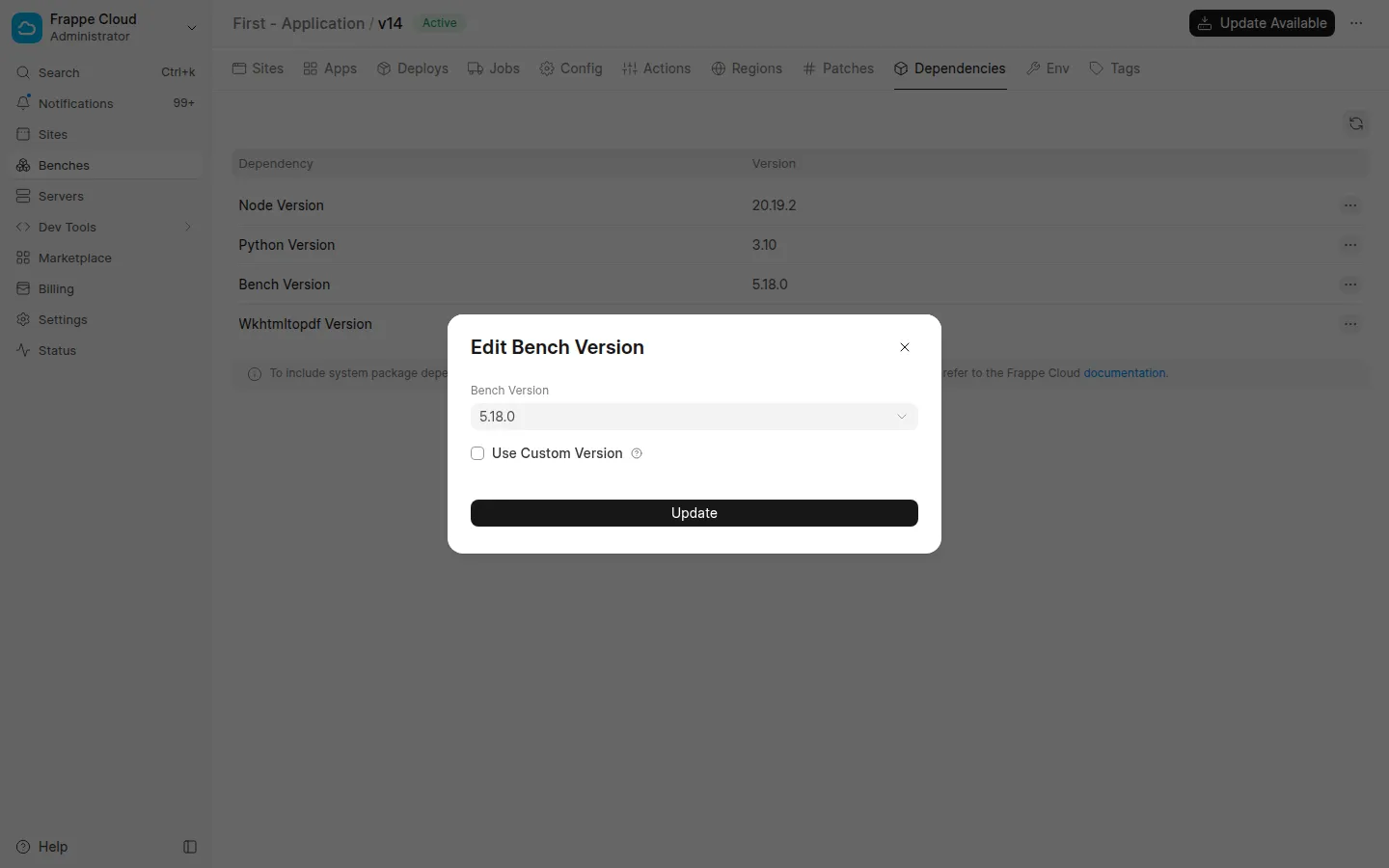
If 5.26.0 is not in the list for your Frappe version, pick the highest version below it that is.
This survives future deploys, so you won't have to repeat Option 1 every time. Updating the app is still the better long-term answer.