


















Introduction
On Frappe Cloud, we take automated backups for site's with $25 plan and further. Frappe Cloud has automated mechanism in the backend which makes sure to take backup for your site every day.
Frappe Cloud offers two types of backups: on-site (physical) and offsite (logical) backups. Let's have a look at what each of that means.
- Onsite: These backups stay on the server machine and never leave the server. They are stored in compressed format. Onsite backups are usually faster.
- Offsite: In offsite, we take a backup of the site, compress it with
gzipand then the compressed file is uploaded to an AWS S3 Bucket inap-south-1(Mumbai) region by default. Read more about offsite backups.
Onsite Backup Frequency
Frappe Cloud takes automated backups of your sites every 24 hours. There is no setting to increase this setting as of now.
The setting inside System Settings is for how many onsite backup files to keep within the sites directory, provided multiple backups have been taken. This will NOT change the number of automated backups taken by Frappe Cloud.
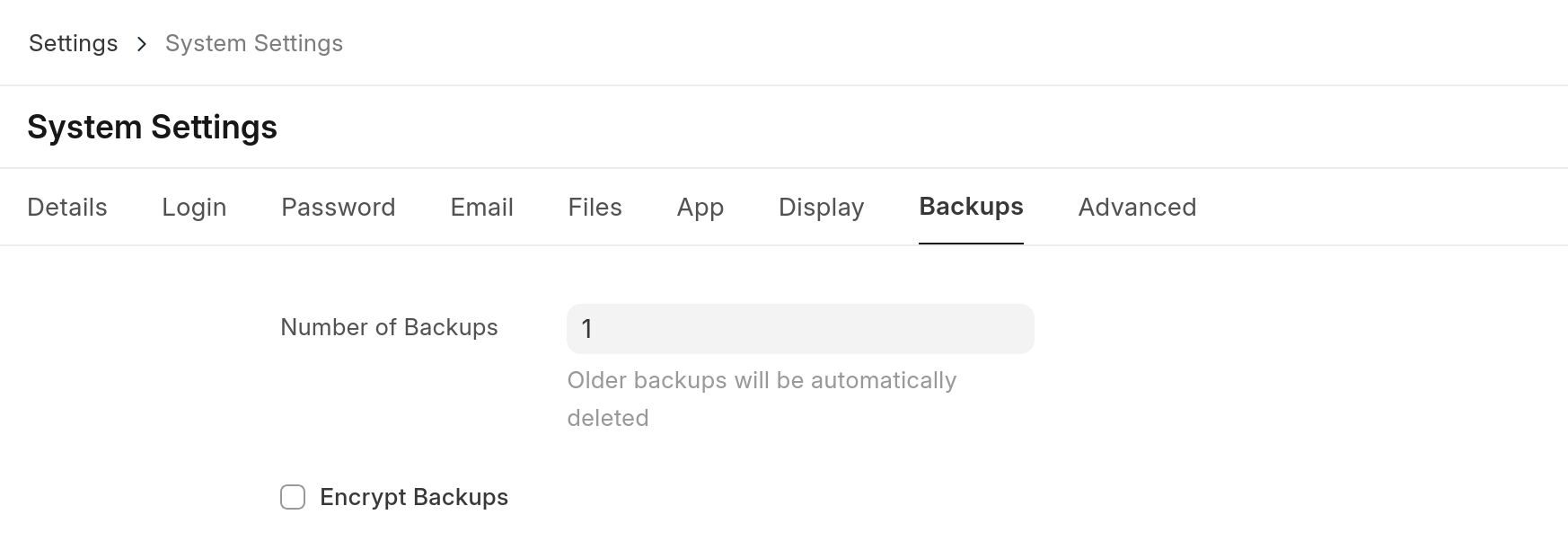 configuring number of onsite backups
As of now, there is no limit on how many onsite backups you can take in a day. You can mention any number which make sense and also take on-demand backups.
Offsite Backups
Offsite backups are available for sites on USD 25 and above plans.
Only the backup marked as "offsite" can be downloaded directly from Frappe Cloud dashboard
The onsite backups can only be downloaded from within the site
Automated backups are stored offsite, which means the files are stored on a different server than the site. This ensures that you can access your backups even in the unfortunate event of server downtime.
In the process of taking an offsite backup, we take the backup, compress it and it is kept on your server machine until the upload to S3 Server is completed. Please make a note that, this increases your site's storage consumption metric by a few GB temporarily. Once the upload to the S3 server is completed the compressed files are automatically deleted from local.
Offsite backups are marked as such in the Backups tab.
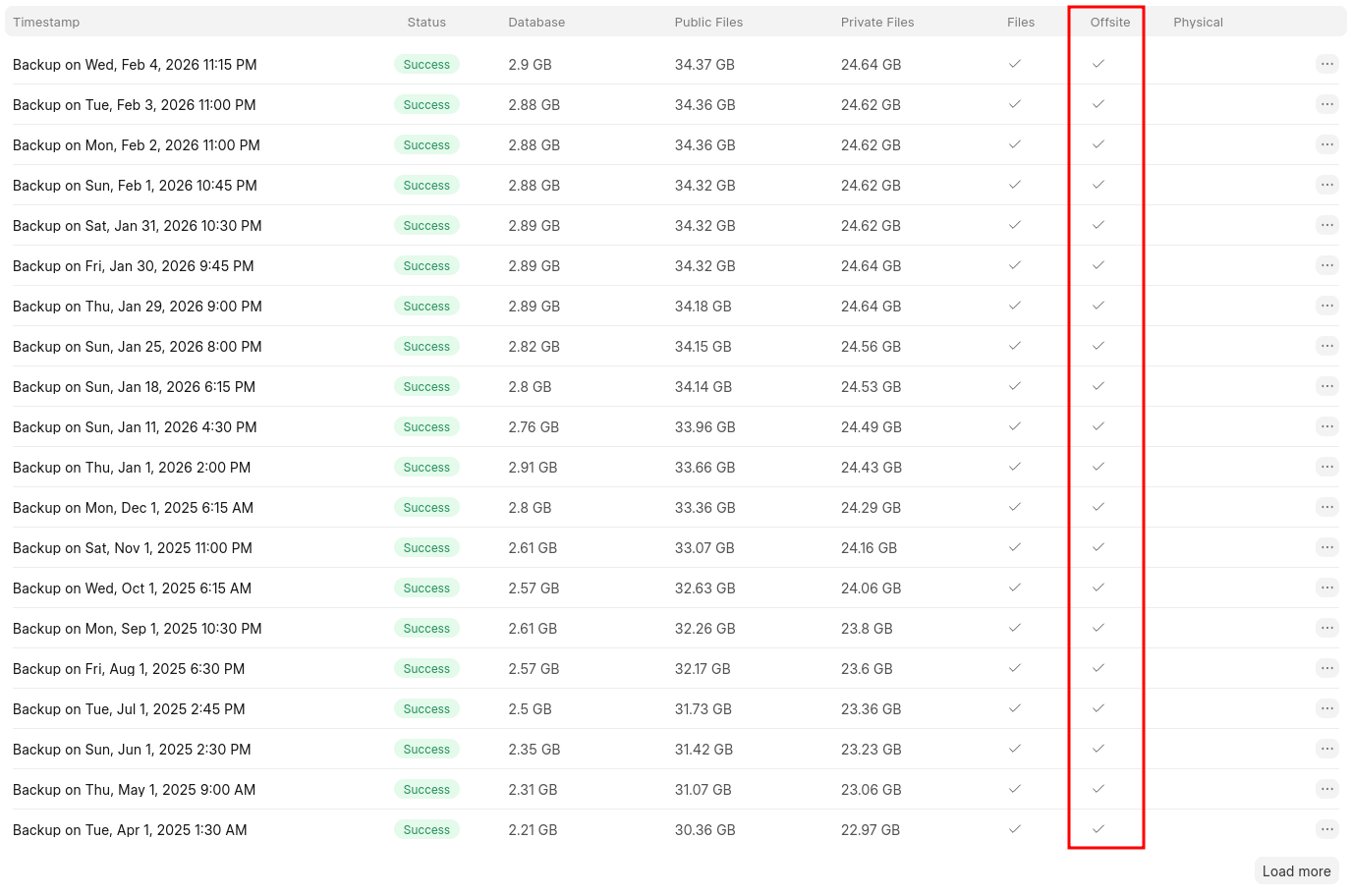 Offsite backup reprensetation in the list of backups
Offsite Backup Rotation
For each site, a certain number of offsite backups are kept at all times. The frequency of backups is as shown below:
- 7 daily
- 4 weekly
- 12 monthly
- 10 yearly
This is done to store backups efficiently. For example, if the current day is Jan 13, then the backups available will be like so:
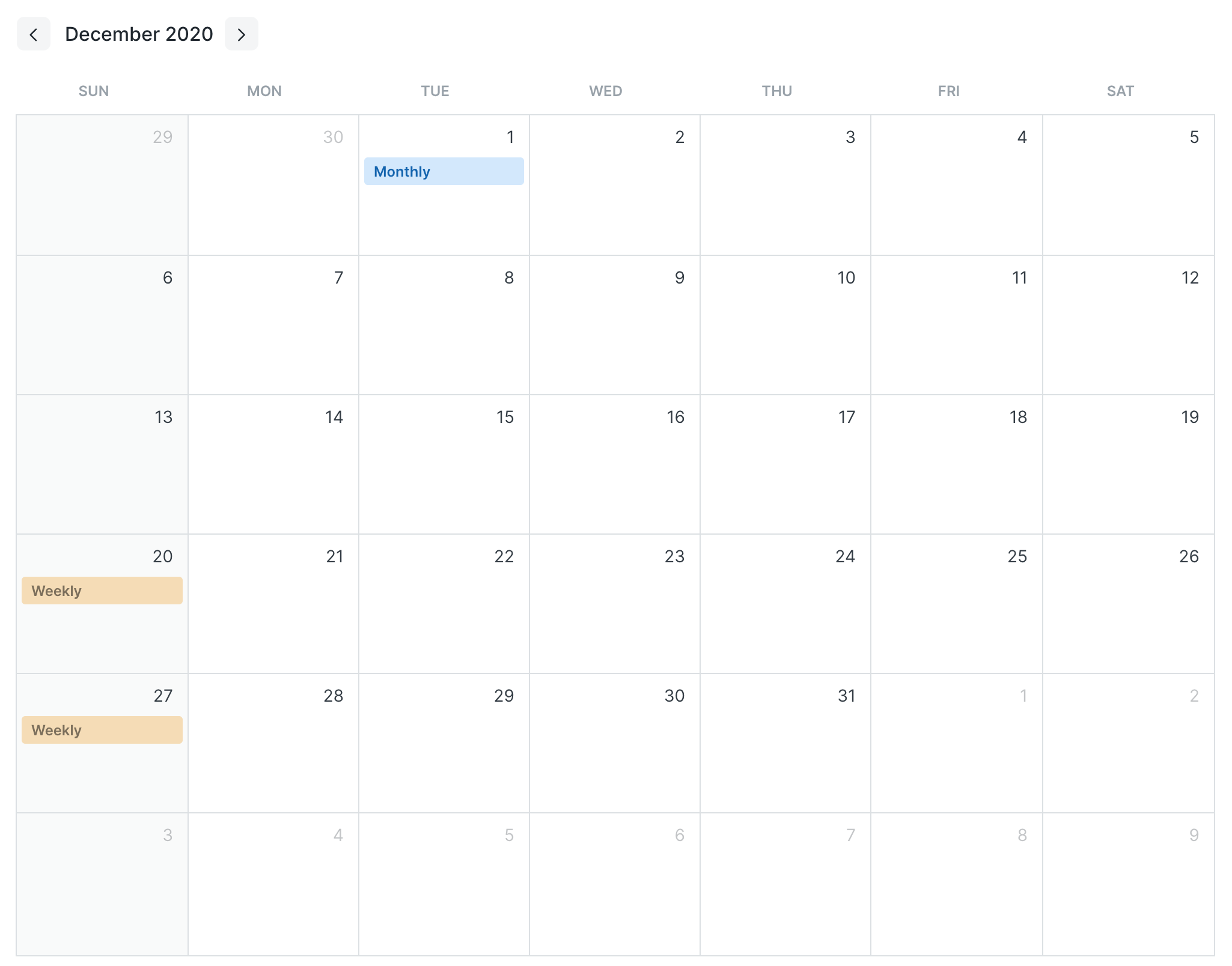
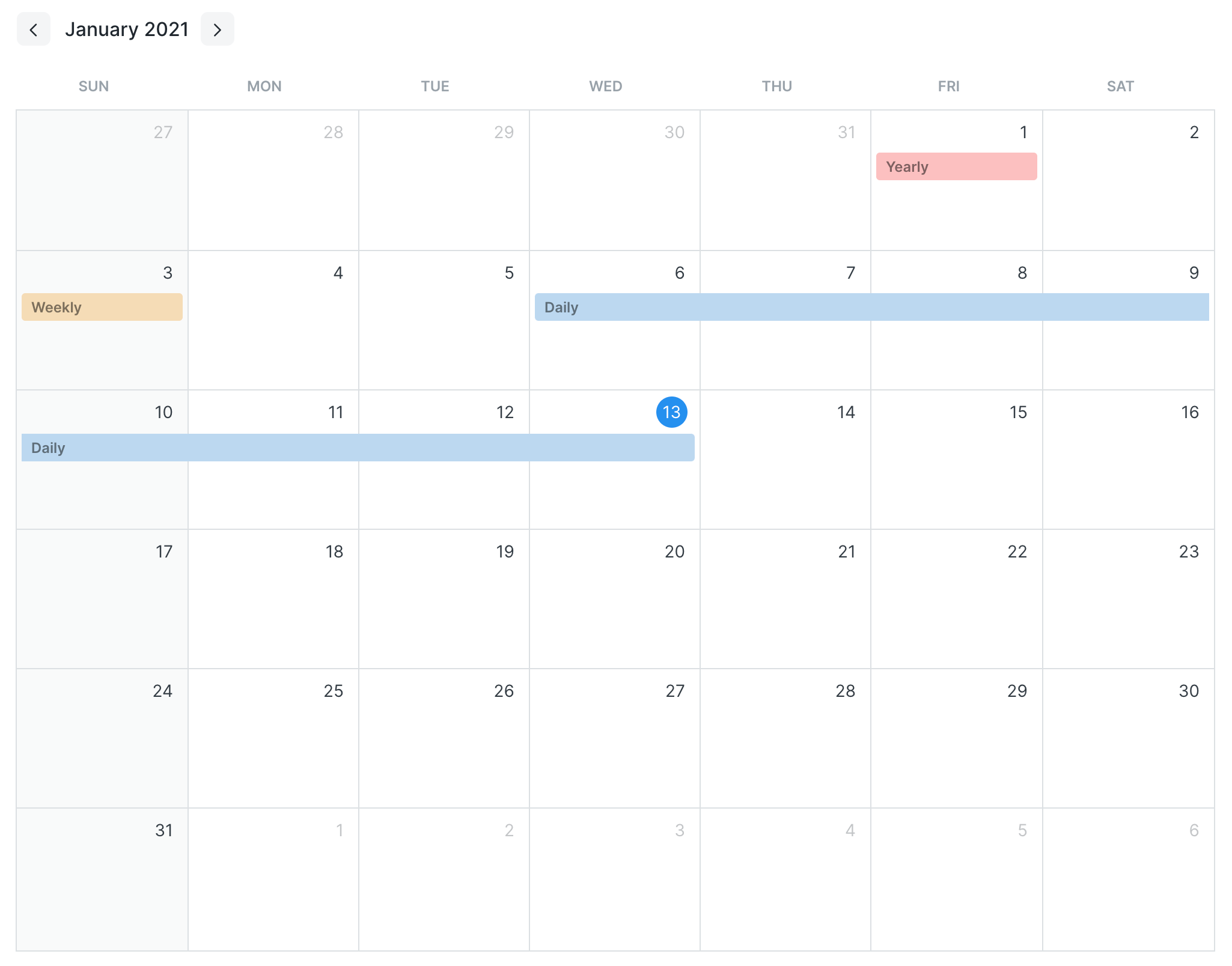 Backup rotation policy representation a Calendar
(Monthly and yearly backups before December 2020 not shown in picture)
- Weekly backups are taken every Sunday
- Monthly backups taken every 1st day of the month
- Yearly backups taken every 1st day of the year
Actions
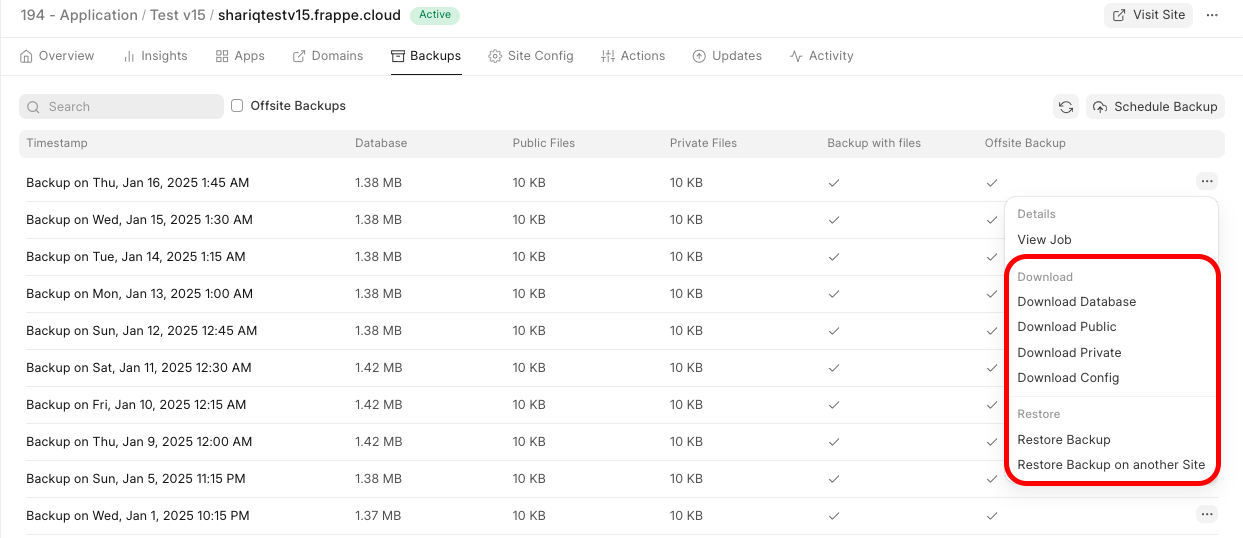
Downloading backups
From the Frappe Cloud site dashboard, go to the Backups tab. Here you will see the list of backups that were taken of your site. Every backup consists of a database backup, public files backup, private files backup and a backup of your site's config.
Trigger on-demand backup
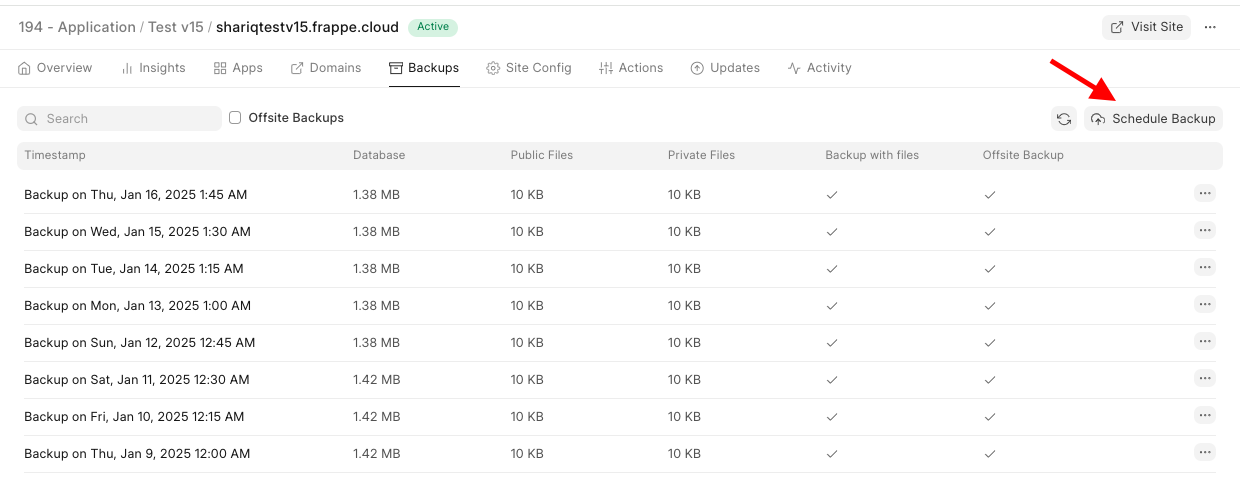
You can also trigger a manual backup operation for your site anytime from the Backups tab by clicking on the Schedule Backup button.
The job will be queued and it will take a few minutes to complete.
FAQ
Why is my backup size so much smaller than database usage I see in dashboard?
This is because we store backups in compressed form as it is static and no operations are being done on it. We use standard unix tool called gzip for compressing the backups. The difference is in size is thanks to the same.
You can download the backup and decompress it with gzip to compare the size for yourself. It should be almost same as the size you see in your dashboard.
Forbidden: You need System Manager Role to access backup
This happens when you try to download onsite backup, and you are not logged in to your site with a user of role System Manager or higher. You can simply login as adminstrator from your FC dashboard and then try to download again.
What are the scheduled times for these backups?
There's no scheduled time. We do backups for all sites on a round-robin basis. But if they want a scheduled time for backup to run, we can set it.
How can I access and download the backed-up data?
You can access your backups from the Frappe Cloud dashboard>Backups tab.
What is the storage capacity for backups?
We don't charge for these. They're uploaded to AWS s3 storage. So the limit is as high as they allow, which is 5 TB
What is the policy for archiving or deleting old backups?
You can refer to our Frappe Cloud Policy page here
How is backup data secured?
HTTPS is used for all communications. Encryption is opt-in. You can add a backup encryption key in the site config for this. Here is how you can enable backup encryption.
Where to find backup of particular date? The backup for the date I want is missing
We only keep backups as per our backup policy. You can take a look at our rotation policy above to get an idea of why certain dates' backups are available. Offsite backups are only available for $25 plan and above. No, you cannot request for a specific date's backup as we don't have them.
Change the backup time of a site
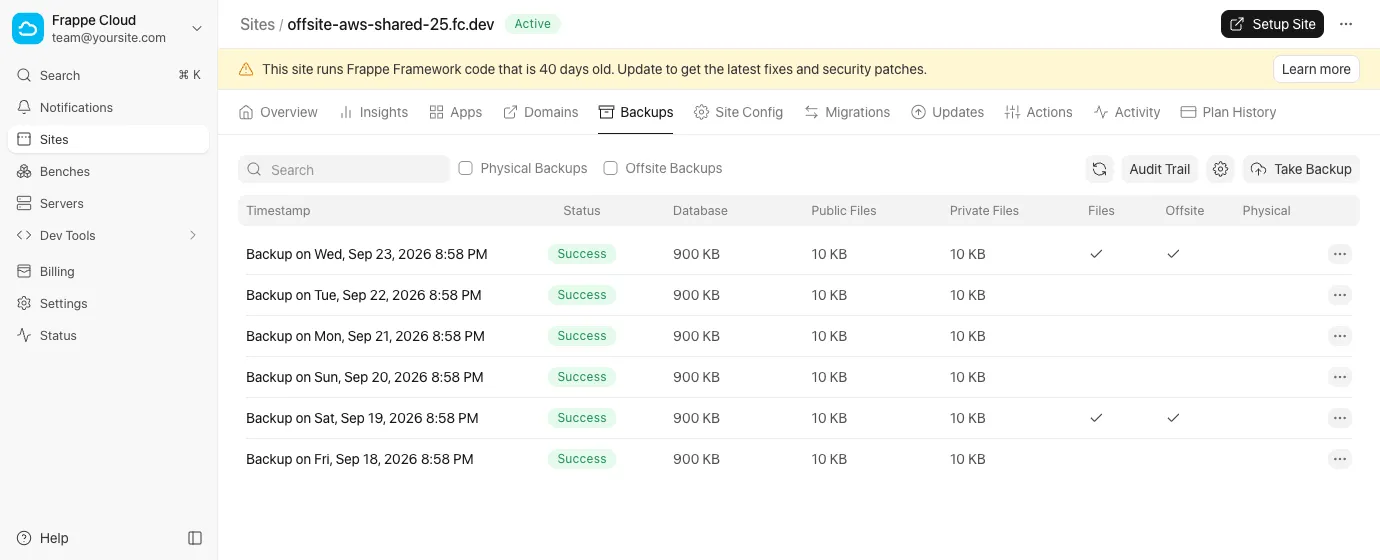
- From the site dashboard, under the Backups tab, select the gear button next to Take Backup.
- Turn on Backup site at custom time.
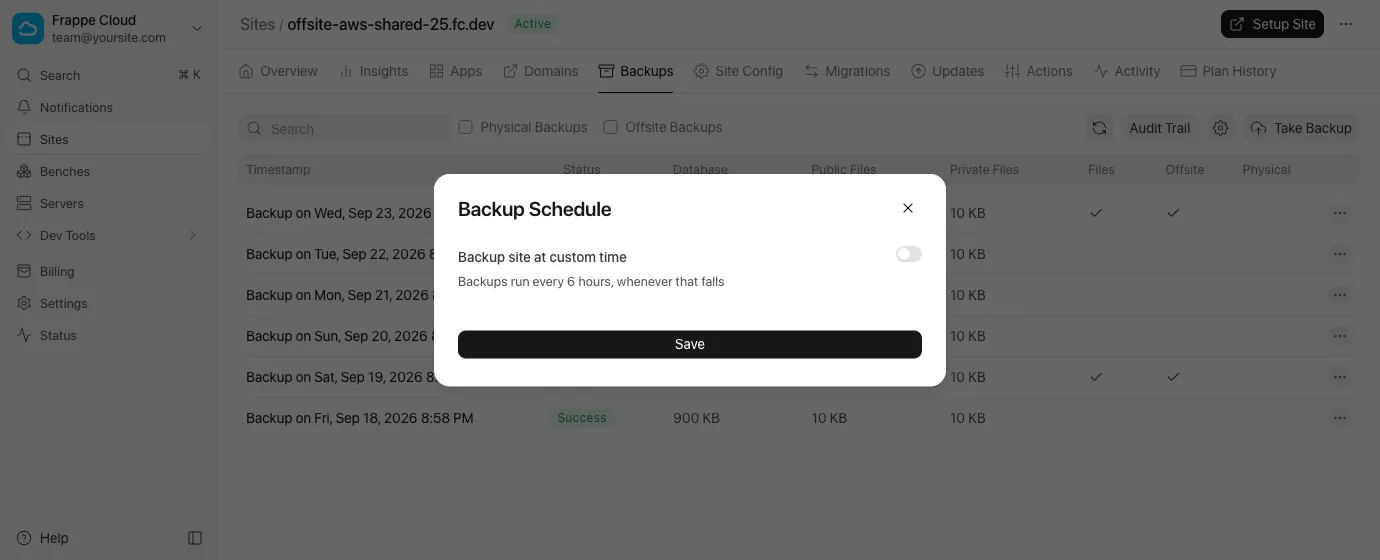
- Select the hour in Backup time. The hours are in the time zone of your browser.
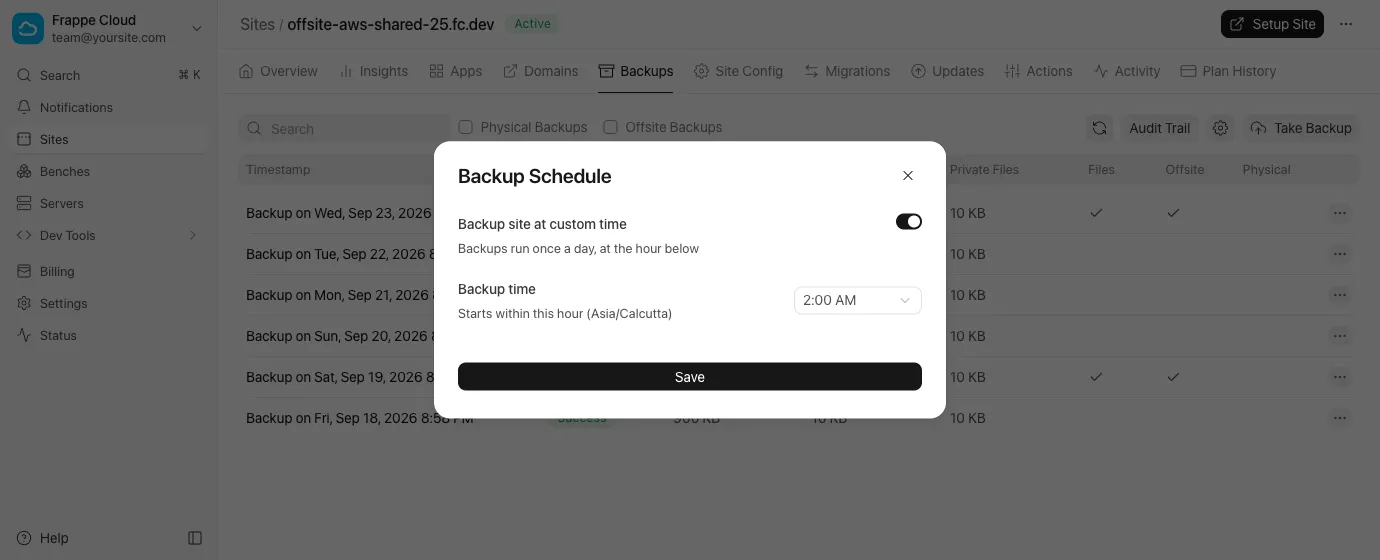
- Select Save.
After you save
- The backup starts within the hour that you selected, not exactly at the start of it.
- To go back to backups every 6 hours, turn off the switch and save again.
- You can still select Take Backup at any time for an extra backup.
If our team set up more than one backup time for your site, the dialog shows those times and no Save button. Write to support to change them.