


















Change Team of Bench
You can change the team of the site by using the Transfer Bench feature.
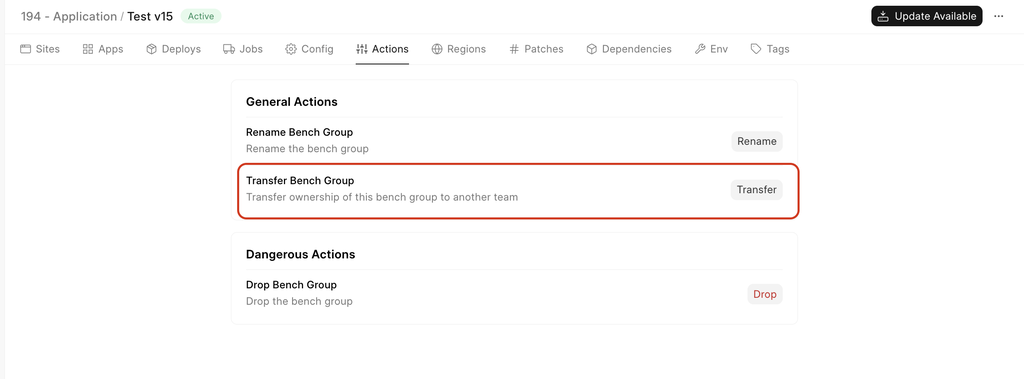
- Select Transfer Bench option from the Actions tab in your Bench's dashboard.
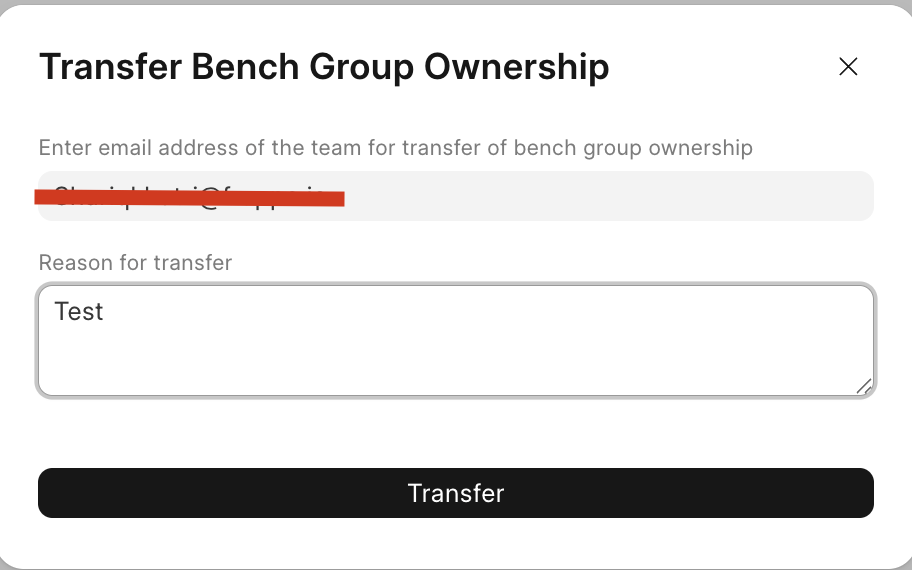
- Fill in the fields and click on Transfer
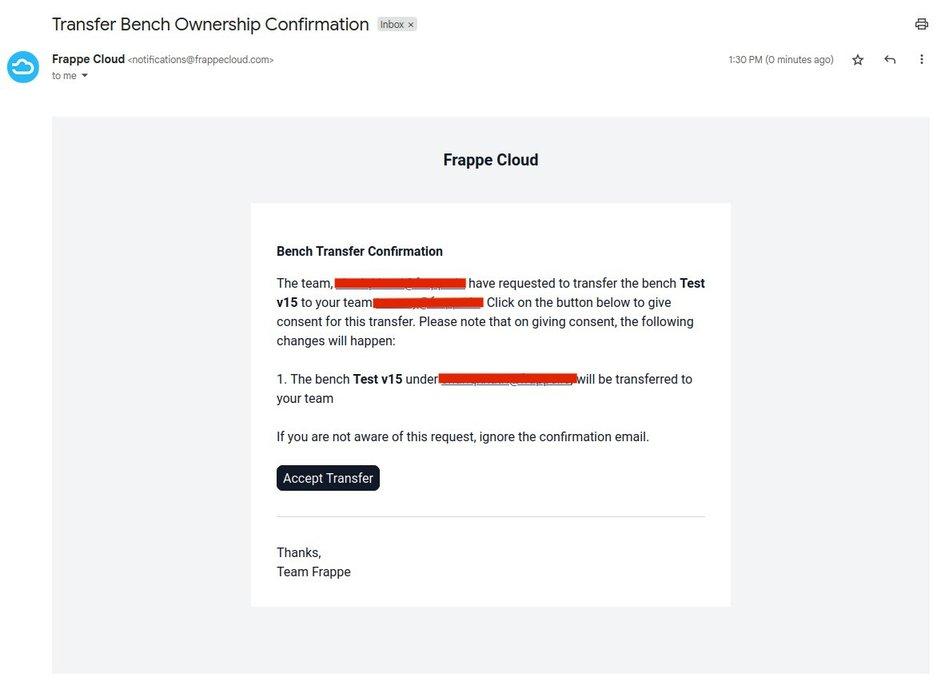
- The team that is supposed to receive the ownership will now receive a mail to accept the ownership. Click on Accept Bench Group Transfer to accept the ownership of the Bench Group.
Last updated 8 months ago
Was this helpful?