


















Creating a new site on a dedicated server
If you want to create a new site under your dedicated server, you need to follow the steps given below.
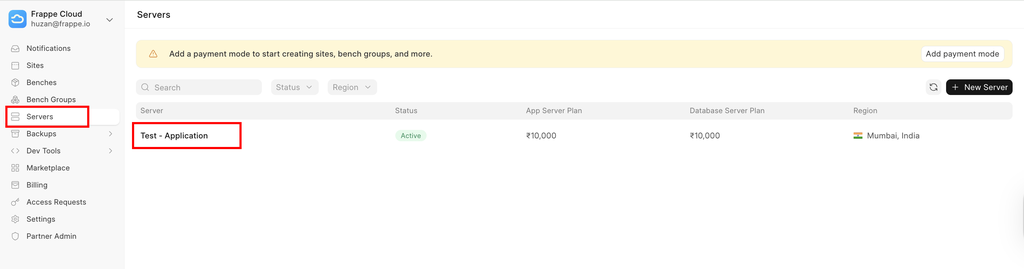
- Click on the server dashboard and select the server under which you want your site to be.
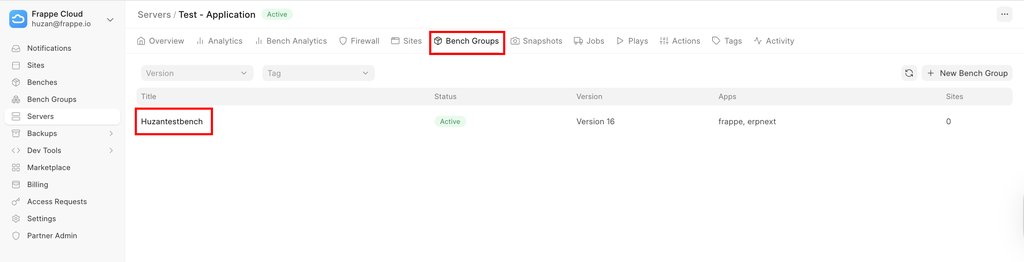
- Click on the bench group on the selected server under which you want your site.
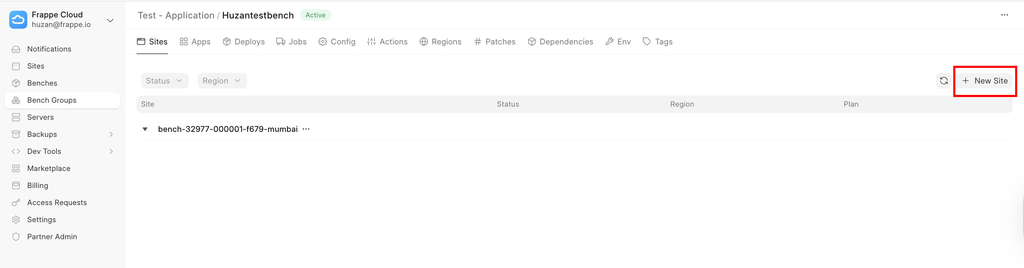
- Click on create a new site under the selected bench group.
- Select the apps you want and the region, and then select the plan.
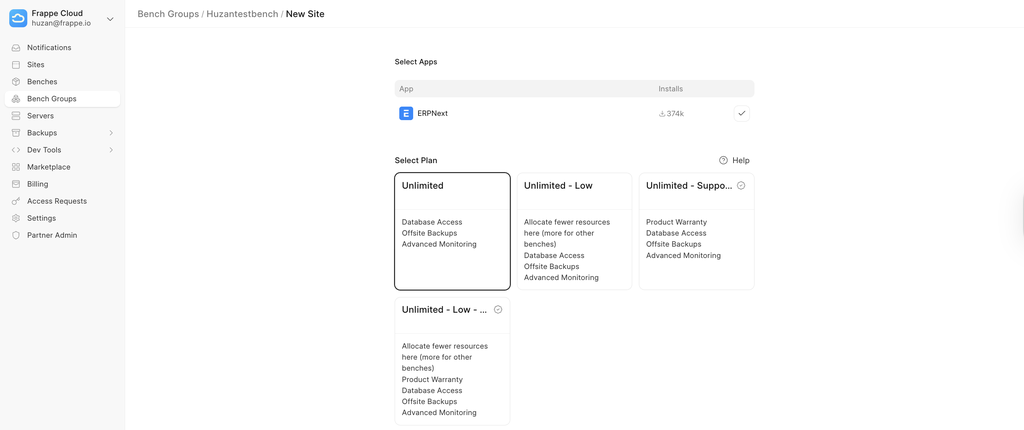
Note:- Only 5 sites can be Unlimited - Supported, those site will be supported by the apps team for app related support.
Last updated 8 months ago
Was this helpful?