


















Your account balance accrues over the course of the calendar month based on
usage of your sites. We apply GST taxes to Indian customers.
We automatically invoice and charge your account's default payment method on the
last day of every month for the month's usage.
Current Month's Usage
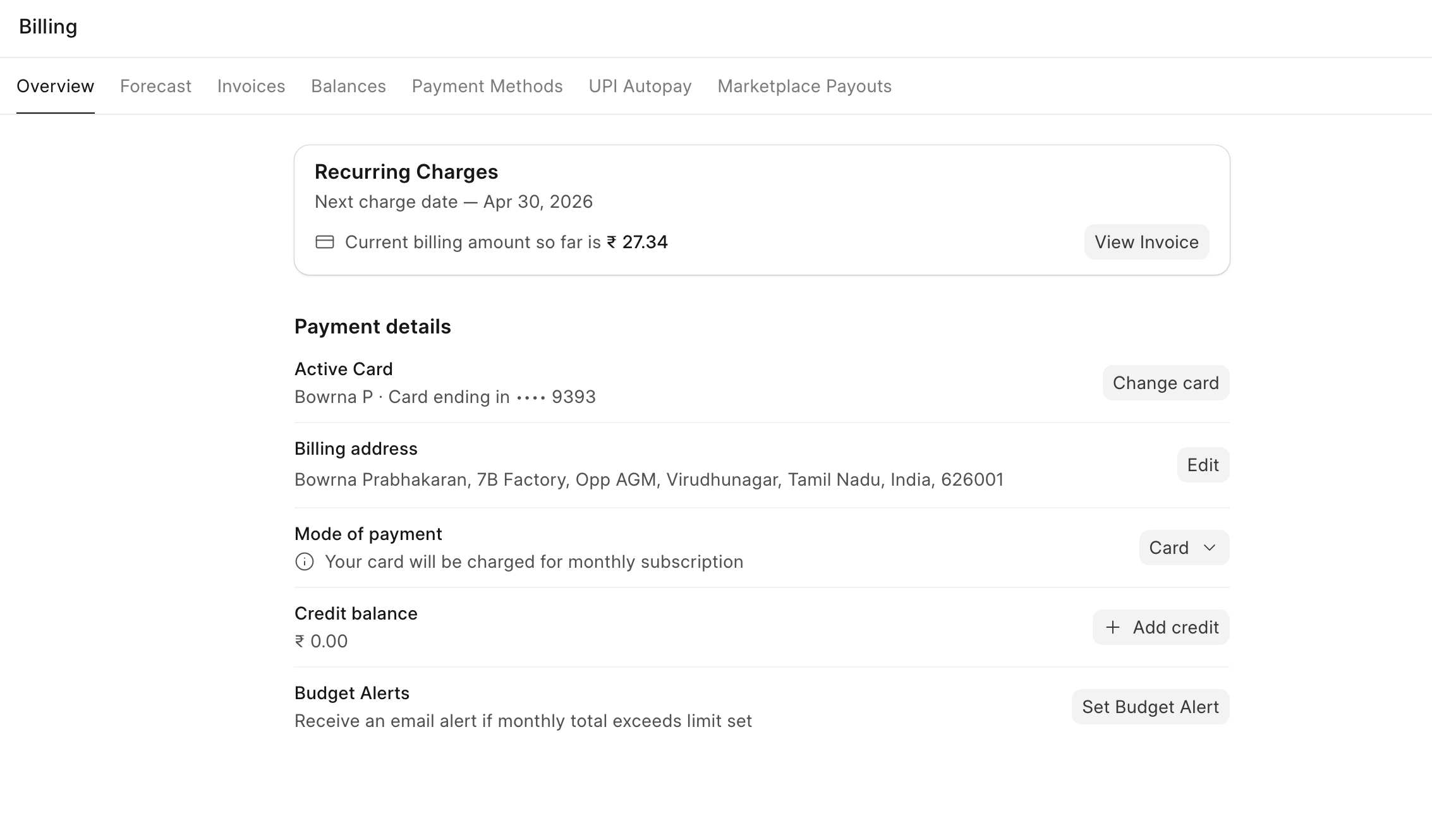
You can check your running usage amount in the Dashboard.
Go to Billing in the left pane. Here you will see the usage amount to date. This
amount is updated every day based on the number of Active sites you have.
Managing Cards
You can add cards from the Payment Methods section in the Billing Tab.
Click on Add Card and enter your billing address and card details.
It will automatically become the default payment method.
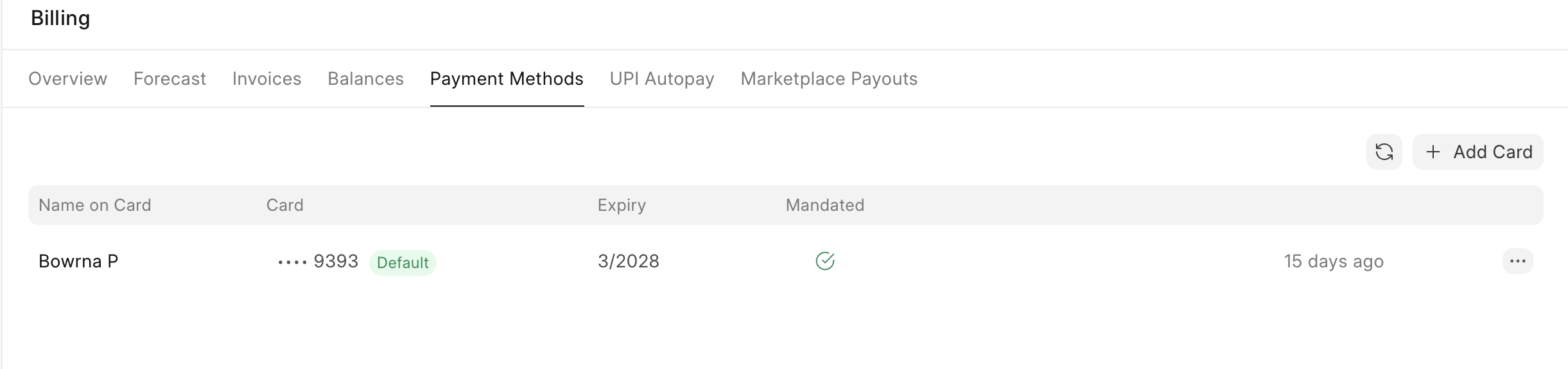 Payment Methods tab in Billing showing card details
UPI Autopay (Supported only for Indian customers)
UPI Autopay lets you set up a one-time mandate with your UPI ID. Your monthly Frappe Cloud subscription is then automatically debited — no manual payment, no missed invoices, no service interruptions.
How to set it up?
- Go to Billing → Mode of payment and select UPI Autopay.
- You will be redirected to the mandate setup page. Click "Setup Autopay" and complete the authorization via your UPI app.
- A one-time ₹1 authorization charge is made to confirm mandate creation.
- Once authorized, your UPI account will be auto-debited every month end.
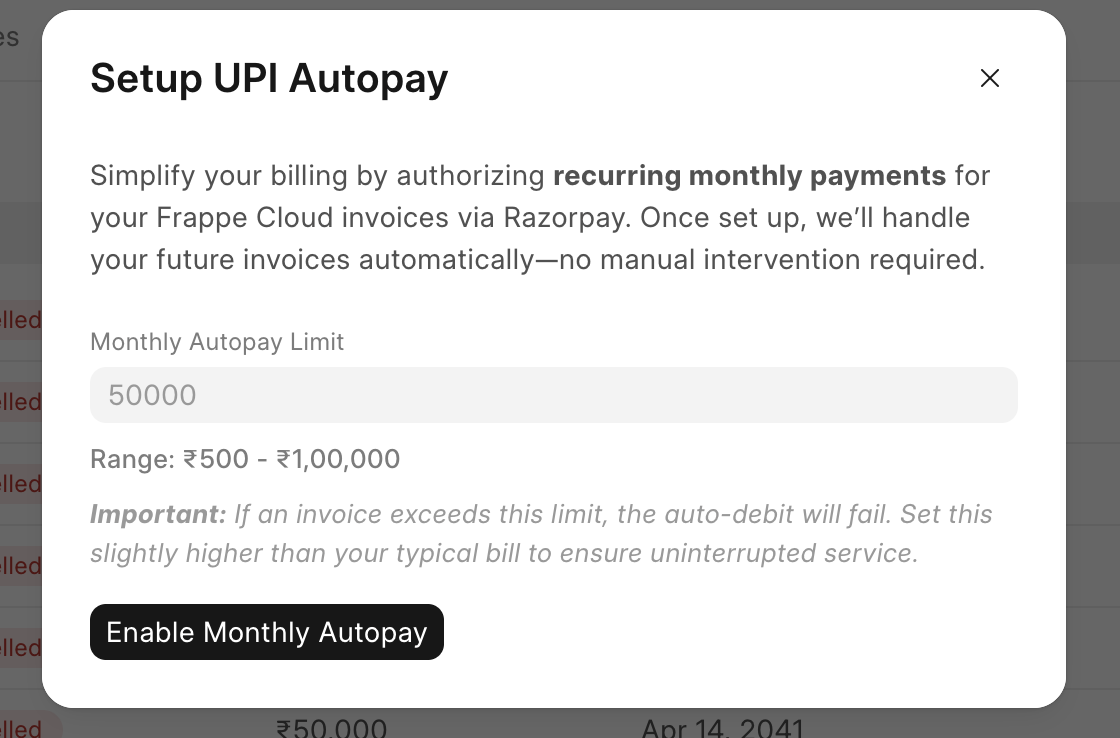 Setup mandate pop up form for UPI Autopay
How auto-debit works?
At the end of each billing cycle, you will receive an SMS notification about the upcoming debit. The actual debit happens 25 hours after the notification is sent.
Things to know
- UPI Autopay mandates have a maximum limit of ₹1,00,000. This mode of payment is recommended only if your monthly invoice is below this limit.
- If your invoice amount exceeds your mandate limit, the auto-debit will not be attempted. You will receive an email notification asking you to either set up a new mandate with a higher limit or pay manually.
- You can cancel your mandate anytime from the Billing → UPI Autopay tab and switch to a different payment mode.