Move Site To Different Server or Bench
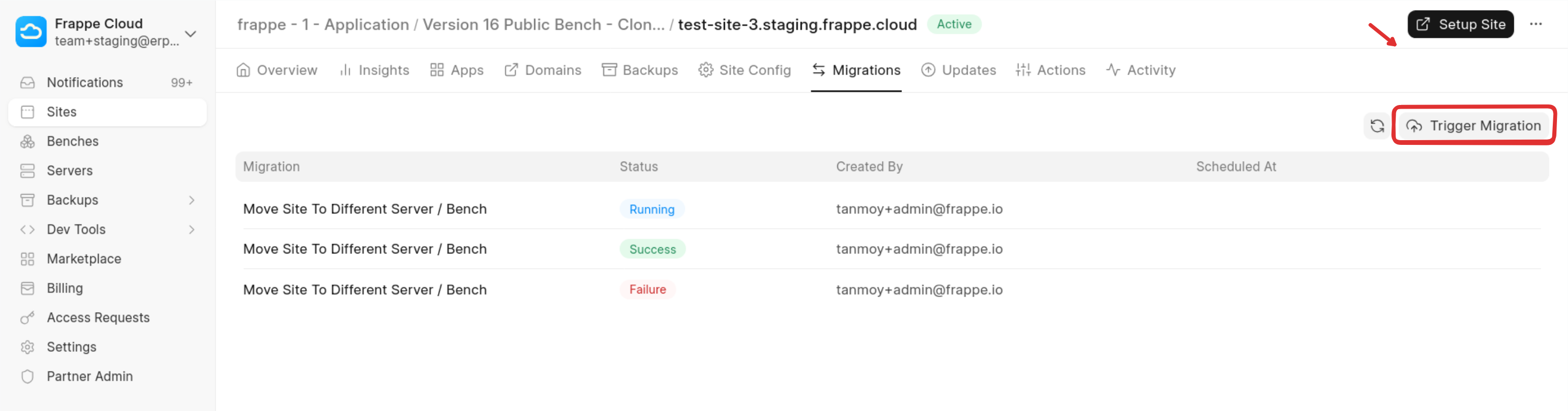
If you want to move your site to another server or bench, you can do so from the Migrations tab.
Go to the Migrations tab and click Trigger Migration.
Choose a Migration Option
You will see two available options :
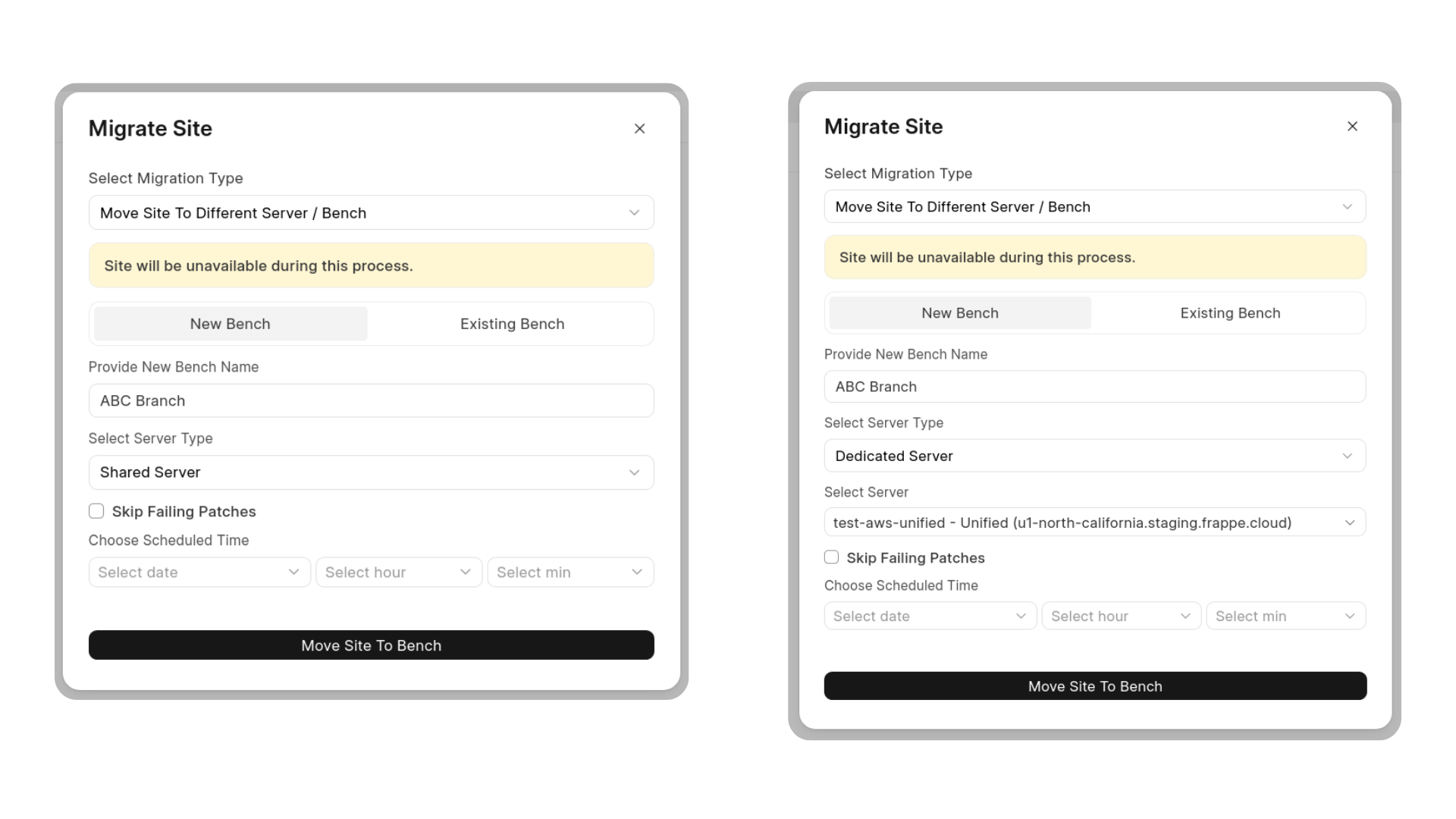
1. Use New Bench
Select this option if you want to create a new bench and move your site there.
When choosing this option, you can deploy the new bench in one of two ways :
- Shared Server – Create the new bench on a shared server (managed by Frappe).
- Dedicated Server – Deploy the new bench on a dedicated server.
After selecting your preferred configuration, click the button to proceed with the migration setup.
Note: If you are moving your site from dedicated server to shared server, the system will set 100 USD as default plan after migration. Thereafter, you can upgrade / downgrade site plan according to your requirement.
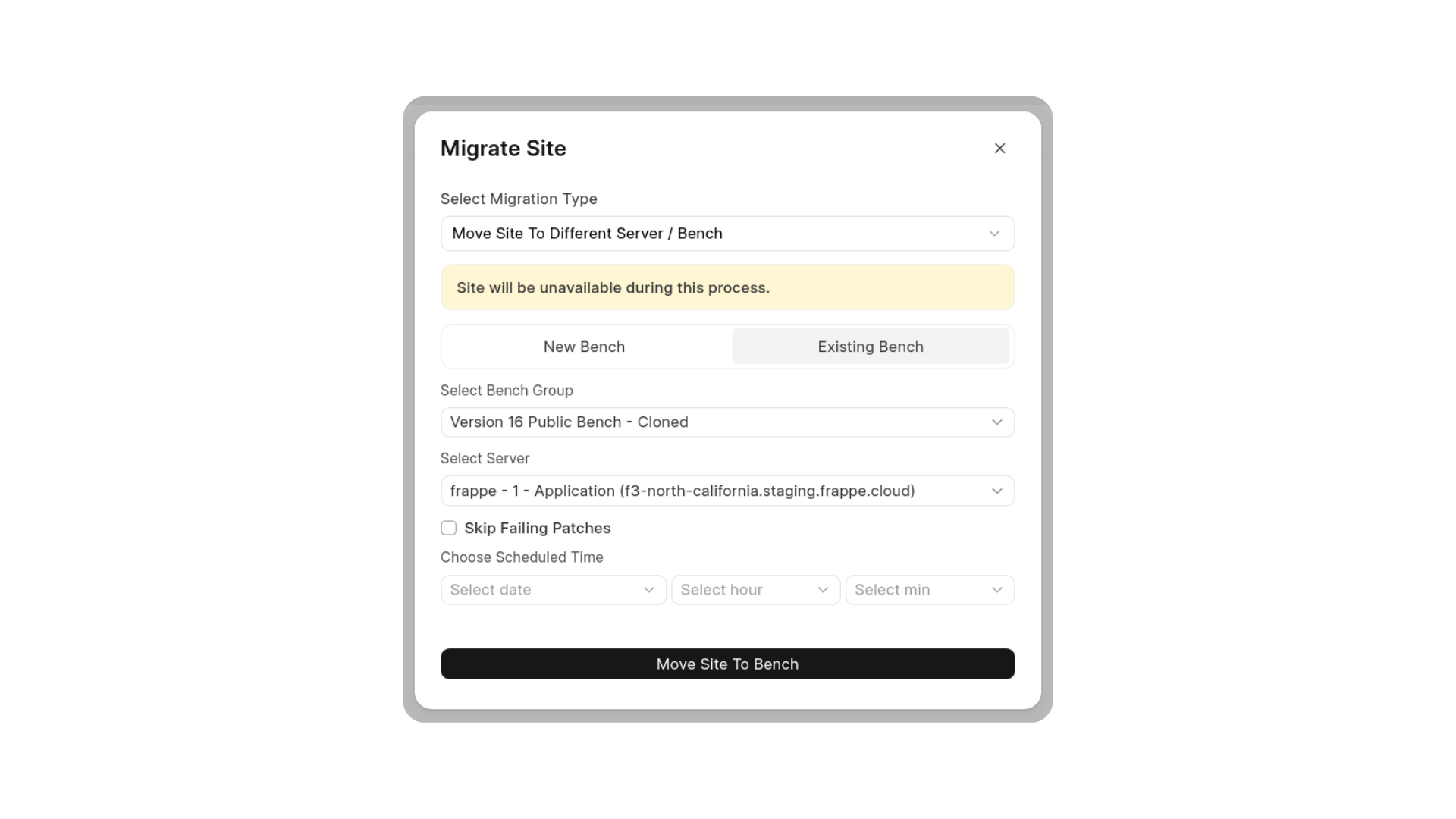
2. Use an Existing Bench :
Select this option if you already have a bench with the required apps installed.
You will need to :
- Select the bench
- Select the server where the bench should be deployed
After selecting the appropriate options, click the button to proceed with the migration configuration.