


















Move site to private bench
Note: This option is now part of the Site Migration feature.
For instructions on moving a site to a different server / bench, see the documentation : https://docs.frappe.io/cloud/site/site-migrations/move-site-to-different-server-or-bench
If you want to move to a dedicated server refer Move site across server
Note: If you need to move to a bench on another server, you need to move the current bench to the server first, and after that is done, do Change bench by following this doc.
You can directly schedule Site Migration to a private bench from a site's dashboard.
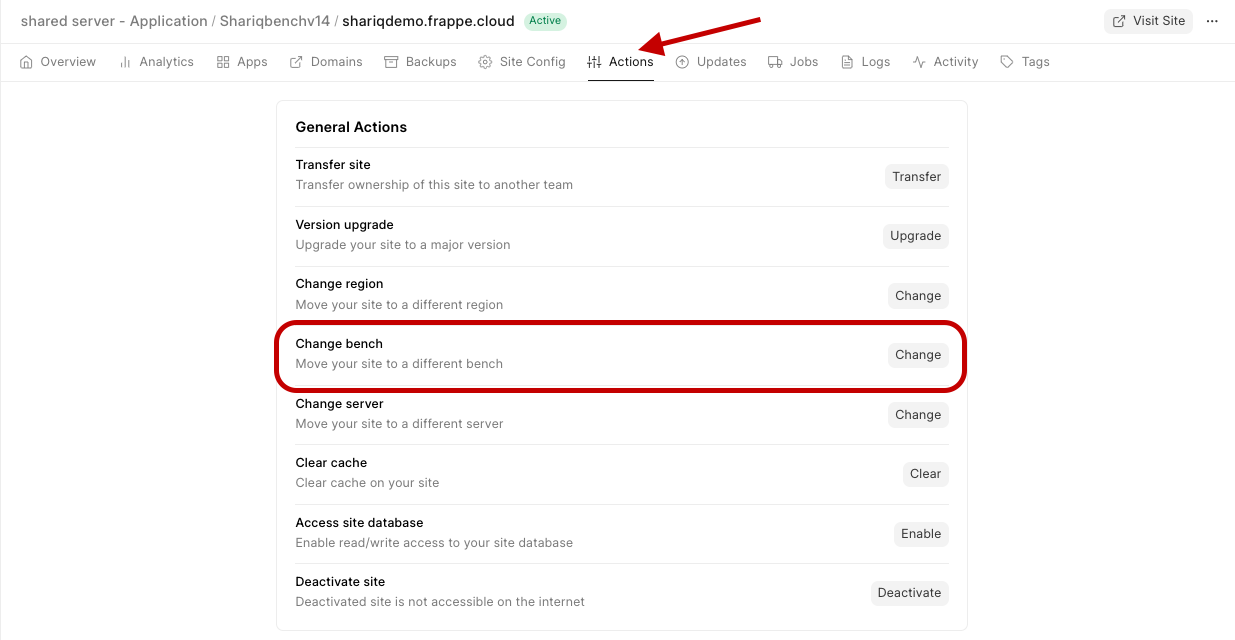
- To change your site to a private bench, go to your site Dashboard>Actions>Change Bench
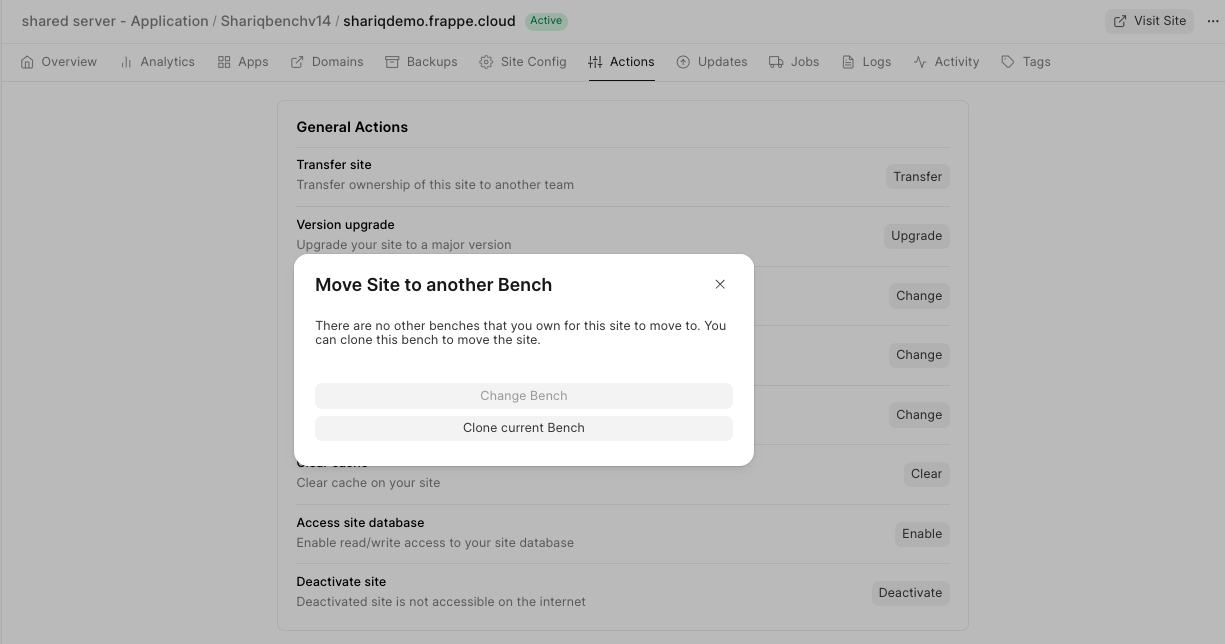
- If you don't have an available private bench, click on Clone current Bench to create a compatible private bench for your site to move to.
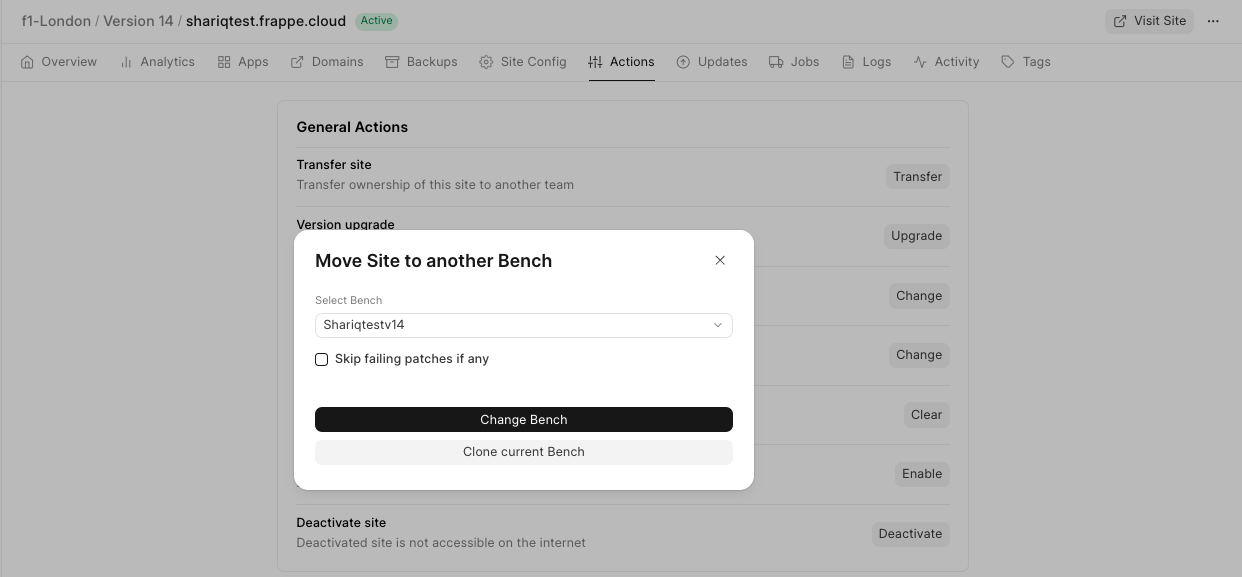
- If there's a compatible private bench, click on Change Bench to start moving the site to the chosen bench.
Last updated 4 months ago
Was this helpful?