

















Command Palette
The command palette lets you find any record, jump to any page, or act on the record you're looking at, all from the keyboard.
To open it, press Cmd + K on a Mac or Ctrl + K on Windows and Linux. You can also click Search at the top of the sidebar. Press the shortcut again or Esc to close it.
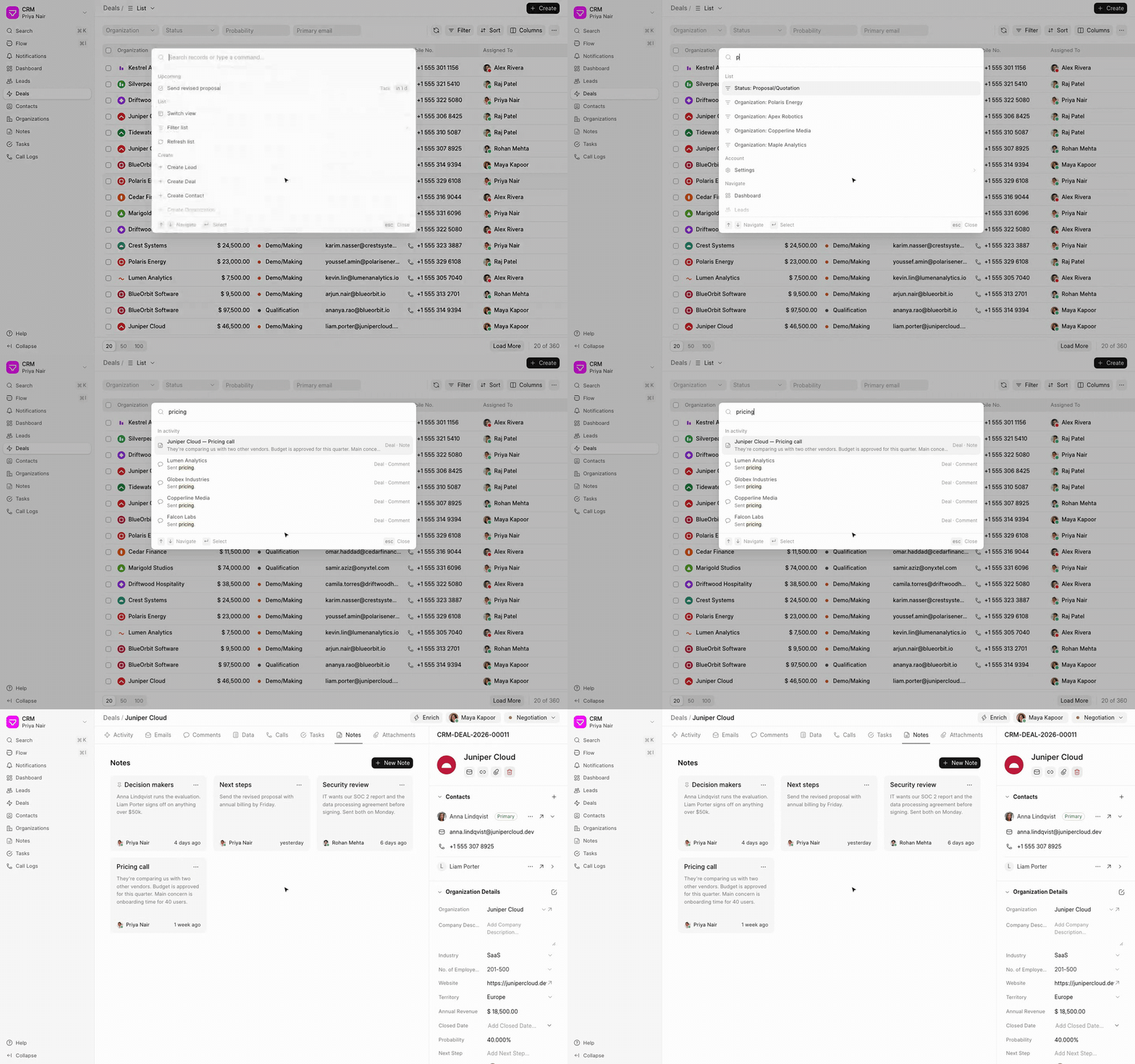 Press Cmd + K, search, and jump straight to a note
Searching records
Type at least two letters to search. Results show up under Records:
- Leads by name, organization, email or mobile number
- Deals by organization, email or mobile number
- Contacts by name, email or mobile number
- Organizations by name or website
You can also search by a record's ID. You'll only see records you have access to.
Searching comments, notes and emails
The palette also searches what's been written on leads and deals. Matches show up under In activity, with the record name, the note title or email subject, and a line of text with your search words highlighted.
Pick a result to go straight to it:
- A note opens the record's Notes tab at that note
- A comment or email opens the record and scrolls the activity timeline to it
If the lead has since been converted, the result opens the deal.
Before you type
When the box is empty, the palette shows:
- Upcoming – Your tasks due in the next week (and ones that are a few days overdue), and leads or deals assigned to you whose first response is due within a day
- Recent – The last few leads and deals you opened
- Create – Create a lead, deal, contact, organization, note or task
- Navigate – Jump to Dashboard, Leads, Deals, Contacts, Organizations, Notes, Tasks or Call Logs
- Settings – Open any settings page
Actions on a lead or deal
When you open the palette on a lead or deal, you also get actions for that record. You can change its status, assign it (or assign it to yourself), add a comment, send an email, insert an email template, create a task or note, log a call, attach a file, go to a tab, copy its ID or link, or delete it. On a lead, you can also convert it to a deal. On a deal, you can add a contact or set the primary contact.
Some actions open a short list, like the statuses or your teammates. Type to narrow it down. Press Backspace in an empty box to go back.
Actions on a list
On a list, you can switch views, filter the list or refresh it. Under Filter list, type a value to filter by it in one step.