

















Group By
Group By puts the rows of your Leads or Deals list into groups based on a field, like status, owner, source or territory. It's useful when you want to see, for example, all your deals sorted out by stage in a list rather than on a Kanban board.
Grouping a list
- Open Leads or Deals.
- Click the view switcher at the top and choose Group By.
- Click the Group By button in the toolbar and pick the field to group by. You can search for the field.
Each group has a header with the field and its value. Records where the field is empty go into an Empty group. Click the arrow on a group header to collapse or expand it.
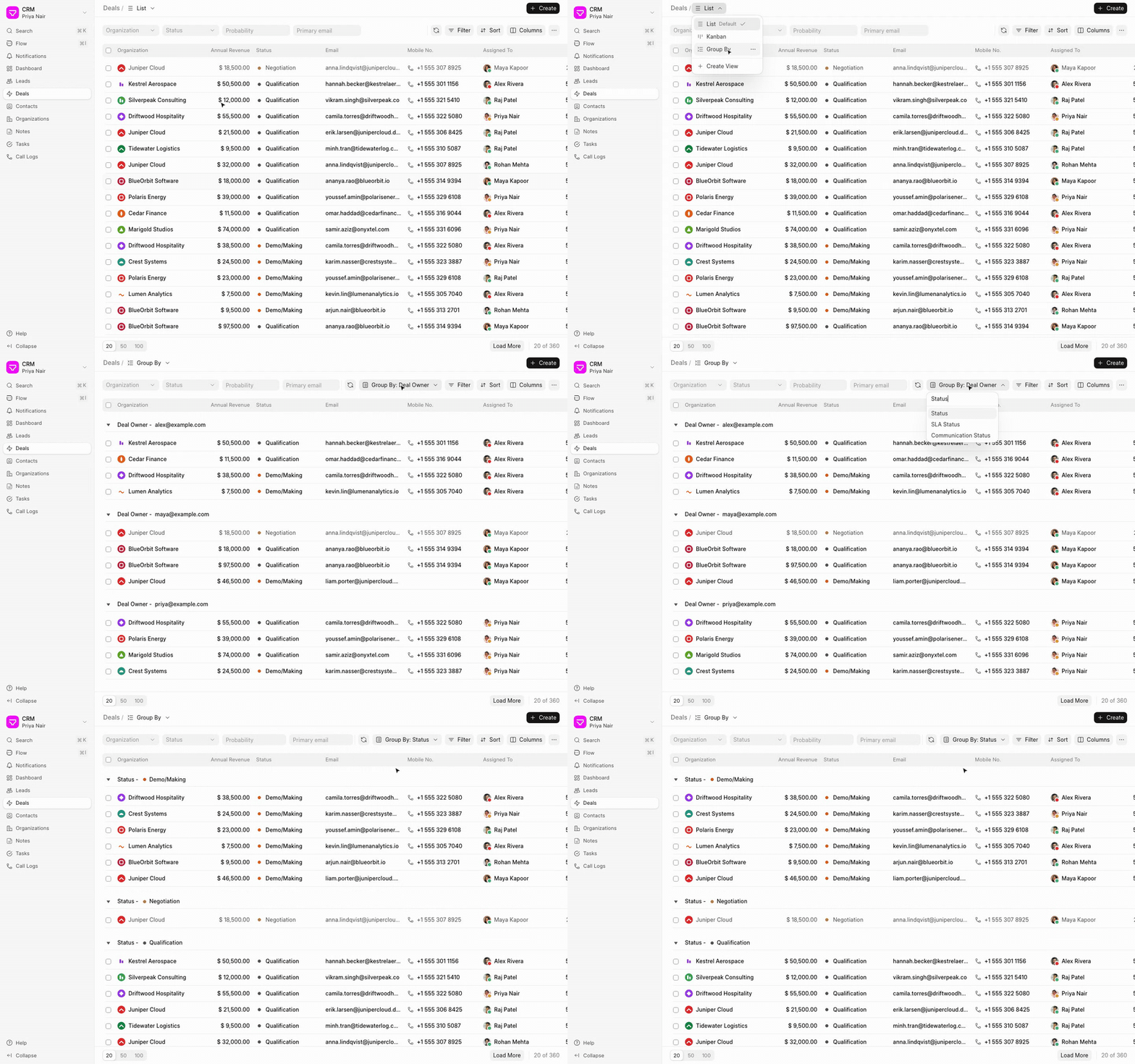 Switching the Deals list to Group By and grouping by status
You can group by most fields, including Select, Link, Date and number fields, and also by Owner, Assigned To, Created On and Last Modified.
Saving it
Changing the grouping counts as a change to your view, so you'll see Save Changes. Save it to keep the grouping, or save it as a new view. Read more about Saved Views.