
Let's say you want to update Customer data in bulk in your system. The first step is to download the template with the data.
- We start by downloading the template. While doing this, since we want to update, we can use filters to extract the exact records and import them back for updating.
- First, we select the document type and the import type as Update Existing Records, and Save
- When we try to download the template, we can apply filters, something like this
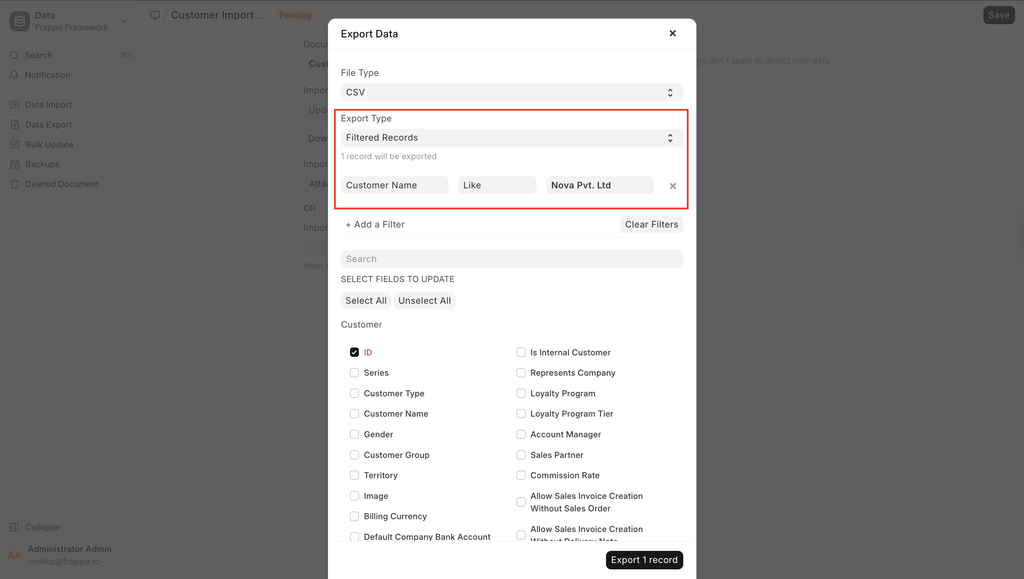
- We click on Export.
- Now, based on the template, the existing records look like this:
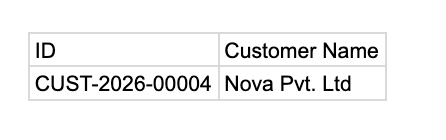
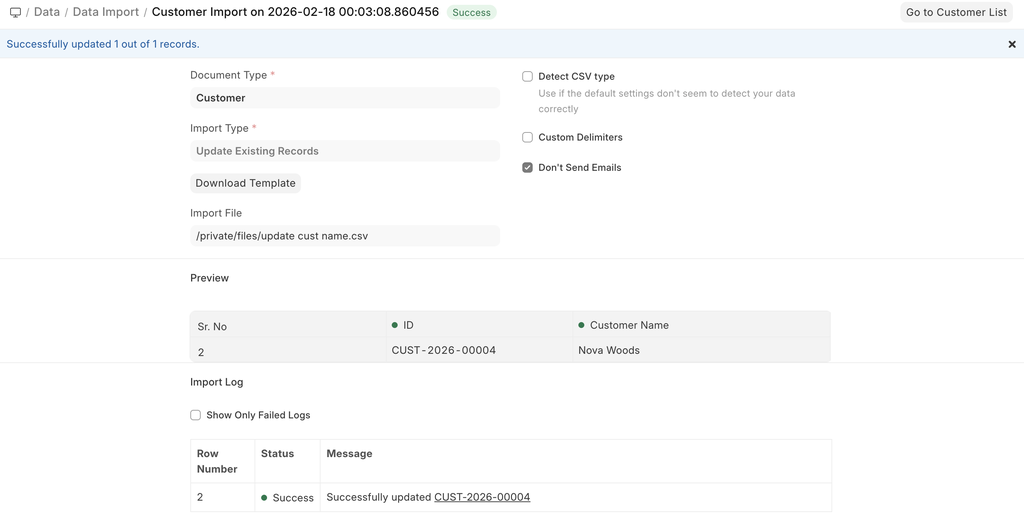
- Now, change the values in your template and save the file as Excel or CSV.
Last updated 3 hours ago
Was this helpful?