
Edit Export/Print permissions for reports
To handle Export/Print permissions for a report, use Role Permission Manager of the DocType the report is created from.
Step 1:
Find out from which Document Type the Report is generated from
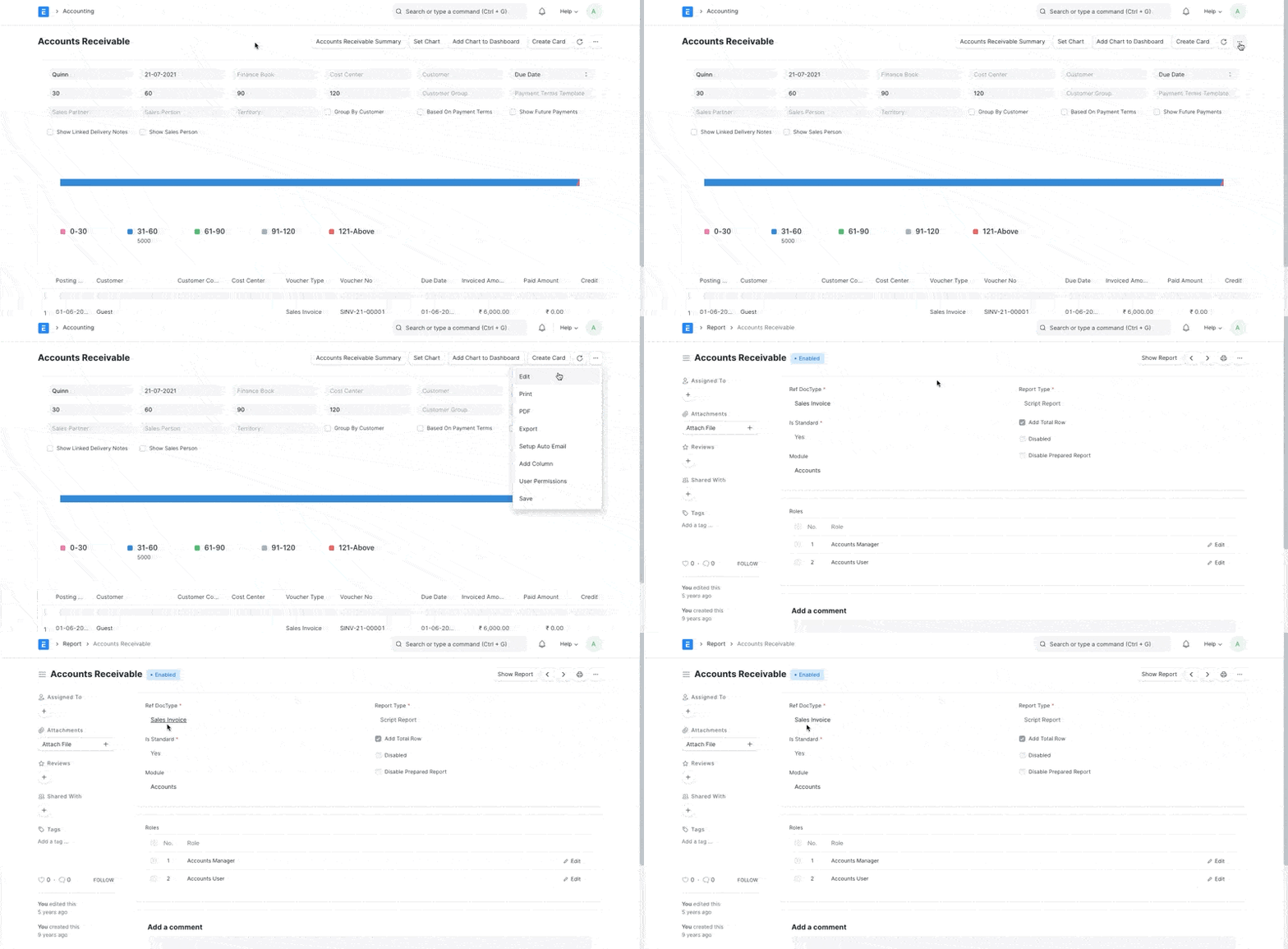
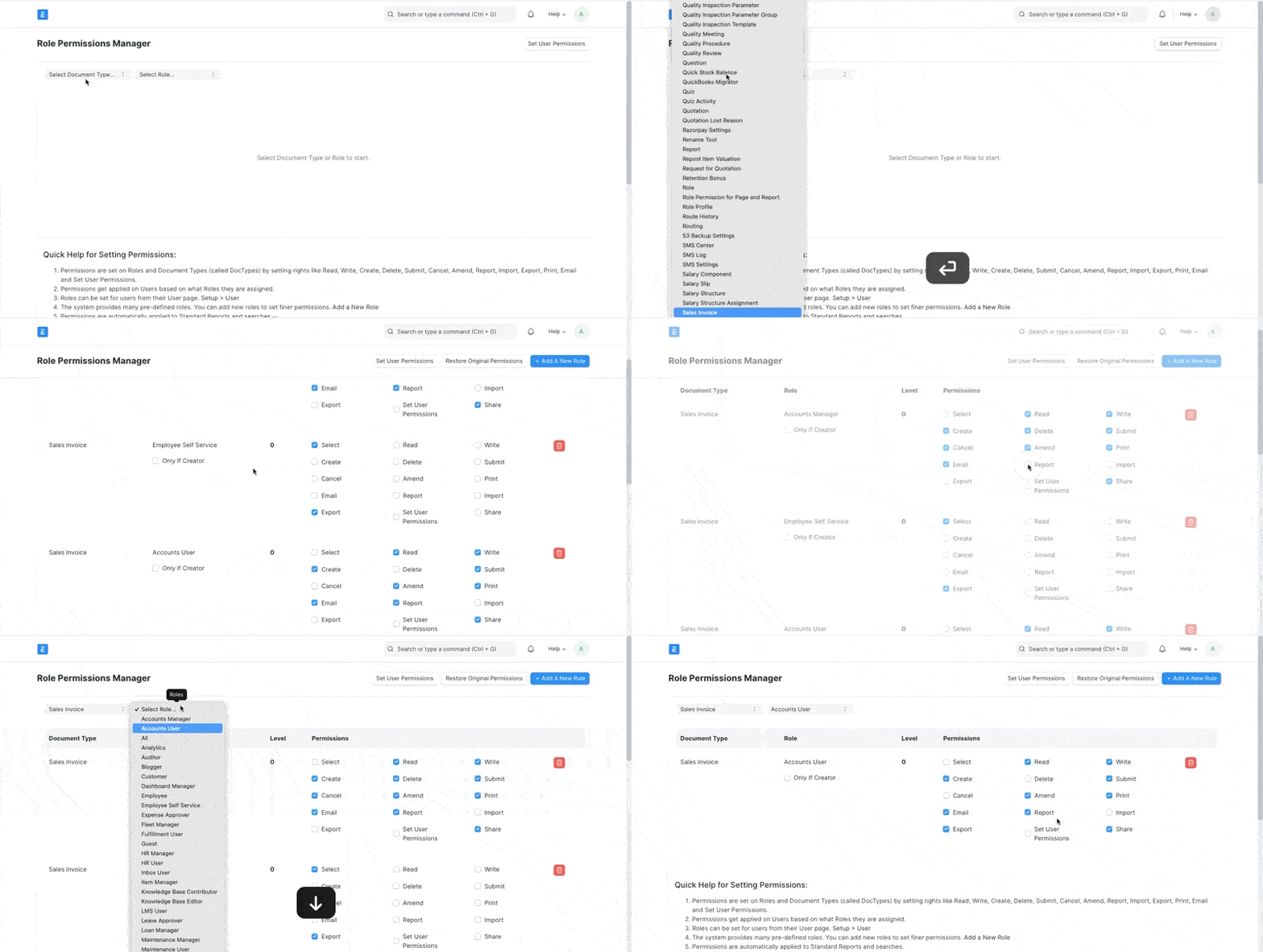
Step 2:
Go to Role Permission Manager, filter using the same Document Type (Sales Invoice in our example) and edit the permissions based on Roles
Last updated 1 month ago
Was this helpful?