
There are two types of reports in ERPNext for shares. Share Balance and Share ledger.
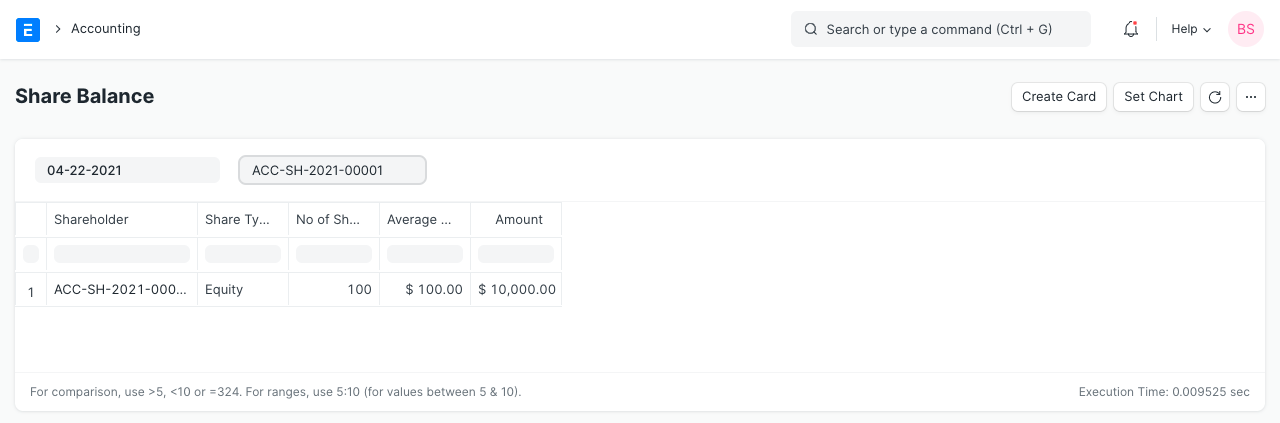
1. Share Balance
This is a report view which gives the list of all the shares held by a given Shareholder and its value.
To access the Share Balance report, go to:
Home > Accounting > Share Management > Share Balance
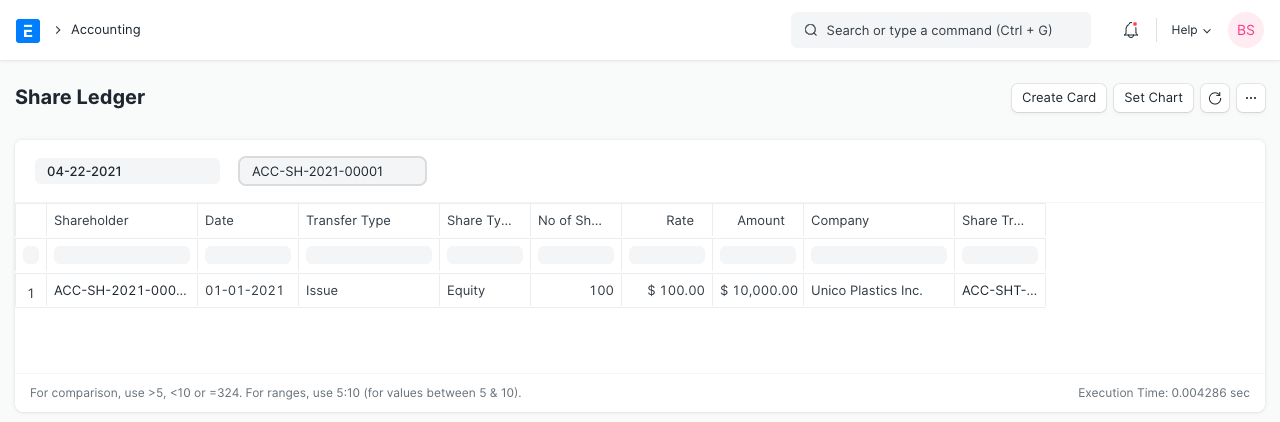
2. Share Ledger
This is a report view which gives the list of all the transactions made by a given Shareholder.
To access the Share Ledger report, go to:
Home > Accounting > Share Management > Share Ledger
Last updated 3 months ago
Was this helpful?