


















Payment Terms
A sale or purchase does not always become due in one amount on one date. Payment Terms let ERPNext express the commercial promise clearly, including deposits, instalments, credit periods, and milestone-based payments.
Nova Industries might collect 30% when a bulk laptop order is confirmed and the remaining 70% within 30 days of delivery. Recording that schedule on the transaction gives both teams the same due dates and lets receivables and payables reports show what is actually overdue.
This page explains individual Payment Terms, reusable templates, due-date calculation, allocation percentages, and how the schedule flows into invoices and payment follow-up.
Create a Payment Term
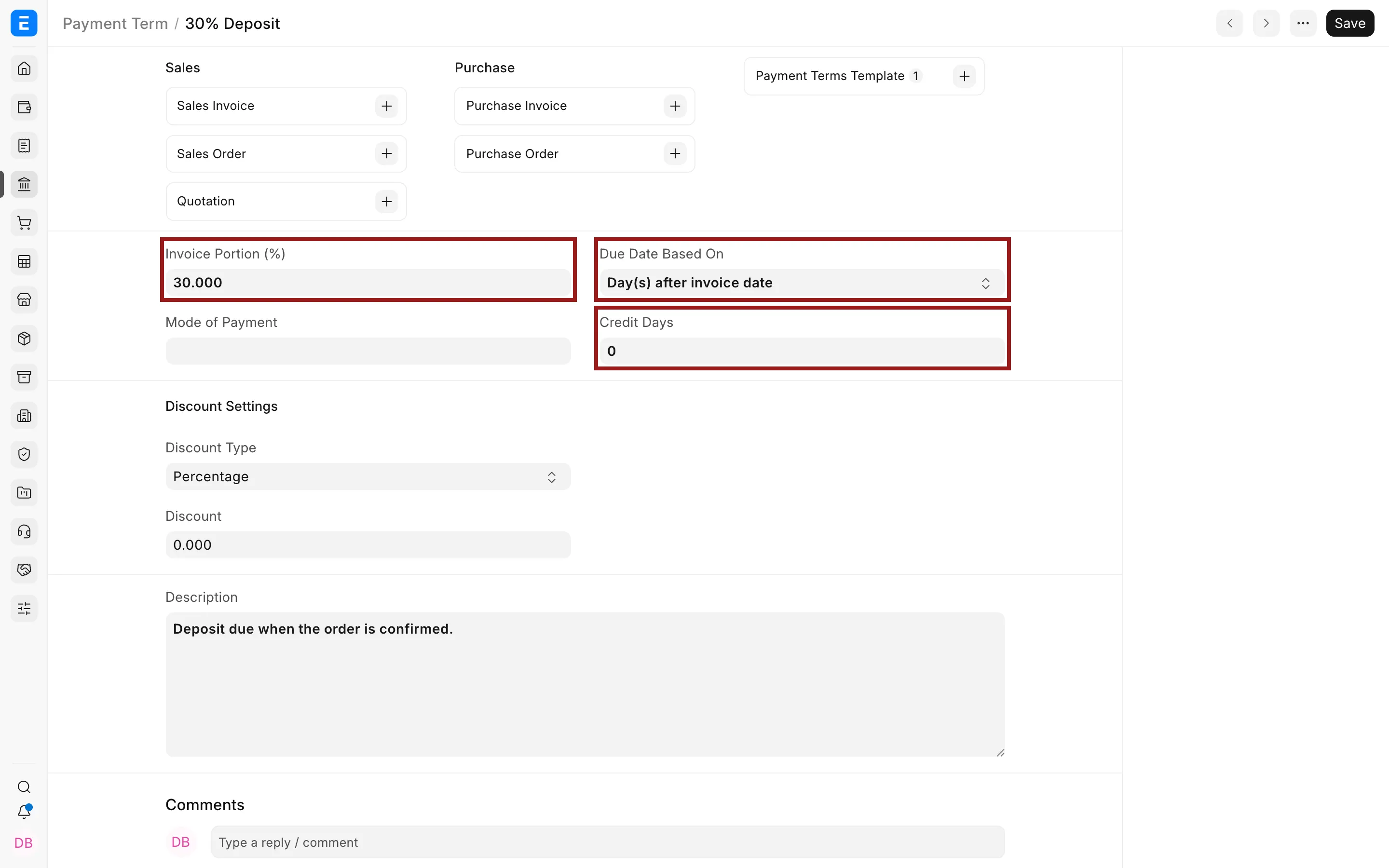
Go to Home > Accounting > Accounting Masters > Payment Term.
- Enter a clear name.
- Choose how the due date is calculated.
- Enter the credit days or due date basis.
- Enter an invoice-portion percentage if this term represents one instalment.
- Optionally configure an early-payment discount.
- Save.
Create a Payment Terms Template
- Open Payment Terms Template.
- Add terms in the required order.
- Enter the invoice portion for each row.
- Confirm that the total allocation is 100%.
- Mark it as default only if it should apply broadly.
- Save.
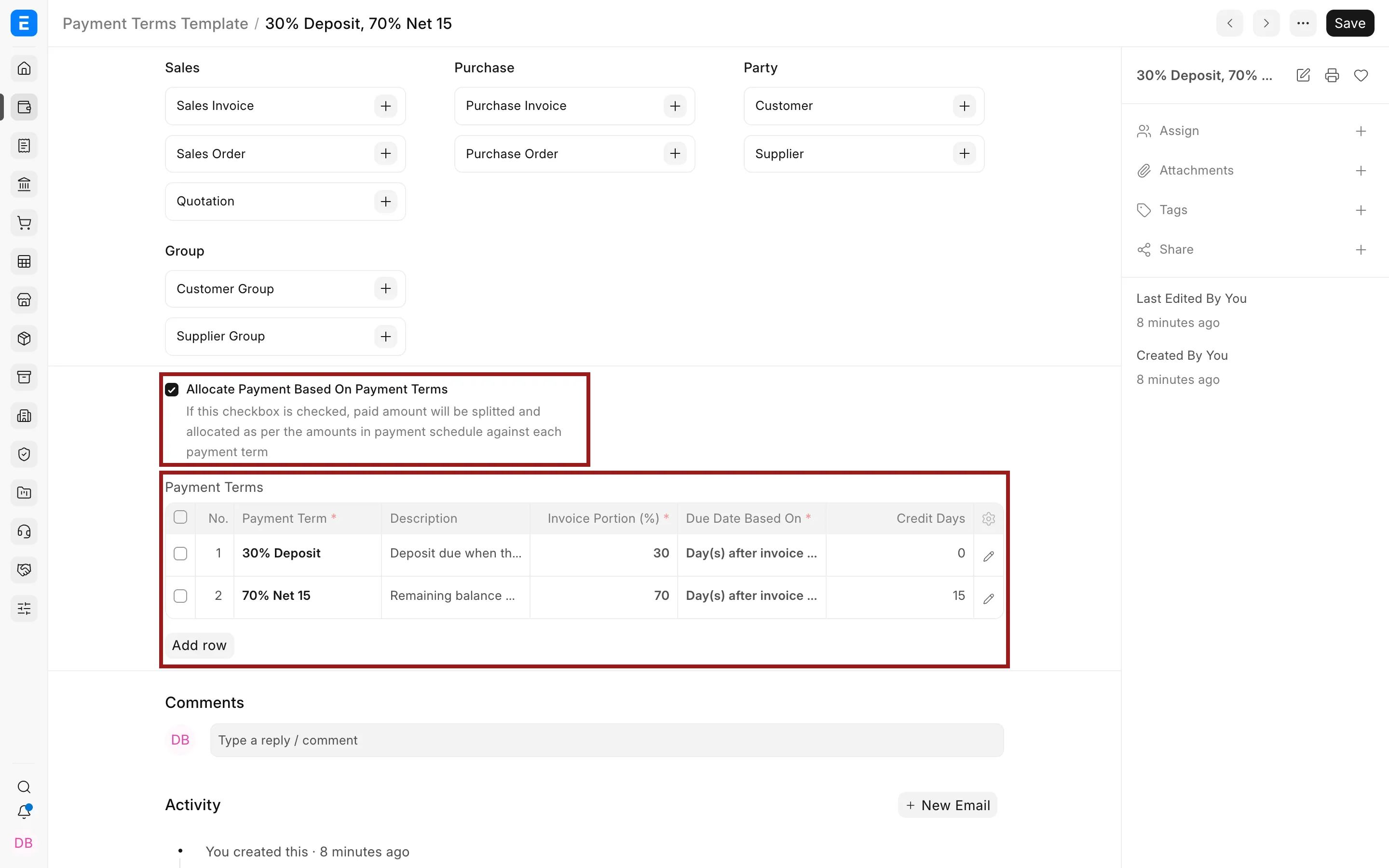
A template can represent Net 30, a deposit plus balance, milestones, or staged payments.
Apply payment terms
Select the template on a Quotation, Sales Order, Purchase Order, Sales Invoice, or Purchase Invoice. ERPNext creates the payment schedule from the transaction date and the configured rules.
Check the schedule before submitting. The invoice schedule drives due dates, overdue calculations, payment allocation, and receivable or payable reporting.
Early-payment discounts
A Payment Term can define a discount percentage or amount and a validity period. The customer or supplier must pay within that period for the discount to apply. Test the accounting result before making this part of a production collection process.
Troubleshooting
The due date is unexpected
Check the posting date, due-date basis, credit days, and whether the term uses a day of the month.
The template cannot be saved
Verify that invoice portions total 100% and that every row has a Payment Term.
The schedule was not copied
Check whether the transaction or party has another template and whether the schedule was edited manually.