


















Inter Company Invoices
Inter Company Invoices in ERPNext create the matching receivable and payable transactions when one Company sells goods or services to another Company in the same ERPNext site. A submitted Sales Invoice can create a linked Purchase Invoice for the buying Company, reducing duplicate entry while preserving separate ledgers.
Before you begin
- Create both Companies and their charts of accounts.
- Create a Customer that represents the buying Company.
- Create a Supplier that represents the selling Company.
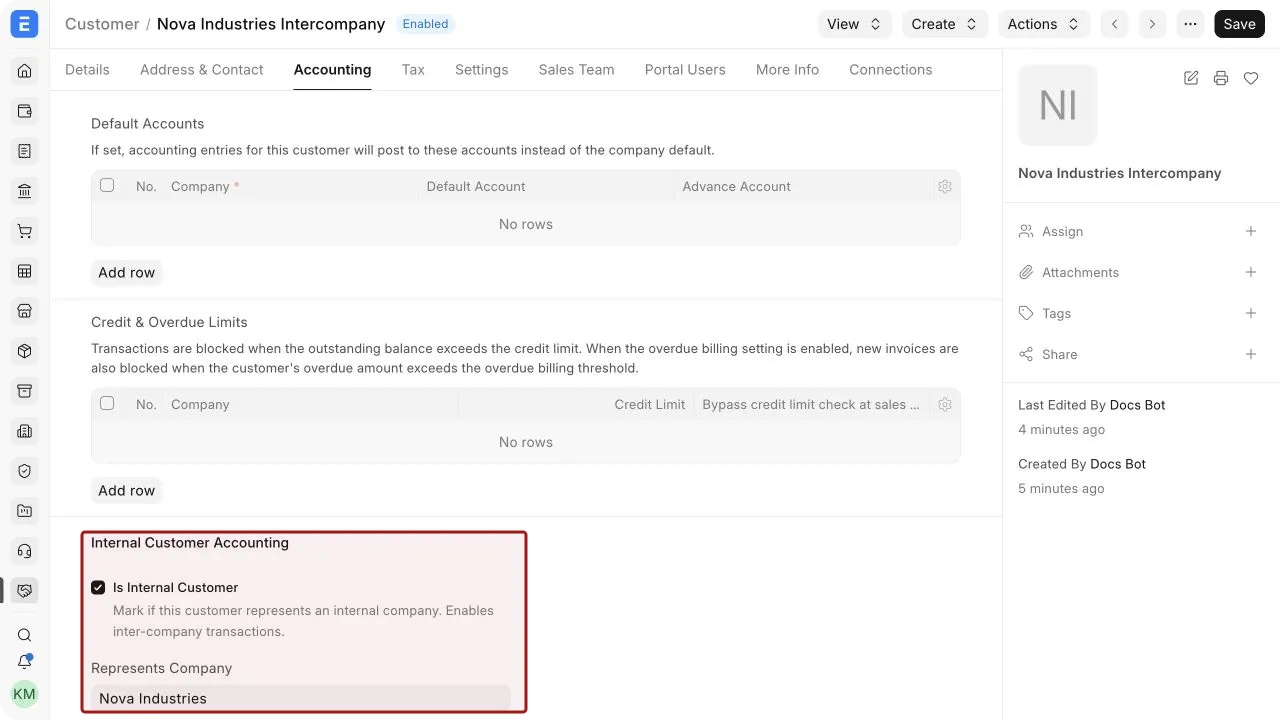
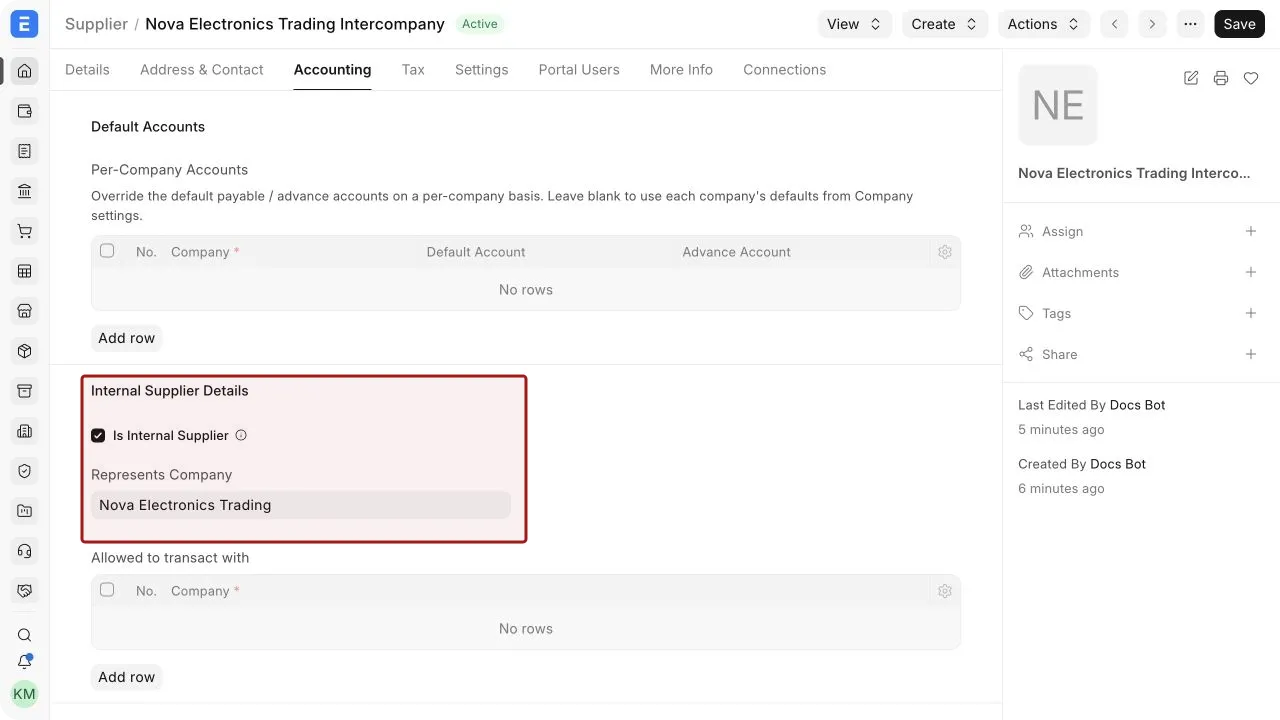
- In the Customer and Supplier records, set the corresponding Represents Company value.
- Make sure both Companies can transact in the required Currency.
- Create matching Items, UOMs, taxes, warehouses, and accounts for both Companies.
The Customer and Supplier links are essential. They tell ERPNext which legal entity is on the other side of the transaction.
Configure the inter-company parties
For the buying Company, create or open the Customer used by the selling Company and set Represents Company to the buying Company.
For the selling Company, create or open the Supplier used by the buying Company and set Represents Company to the selling Company.
Use distinct party records for each legal entity, even when the Companies share ownership. Confirm the tax identifiers, addresses, payment terms, and receivable or payable accounts that apply to each entity.
Create a Purchase Invoice from a Sales Invoice
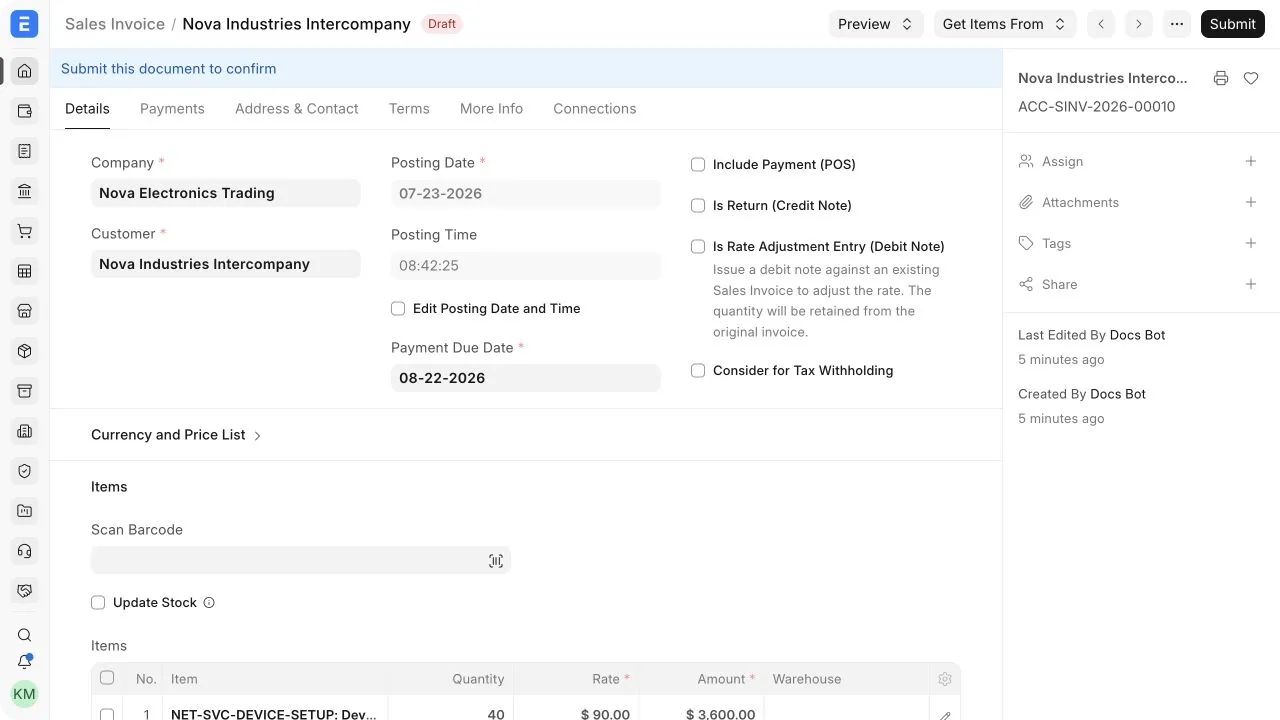
- Create and submit a Sales Invoice in the selling Company for the Customer that represents the buying Company.
- Confirm the items, quantities, rates, taxes, Company, and posting date.
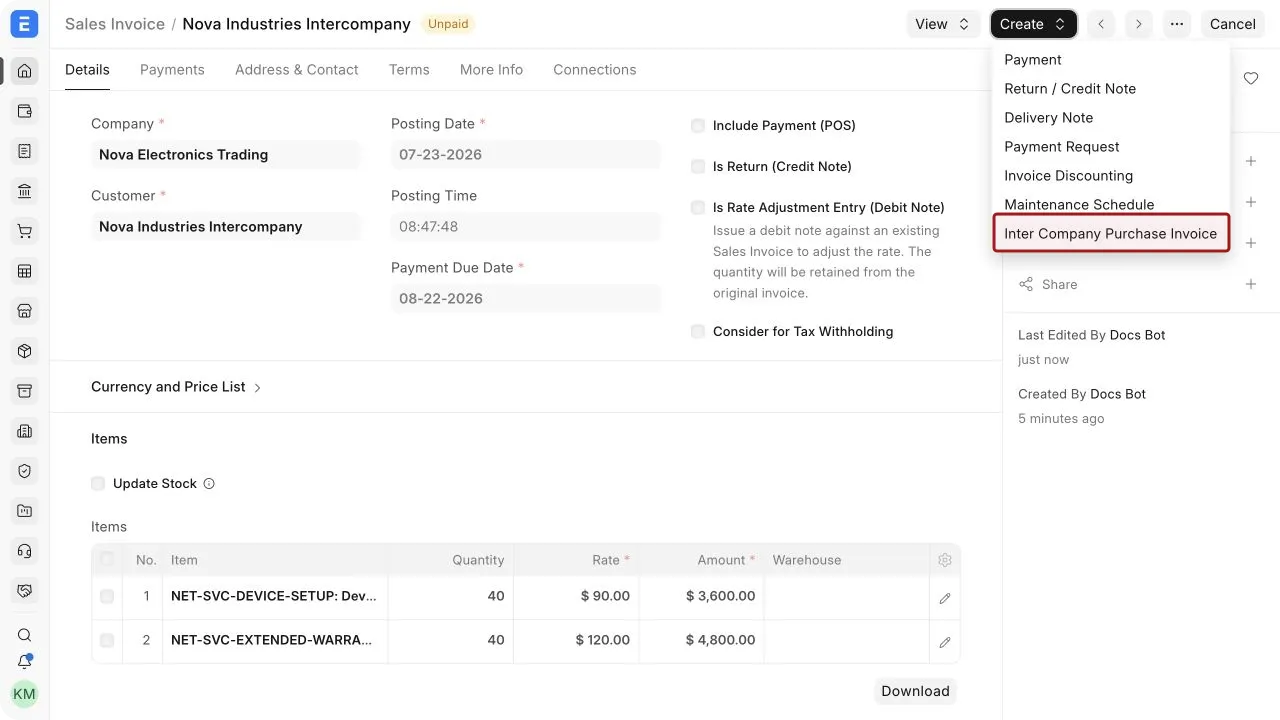
- From the submitted Sales Invoice, select Create > Inter Company Purchase Invoice.
- Review the mapped document in the buying Company.
- Select the correct expense or asset accounts, warehouses, taxes, and cost centers.
- Save and submit the Purchase Invoice.
The Purchase Invoice is a separate accounting transaction. ERPNext maps source values, but the user must verify the accounts and taxes appropriate to the buying Company.
Create a Sales Invoice from a Purchase Invoice
The flow can also begin with a submitted Purchase Invoice in the buying Company. Use Create > Inter Company Sales Invoice to create the corresponding Sales Invoice in the selling Company, then review and submit it.
Choose one direction for each transaction. Do not create both counterparts independently, or the same trade may be recorded twice.
Important fields and what they mean
| Field | What it means |
|---|---|
| Company | The legal entity whose books receive the transaction. |
| Customer | The inter-company Customer used on the Sales Invoice. |
| Supplier | The inter-company Supplier used on the Purchase Invoice. |
| Represents Company | Links a Customer or Supplier to the other Company in the same site. |
| Inter Company Reference | Identifies the linked source transaction where available. |
| Currency | The transaction currency. Conversion rates apply when it differs from Company currency. |
| Debit To | The receivable account used by the selling Company. |
| Credit To | The payable account used by the buying Company. |
| Income Account | The revenue account for the selling Company. |
| Expense Account | The expense or asset account for the buying Company. |
| Cost Center | The organizational unit to which income or expense is assigned. |
Items, warehouses, and taxes
Item Codes should exist and be usable in both Companies. Accounts and warehouses remain Company-specific, so review every mapped row. Open a child-table row with the pencil icon when you need to verify hidden item fields.
Tax treatment can differ between the selling and buying entities. Do not assume the tax rows on the source document are correct for the target Company. Check tax templates, accounts, rates, addresses, and regional compliance before submission.
For stock items, the invoice pair does not by itself replace the required stock movement. Use the approved Delivery Note, Purchase Receipt, or inter-company stock process so physical inventory agrees with accounting.
Cancel or amend linked invoices
The two invoices remain separate submitted documents. If one must be cancelled or amended, review the effect on its counterpart and any linked payments, returns, or stock transactions. Follow your accounting period and audit controls. Do not leave one Company with a valid invoice while the corresponding document in the other Company is incorrect.
Reconcile inter-company balances
Run receivable, payable, and general ledger reports for both Companies. The balances should agree after accounting for timing differences, currency conversion, taxes, credit notes, and payments. Use a consistent reference or naming practice so finance users can match the two sides quickly.
Frequently asked questions
Why is the inter-company create option missing?
Check that the source invoice is submitted, the party has Represents Company set, the represented Company is different from the source Company, and a counterpart has not already been created.
Are both invoices submitted automatically?
No. Review and submit the mapped target invoice separately.
Can the Companies use different currencies?
Yes, when the required currencies and conversion rates are configured. Review exchange rates and Company-currency totals on both documents.
Does this consolidate the Companies?
No. It records transactions in separate Company ledgers. Consolidated reporting and elimination entries are separate accounting activities.
Can I create inter-company credit notes?
Use the applicable return or credit-note process for both Companies and link the transactions according to your controls.