

















Loyalty points redemption in POS
In ERPNext POS module, the invoices are auto generated. You can set your complete POS system right with the following configuration steps:
- Create a Loyalty program in the doctype: You can set Single Tier or a Multiple Tier Program based on the slabs existing in the amount of Purchase that is done in ERPNext.
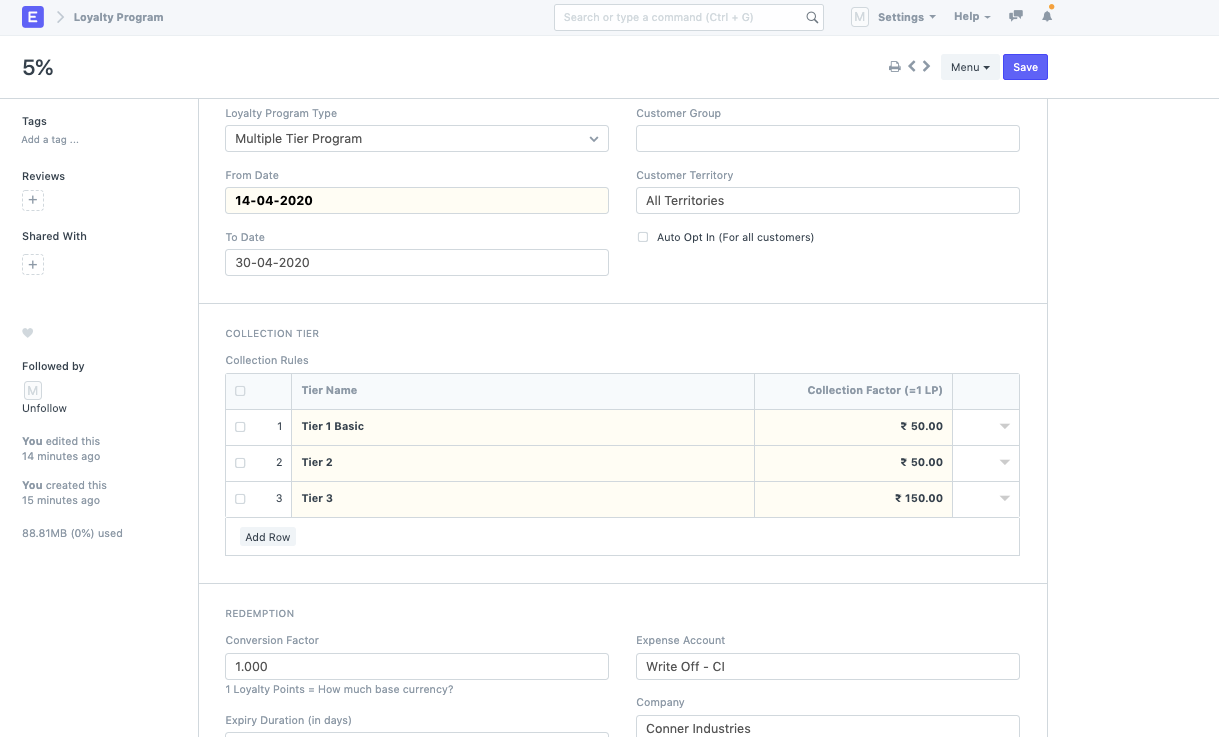 * Once the loyalty program is set, you can create a Customer and link the Loyalty program to it.
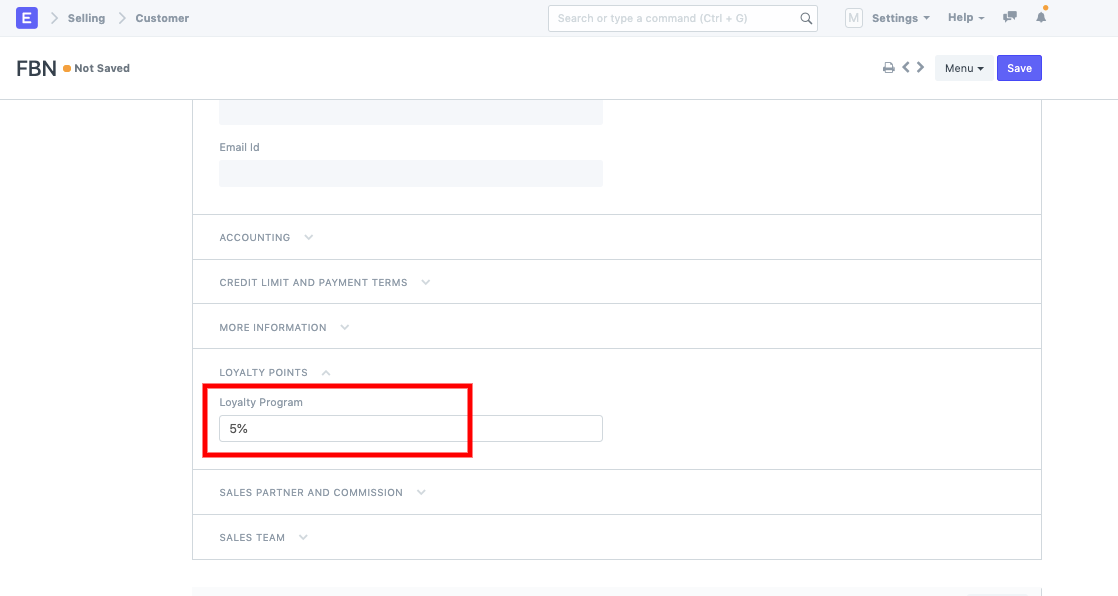 Once this Customer is linked to the Loyalty program, you can now setup your POS profile if it is not set yet:
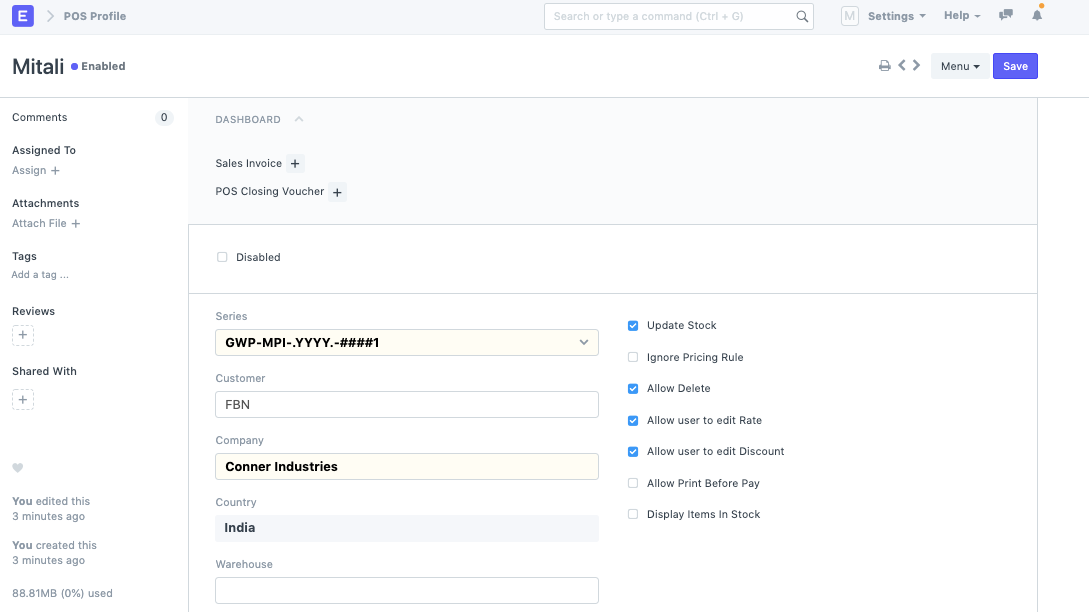
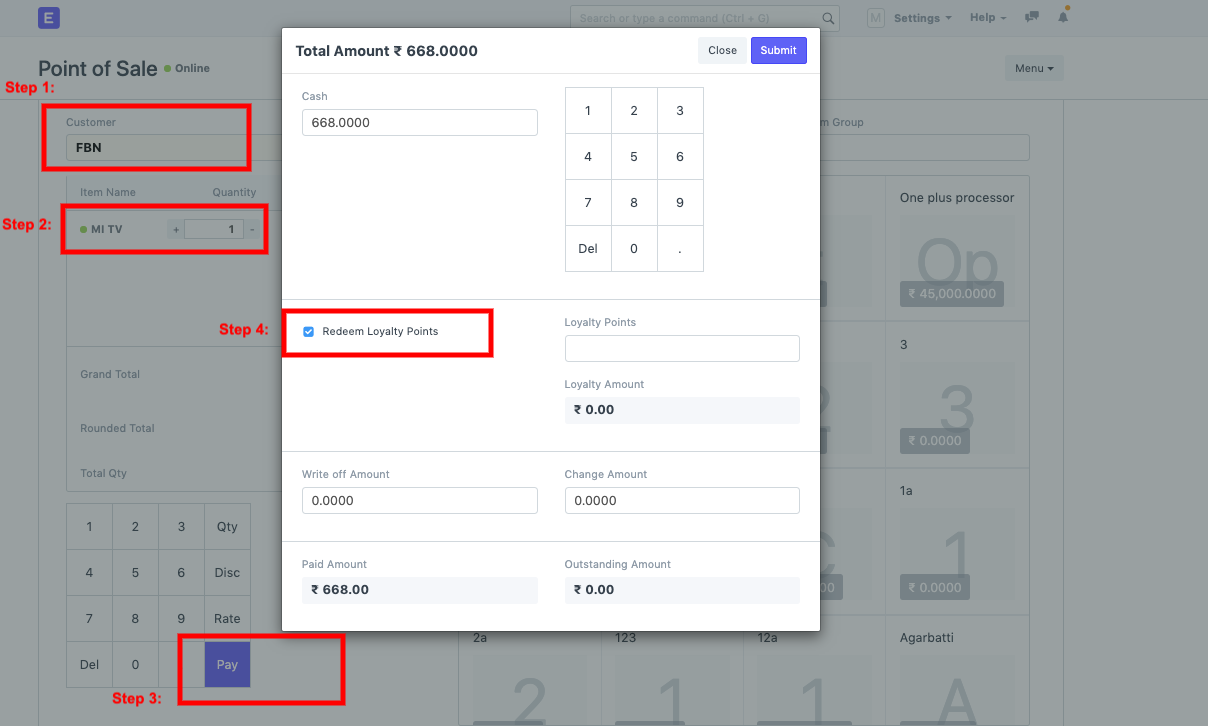
Now, you can go to POS transaction:* Select Customer
- Add items
- Pay
- Check the field --> Redeem Loyalty Points
Last updated 8 months ago
Was this helpful?