

















Make A Colorful Gantt Chart
ERPNext allows users to add colours to certain documents for better visual cues and representation. A good example of this would be the Event Calendar, where, for each event you can add a colour.
We will be doing so by customizing Tasks under Projects module.
Steps To Add Colours To The Gantt Chart
- Go to Customize Form in the system and select Task in Enter Form Type option. Alternatively, you can reach this screen by going to Menu > Customize from the Task list or form.
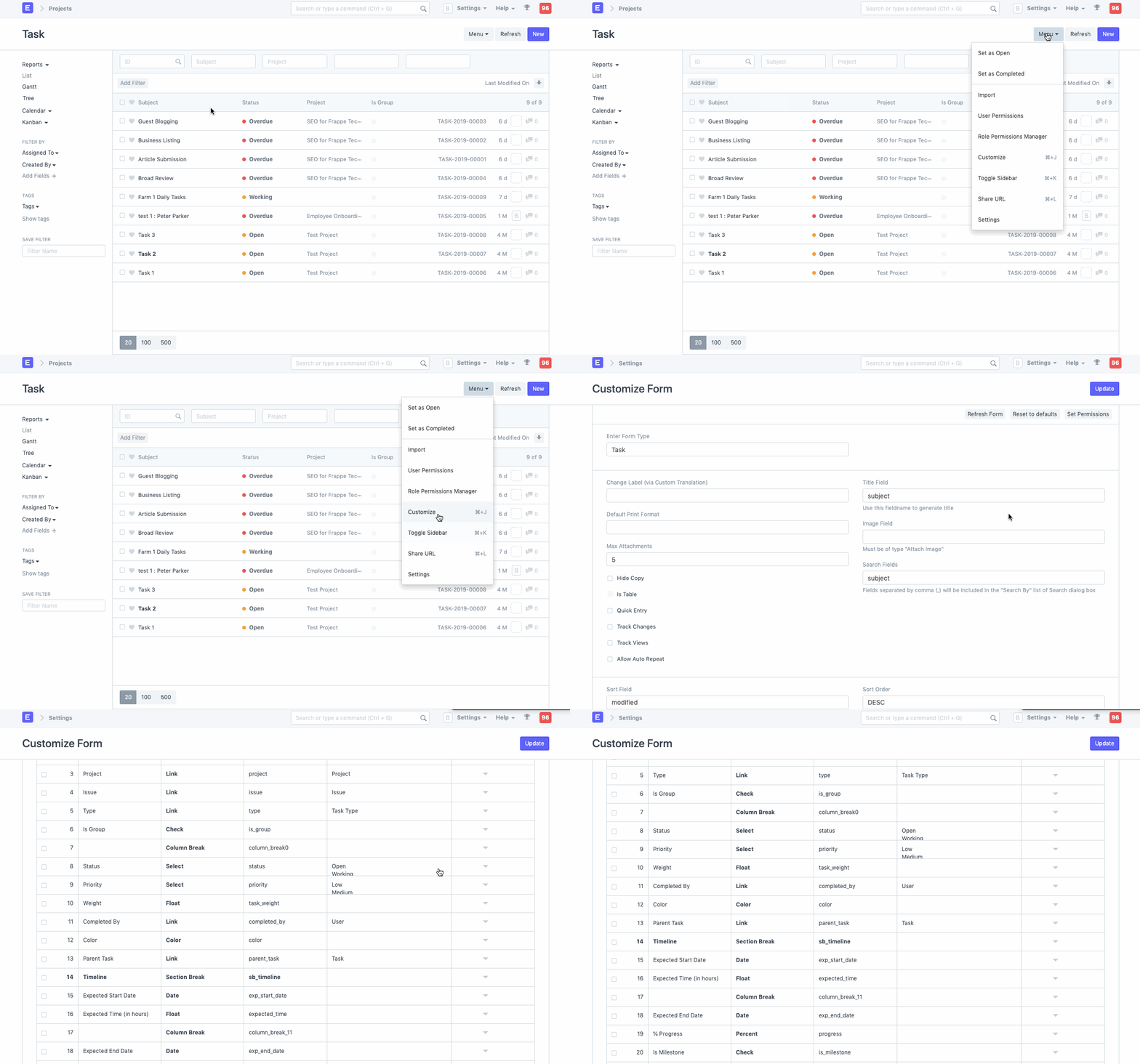
- Add a new field in the doctype of fieldtype color.
- Check In List View option.
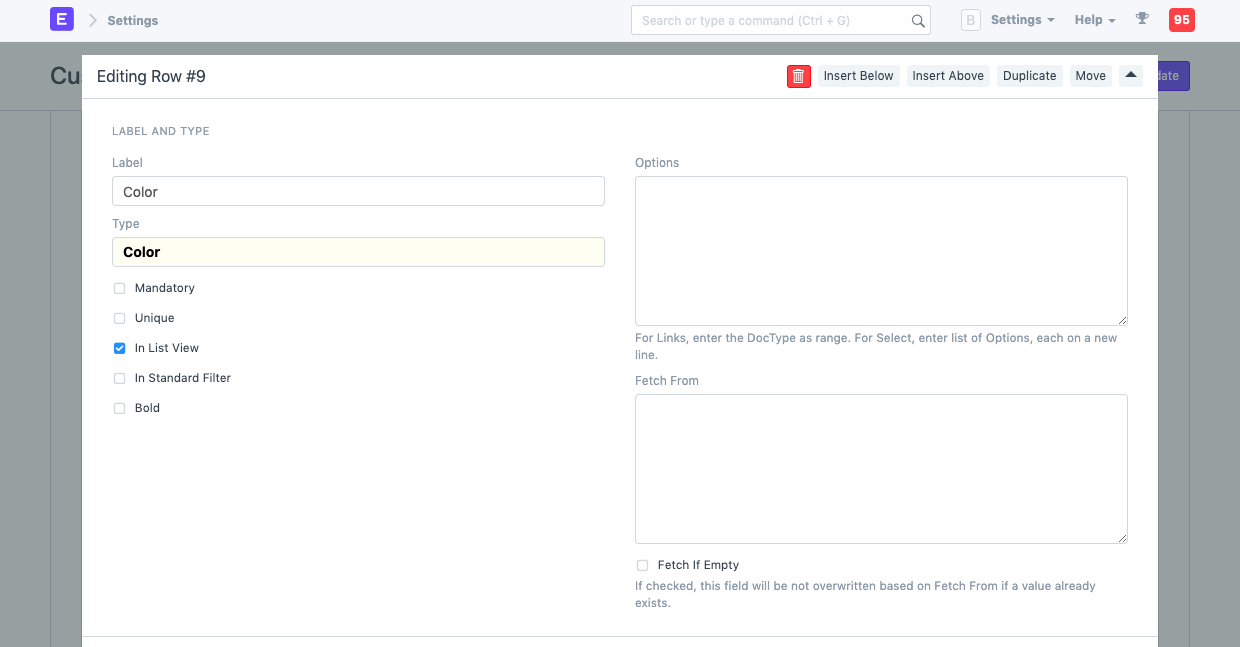
- Save the form, go back to the Task list, and reload.
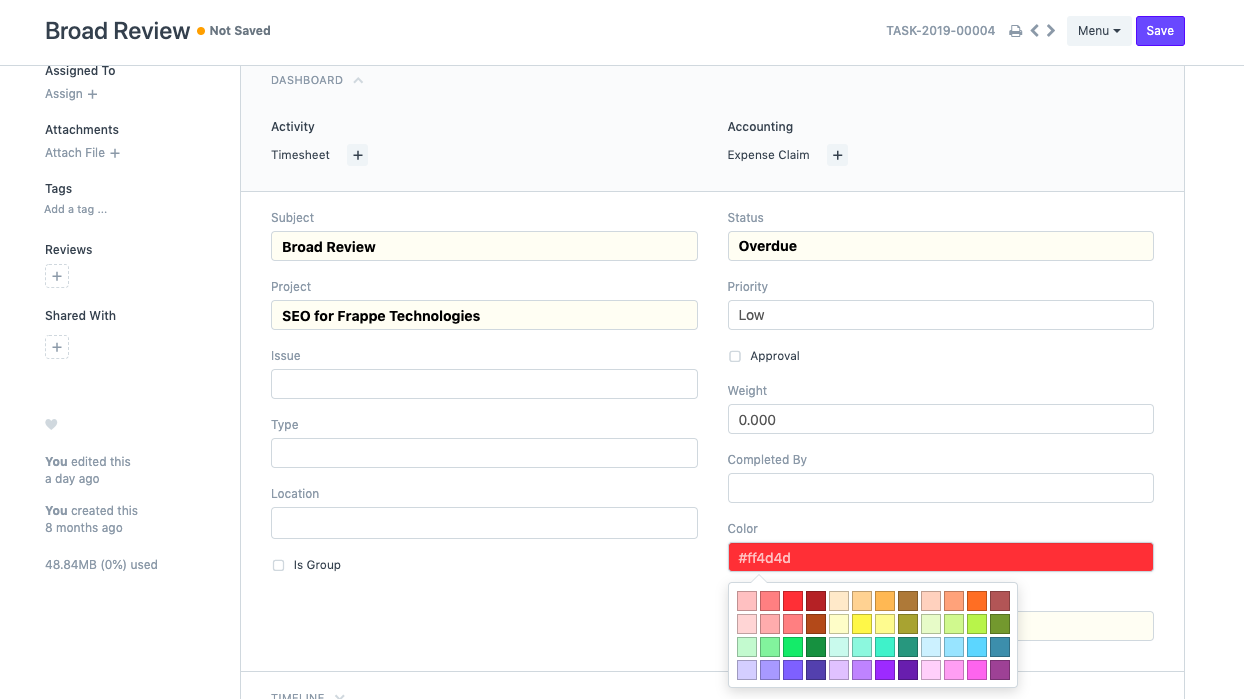
- When opening an existing or new Task, you should see a color field. Pick a color for the Task.
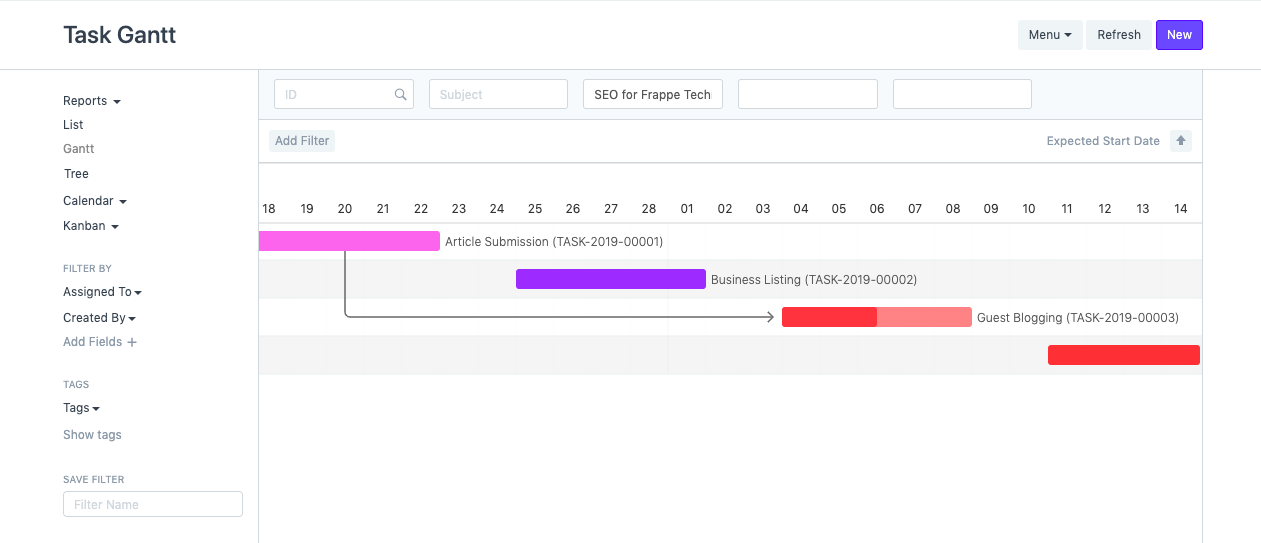
- Go back to the Task list and switch to Gantt view.
Last updated 7 months ago
Was this helpful?